
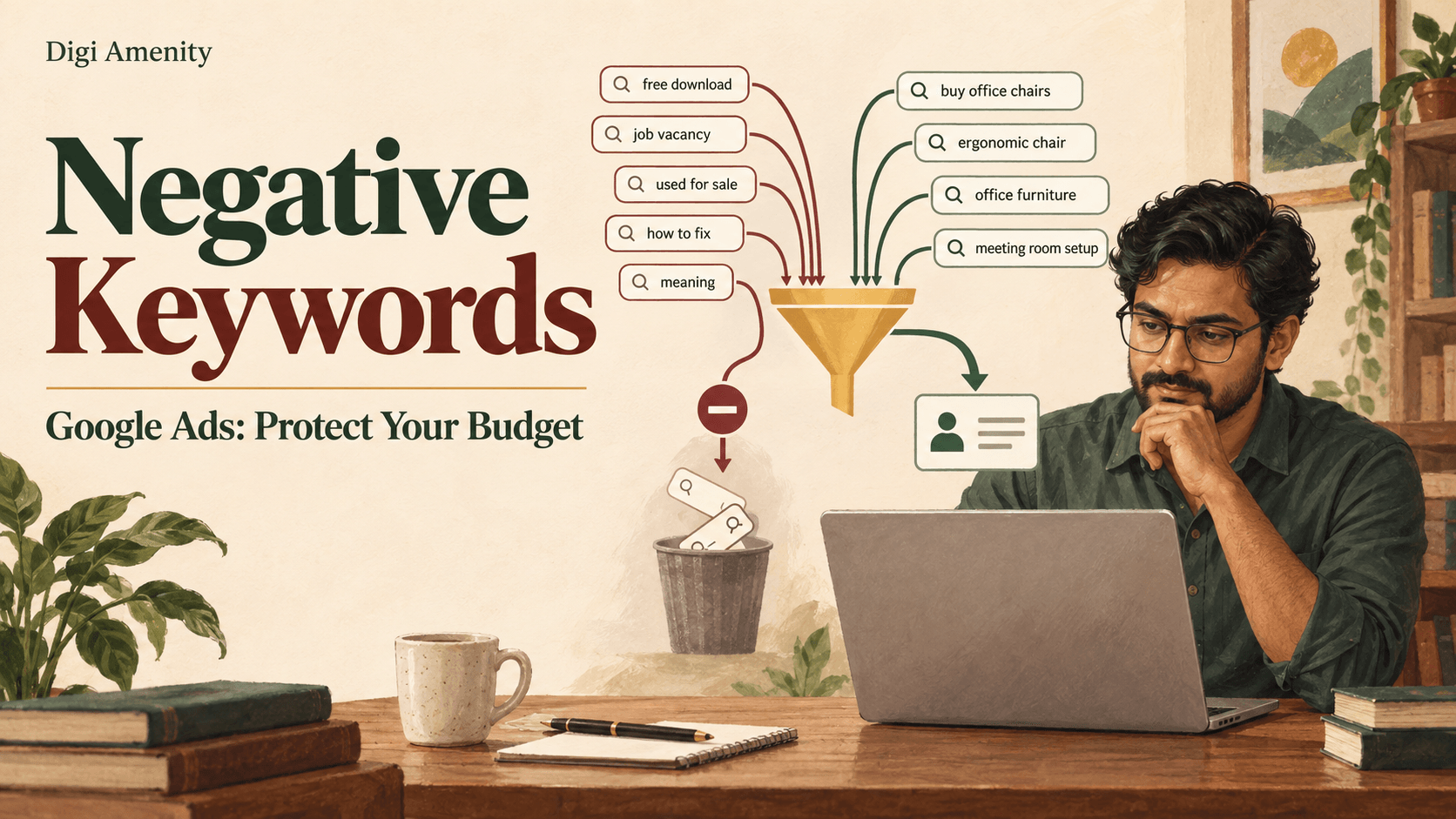
Negative keywords in Google Ads prevent your ads from appearing for unwanted searches. Start with searches that clearly cannot become customers, choose the narrowest useful exclusion, and check that it does not block a service or product you actually sell. A search with no recorded conversion is a reason to investigate—not automatic proof that it should be excluded.
For Indian businesses working with a limited advertising budget, the difficult part is usually deciding what to block. A training enquiry may be irrelevant to a service campaign but valuable to a course provider. A query containing “free” may mean someone wants a free download, or it may mean a buyer wants a free quotation.
This guide focuses on Search campaigns, with a separate note on Performance Max. If you are still setting up your account, start with our guide to running Google Ads in India.
How do negative keywords in Google Ads work?
A positive keyword helps you reach searches; a negative keyword restricts eligibility. Negative broad, phrase and exact matching follow different rules from positive keywords.
For Search, negative broad blocks a query containing all the negative keyword’s terms in any order. Negative phrase requires the same sequence. Negative exact blocks the complete query without extra words. Google handles casing and misspellings, but you must consider synonyms and singular/plural forms separately. These rules are explained in Google’s negative-keyword documentation.
Illustrative example: a company sells new office chairs and wants to exclude second-hand purchases. Here is how the negative keyword used chairs would behave.
On mobile, swipe the table sideways. “Not blocked” means this exclusion does not stop the query; it does not guarantee an ad will appear.
| Search query | Broad: used chairs | Phrase: “used chairs” | Exact: [used chairs] |
|---|---|---|---|
| used chairs | Blocked | Blocked | Blocked |
| buy used chairs | Blocked | Blocked | Not blocked |
| chairs used for offices | Blocked | Not blocked | Not blocked |
| used chair | Not blocked | Not blocked | Not blocked |
The third row shows the business risk: someone may be describing the intended use of a chair, rather than asking for a second-hand product. Read the whole query before selecting the match type.
Which searches should you exclude, keep or investigate?
Use three decisions instead of turning every disappointing search into a negative. The examples below are hypothetical, not Digi Amenity client results.
- Exclude: a web-development agency that sells services but no courses receives “web design course syllabus” searches. The requested outcome does not match its offer. Consider an appropriately scoped exclusion for the course intent.
- Keep: “website development quotation” fits a commercial service enquiry. Do not block it merely because quotation requests need follow-up.
- Investigate: “affordable ecommerce website” is relevant but has no recorded leads. Check pricing clarity, mobile forms, conversion tracking and the sample size before excluding it.
Give your sales team a simple way to distinguish a wrong-service enquiry from an unreachable contact, an unsuitable budget or a delayed purchasing decision. Those are different problems. Our Google Ads lead-quality guide explains how campaign targeting connects to the enquiry and sales process.
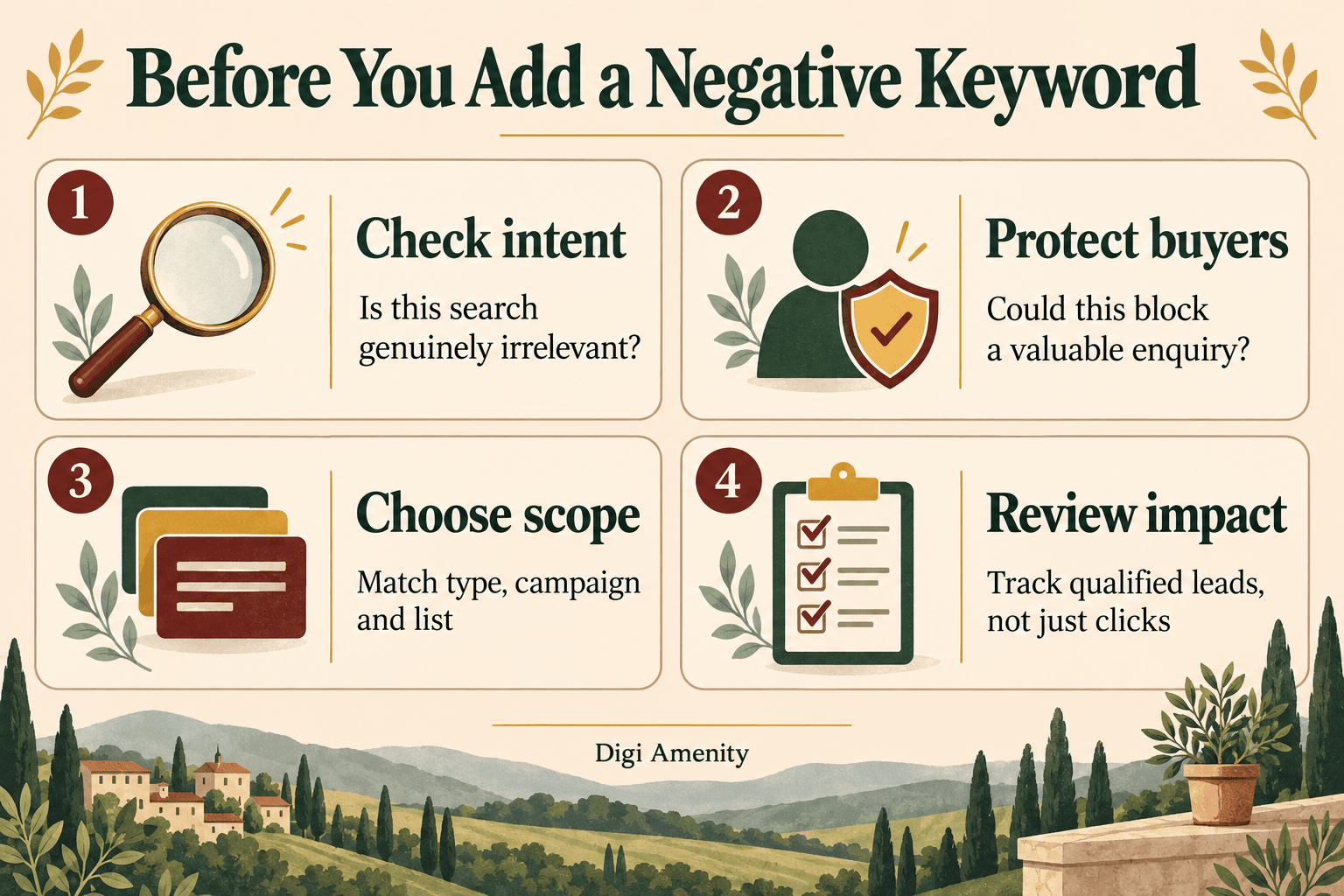
A useful review question is: “If this person received the right page and a prompt response, could our business fulfil what they want?” If the answer is yes, exclusions may hide an offer or website problem.
Where should a negative keyword apply?
Use ad-group exclusions for a narrow distinction within a Search campaign. For example, keep WordPress-specific demand away from a Shopify-only ad group when the account intentionally separates those services. Avoid unnecessary routing rules when one relevant landing page already answers both needs.
Use campaign exclusions when an intent is unsuitable for the entire campaign. A service campaign may exclude training searches while a separate training campaign keeps them.
Use shared lists for a recurring exclusion theme across selected campaigns. Name each list by its purpose, and check which campaigns actually use it. Creating a list does not by itself apply it everywhere. Google documents how to add and apply negative-keyword lists.
Use account-level exclusions sparingly. They apply automatically to eligible Search and Shopping inventory across relevant campaign types. Reserve them for intent that the whole business rejects. Follow Google’s account-level guidance and audit the full service catalogue before adding a global exclusion.
Digi Amenity’s recommendation is to make the reason for a broad exclusion stronger than the reason for a narrow one. A term that is irrelevant to one team may generate valuable enquiries for another.
How do you find and add negative keywords?
- Open the search terms report. In Google Ads, go to Campaigns, then Insights and reports, then Search terms. Set the campaign and date range you intend to review.
- Inspect the actual searches. Review cost alongside conversions and available lead-quality information. Start with clear mismatches; do not use a universal “number of clicks before exclusion” rule.
- Choose the scope and match type. Select relevant rows and use Add as negative keyword. Google says Search-campaign additions from this report default to negative exact match, so deliberately check the selected format.
- Check the buyer counterexample. Write one valuable query that contains the proposed negative. If you would block that buyer, narrow or reconsider the exclusion.
- Save and record the change. Note the term, match type, campaign/list, reason and date. Confirm the list is attached to the intended campaign.
See Google’s search-term exclusion instructions. The report is not a complete log of every search: some low-activity queries are withheld for privacy. Google explains that limitation in its search terms report guide.
Why can a ready-made negative keyword list be risky?
A list is a set of decisions about your business, not a collection of universally bad words. Review every suggestion before importing it.
- “Free”: could exclude buyers seeking a free quotation or a product with free delivery.
- “Hire”: may indicate recruitment, but “hire a web developer” can express strong buying intent.
- “Reviews”: often signals comparison before purchase. A convincing landing page may be more useful than an exclusion.
- A competitor’s name: decide whether comparison shoppers are part of the campaign strategy before blocking them.
- A city name: check service coverage and the meaning of the query. A person’s search wording and their physical location are not interchangeable.
If geography is the problem, review Google Ads location targeting as well. A keyword exclusion is not a replacement for sensible service-area settings.
Do negative keywords work in Performance Max?
Yes. Google supports campaign-level and account-level negative keywords for Performance Max, but they apply to its Search and Shopping inventory. Do not expect them to act as a universal placement filter for every channel in the campaign.
Google’s current workflow is to open Keywords, select Negative keywords, use the plus button, choose the Performance Max campaign, enter terms or select an existing list, and save. Check the scope before applying a list shared with Search. See Google’s Performance Max instructions.
How do you check whether your exclusions helped?
Keep a short decision log. For each change record: search term → business mismatch → exclusion and scope → valuable query to preserve → implementation date → review date.
Hypothetical entry: “web design course syllabus” → agency sells development services only → phrase exclusion “course syllabus” in the service campaign → preserve “website design quotation” → review after enough new traffic and the normal enquiry delay.
Compare similar periods and record other changes to budgets, bids, targeting and landing pages. Track qualified enquiries, qualification rate, cost per qualified enquiry and sales outcomes where available. A lower click count alone is not success; it can also mean you excluded relevant demand.
For a newly launched or substantially changed campaign, review queries more frequently until you understand the traffic. A weekly review can be a practical starting point for a stable account, adjusted to spend and volume. This is a workflow recommendation, not a platform requirement.
If useful traffic drops after a change, inspect the changed exclusions and list associations first. Also check the reporting dates: a query appearing before the exclusion was added is not proof that the exclusion failed. Google covers this in its negative-keyword troubleshooting guide.
Frequently asked questions
Should every negative keyword use exact match?
No. Exact can be useful for an individual unwanted query. Phrase or broad can cover a clearly irrelevant pattern, but create a wider risk of blocking buyers. Choose based on the intent you want to remove and test a valuable counterexample before saving.
Do I need a separate negative for plural versions?
Check singular and plural versions separately, as well as synonyms. Do not assume positive-keyword expansion rules apply to negatives. Review real queries and add only the variations that are inappropriate for your offer.
Should I block searches after a few clicks with no leads?
Not solely for that reason. A small sample, delayed enquiry, broken form or missing conversion event can all produce that pattern. Clearly irrelevant intent can justify an exclusion without waiting for a performance threshold; relevant intent needs a broader diagnosis.
Can negatives remove spam leads?
They can reduce exposure to identifiable irrelevant search intent. They cannot solve every source of spam. Check form validation, conversion definitions and sales feedback before attributing all poor enquiries to keywords.
Should I copy the same list into every campaign?
Only if each exclusion is appropriate for every campaign receiving it. A business offering both training and services may need different rules. Give shared lists a clear purpose and review associations when launching a new offer.
Why do I still see an excluded search in reports?
Check when it occurred, when the exclusion was applied, the affected campaign, list attachment and match type. A historical row can remain in the report after an exclusion. Do not add increasingly broad negatives until you identify the cause.
What should an agency report after reviewing negative keywords?
Ask for the actual changes, reasons, scope, possible trade-offs and the date for checking business outcomes. A large number of added negatives is not a meaningful result on its own. The review should protect relevant demand as well as remove mismatches.
Review the whole enquiry journey before cutting more traffic
If your campaigns generate irrelevant searches or weak enquiries, Digi Amenity can review your Google Ads campaigns, including search terms, exclusions, tracking, landing pages and follow-up, before you increase the budget or block more demand.
Platform guidance checked on 23 September 2026. Examples are hypothetical. Results depend on the offer, implementation and customer journey.
