
SEO for a new website starts with a clear page plan, accessible and indexable pages, useful content, a working mobile journey and accurate measurement. Before launch, fix anything that prevents customers or Google from reaching your important pages. After launch, verify discovery and indexing, then improve pages using search and business evidence. Installing an SEO plugin or submitting a sitemap does not finish the job.
This guide includes a 40-point SEO checklist for new websites, practical WordPress and Shopify checks, a launch-day sequence and a first-90-day review plan. It is designed for Indian service businesses and online stores. The priorities and review windows are Digi Amenity’s recommended operating framework, not Google requirements or promises of rankings.
Research checked: 7 October 2026. Platform guidance can change; primary sources are linked beside the relevant advice.
Take the checklist into your launch review
Download the printable 40-point SEO checklist, with priorities, suggested owners, pass evidence and space to record status, deadlines and retests.
Download the SEO checklist (PDF)
Free PDF · 5 pages · 15 KB. No signup required.
What should you fix first when starting SEO for a new website?
Use three priorities so that small cosmetic improvements do not delay essential fixes:
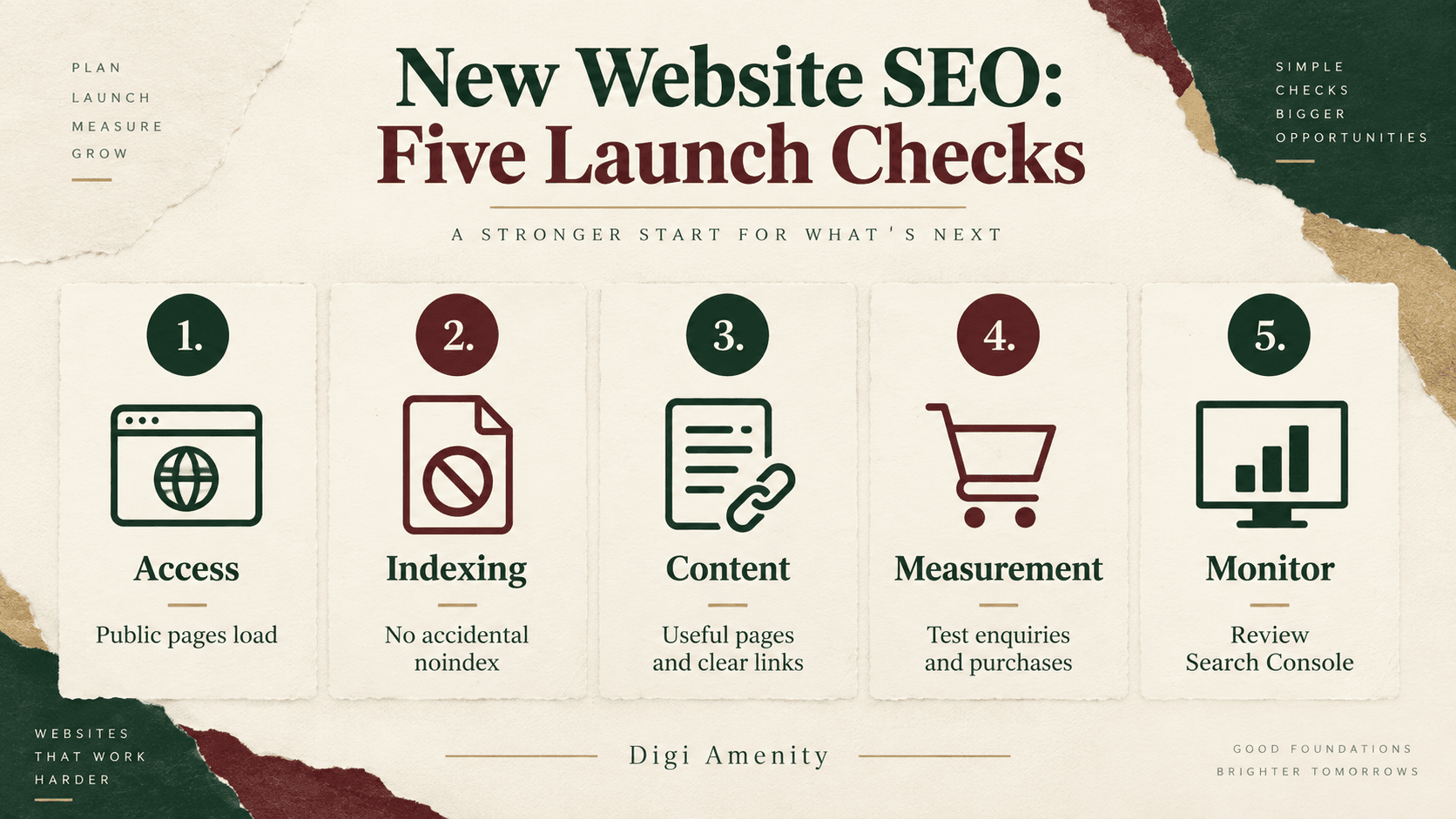
- P0 — resolve before promoting the launch: public pages fail to load, launch pages remain private, a site-wide indexing block persists, important pages point to a staging domain, or customers cannot complete the main enquiry or purchase journey.
- P1 — complete at launch or soon afterwards: core page content, page-specific titles, navigation, sitemap submission, verified tracking and representative mobile testing.
- P2 — improve with evidence: supporting articles, earned mentions, deeper content expansion and refinements based on actual queries and customer questions.
These are business priorities, not an official ranking formula. An analytics problem may not prevent indexing, but it can leave you unable to evaluate the launch. Conversely, being indexed does not prove that a page will rank for a valuable search.
Keep three separate statuses in your launch record: accessible, eligible for indexing and observed indexed. Google’s minimum technical conditions include accessible crawling, a successful HTTP response and indexable content; meeting them does not guarantee inclusion. You can check eligibility before promotion, while actual indexing is something to observe after the public launch. See Google’s technical requirements.
How do you choose keywords and plan pages before launch?
Start with the business outcome
Write down what a useful visitor should do: request a quotation, book a consultation, buy a product or submit a relevant enquiry. Then identify the questions they need answered before taking that action. This keeps a new website from becoming a collection of disconnected keyword pages.
For each proposed page, record its audience, main question, search intent, related queries, evidence needed and next step. Look at the actual Google results for the query: are they service pages, product collections, tutorials, comparisons or local results? That observation helps choose a suitable page format. It does not prove search volume or guarantee that copying the format will work.
Map a useful query group to one appropriate page
Hypothetical example: a Mumbai commercial-interiors business is planning its first website. This example is a planning demonstration, not a client case or measured keyword opportunity.
- Office interior design in Mumbai: a service page explaining scope, project process, genuine portfolio evidence and enquiry requirements.
- Office renovation cost factors: an educational guide explaining the variables, with a link to the relevant service.
- Small-office layout ideas: a practical article with original diagrams and limitations.
- Brand-name searches: the homepage and clear business/contact information.
Related wording with the same intent can belong on one page. Do not create near-identical pages for every singular, plural or neighbourhood variation. Equally, do not force a buying query into a blog merely because the blog is easier to write.
Prioritise the pages needed to explain and sell the actual offer. There is no compulsory number of launch blogs. A useful starting cluster might be one core service page and a few supporting answers, but its size should follow real questions and available evidence.
Agree on the structure with your developer
Choose stable, readable URLs and a navigation structure that makes your important pages easy to reach. Keep a page register before development finishes. For every URL, record whether it is intended for public search, customers only or internal use. If the project replaces an existing website, add a separate migration plan: old URLs, relevant replacements, redirects and post-launch checks. A redesign is not a clean-slate domain launch.
Make these requirements part of the website development brief, alongside forms, checkout, mobile usability and maintenance responsibilities.
What belongs in the technical SEO checklist?
Check the live domain, HTTPS and real responses
Open the homepage and a representative page from every template on the final domain. Check that HTTPS works without warnings, navigation goes to the intended host and production pages do not contain staging links. Ask the developer to check HTTP responses: a page that looks correct can still return an error status, while a “page not found” screen can incorrectly return success.
Test an invented URL too. It should produce a genuine not-found response and a helpful way back to useful content. Do not redirect every missing URL to the homepage. When replacing a real page, choose a relevant destination only where there is a meaningful replacement.
Use the right control for the right job
- Authentication: protects private areas such as a confidential staging site.
- Robots.txt: controls crawler access. It is not a password system and is not a dependable way to remove a URL from search.
- Noindex: asks supported search engines not to index a page. Google must be able to crawl the page to see the instruction.
- Canonical: indicates the preferred version among duplicate or similar URLs. It is a signal, not an access restriction.
Before launch, check both page-level robots tags and HTTP X-Robots-Tag headers. A plugin setting may look correct while a server header still blocks indexing. Never remove all restrictions blindly: customer accounts and private material need appropriate protection. Sources: robots.txt guidance and noindex guidance.
Keep canonical signals consistent
Review representative canonical tags, internal links and sitemap URLs together. They should not disagree about the preferred public page. A common launch risk is a template that still references the development domain. Another is several distinct service pages all declaring the homepage as canonical. Google can select a different canonical from the one you specify; investigate the underlying duplication and signals rather than repeatedly changing tags. See Google’s canonical guidance.
Verify navigation, rendered content and the sitemap
Check that the main content and links are present in the rendered page, including on mobile. This matters for custom websites where content, filters or navigation depend on scripts. Do not assume that JavaScript itself makes a website unsuitable for search; test the actual result.
Use an XML sitemap containing the preferred URLs you want considered for indexing. Check for staging addresses, broken URLs and unintended pages. A sitemap helps discovery but does not guarantee crawling or indexing. Do not repeatedly change its dates without substantive page changes. See Google’s sitemap guidance.
What should each important page contain?
A service page should make the offer understandable without requiring a phone call to uncover basic details. Explain who the service is for, what it includes, important exclusions, the process, relevant evidence and the next step. A product page needs decision-making information such as specifications, variants, availability and fulfilment details.
For a new business without case studies, show honest process explanations, product demonstrations or clearly labelled hypothetical examples. Do not invent testimonials, years of experience, certifications or results to make the website appear established.
Write titles and descriptions for the individual page
Use a concise, descriptive title that matches the page’s purpose. Avoid repeating the same generic title across the site or packing it with variants of the same keyword. Google may generate a different title link, so the saved title is an input rather than a guaranteed display. See title-link guidance.
Write a relevant meta description that explains what the visitor will find. Google often builds snippets from page content and may choose different text for different searches. Treat character-count previews as editing aids, not fixed Google eligibility limits. See snippet guidance.
Hypothetical title: “Office Interior Design in Mumbai | Example Studio”. Hypothetical description: “Explore office design scope, layout planning and project stages. See what information to prepare before requesting a Mumbai office-fit-out quotation.” These examples only suit a business that actually offers that service in that location.
Make headings, images and links useful
Give the page a clear main heading and descriptive section headings. Answer the main question early. Add descriptive alt text to informative images; do not fill image descriptions with unrelated keywords. Link to relevant pages using anchors that explain the destination. Core pages should not rely only on sitemap discovery. These foundations are covered in Google’s SEO Starter Guide.
As an editorial check, ask a colleague to find the offer, eligibility, evidence and next step without your help. If they cannot, improve the explanation before adding another paragraph for “SEO length”.
How should you check mobile usability and speed?
Test the actual enquiry or purchase journey on a phone: menu, service/product selection, form fields, error messages, confirmation and any payment hand-off. Check that banners do not cover the main action and that content remains readable without horizontal scrolling. A responsive theme still needs testing with your real content.
Google uses the mobile version of content for indexing and ranking. Important text, headings and other meaningful page information should not disappear from the mobile experience. See mobile-first guidance.
For Core Web Vitals, the good thresholds are LCP at or below 2.5 seconds, INP at or below 200 milliseconds and CLS at or below 0.1, assessed at the 75th percentile. These concern loading, interaction responsiveness and visual stability. See web.dev’s metric definitions.
A new website may lack sufficient real-user data. Record that as unavailable, then use lab diagnostics and manual testing to find likely problems. A lab score is not proof that real users pass every metric. Prioritise oversized images, slow server responses, unnecessary scripts and unstable layouts according to evidence. Do not delay a useful launch solely to chase a perfect tool score.
What extra checks do WordPress and Shopify need?
WordPress
In Settings → Reading, check the search-engine visibility option when preparing the public launch. WordPress documents that discouraging indexing generates a noindex instruction; it does not make the website private. Verify the final page output after changing the setting. See WordPress reading settings.
Assign one clear owner for titles, canonicals, sitemaps and schema across the theme and plugins. Check for duplicate output after plugin changes. Review archive and attachment-page behaviour instead of assuming every generated URL deserves search traffic. An SEO plugin is a configuration tool; its score cannot validate your offer, customer evidence or lead quality.
Shopify
Shopify generates a sitemap at /sitemap.xml. Confirm that the launched store and sitemap are publicly accessible, then submit the correct domain’s sitemap in Search Console. Review search-listing settings for important products, collections and pages, plus homepage preferences. See Shopify’s sitemap and search-listing guidance.
Inspect a sample product, collection and filtered journey. Confirm that the theme and apps have not introduced conflicting canonicals or duplicate structured data. Give priority to useful collection navigation and accurate product information; our e-commerce category-page SEO guide covers that deeper planning work.
Custom builds and structured data
Ask the developer to demonstrate rendered content, editable metadata, URL handling and error responses on real templates. For structured data, select types that describe the visible page accurately and meet the current feature requirements. Test the implementation, but do not equate a valid test with a guaranteed rich result. See Google’s structured-data policies.
A 2026 correction: Google’s documentation records that FAQ rich results stopped appearing from 7 May 2026. Useful FAQs still belong on a page when they answer customers, but FAQ markup should not be sold as a route to that retired display. See the Google documentation changelog.
How do you set up Search Console and measure real results?
Connect Search Console and inspect priority URLs
- Add the website property using an appropriate ownership-verification method. Keep access under the business’s control.
- Submit the live sitemap and check whether it can be read.
- Inspect the homepage and representative service, product, collection and article URLs.
- Record the inspection date, reported index status, canonical observations and any blocking issue.
- For an appropriate accessible URL, request indexing when available. Record a request as submitted only after confirmation.
Google says crawling can take days to weeks and a request does not guarantee inclusion. Repeated requests for the same URL do not make crawling faster. See Google’s recrawl guidance. Keep “not checked” separate from an observed “not indexed” status.
Define the outcome before marking an event as important
For a service business, a click on “Submit” is not proof that an enquiry reached the team. For a store, a checkout visit is not a purchase. Google’s recommended events distinguish generate_lead, purchase and other funnel actions; they require appropriate implementation. See GA4 recommended events.
Use a written measurement definition: what action fires the event, which confirmation proves success, how duplicates are prevented and who checks the receiving system. Mark the relevant validated event as a key event in GA4; that designation does not fix a faulty trigger. See GA4 key-event guidance.
Hypothetical test: submit one valid enquiry, one invalid form and reload the confirmation screen. The intended outcome is one received enquiry and one matching success event, with no success event for the rejected submission. Check WhatsApp clicks separately from conversations and qualified leads. Keep synthetic test details out of sales follow-up and avoid sending personal information in analytics event fields.
At Digi Amenity, the recommended review order is the complete journey: query → landing page → offer → action → follow-up. More organic visits are not enough if the form fails or the business cannot respond.
Do local businesses, online stores and AI search need different plans?
Local services: describe genuine service coverage, business details and customer-facing arrangements. Check eligibility and location rules before creating a Google Business Profile; a virtual address is not automatically an eligible location. Do not fabricate offices or build near-identical area pages without distinct value. See Business Profile guidelines.
E-commerce: plan the path from category to product to checkout. Record decisions for variants and filters rather than letting every URL combination become a content strategy. Verify product facts, shipping/returns information and purchase tracking. If Merchant Center or international expansion is in scope, treat those as additional workstreams with their own current requirements.
AI search: Google says established SEO practices still apply to its generative search features. Eligibility for supporting links involves being indexed and eligible for a search snippet; appearance is not guaranteed. Special AI schema or an llms.txt file is not required for Google Search. See AI-feature requirements and Google’s AI optimisation guide. This does not establish the rules for every other AI service.
Use AI to organise a page brief or propose unanswered questions if helpful, then verify the output. Add real business information, original explanations and human review. Google’s AI-content guidance, updated on 1 October 2026, stresses accuracy and value; mass-producing low-value pages can violate its spam policies. See guidance on generative AI content. A new website does not need hundreds of generated pages to look complete.
What is the complete 40-point website launch SEO checklist?
Copy this checklist into your project tracker. Each line gives a suggested owner and observable evidence. Use Pass, Fix, Not checked or Not applicable; add the reason for exceptions. P0/P1/P2 refer to the editorial priorities explained above. “SEO” can mean the responsible marketer or owner, not necessarily an outside agency.
Business and page planning
- Define the primary outcome (P1; Owner). Pass evidence: An agreed definition of a useful enquiry, booking or purchase exists.
- Map query groups to pages (P1; SEO). Pass evidence: Every core page has a distinct intent and proposed search-query group.
- Approve the actual offer (P1; Owner). Pass evidence: Scope, exclusions and next steps are documented for each core offer.
- Approve URLs and navigation (P1; SEO + developer). Pass evidence: A page register and navigation plan identify every core destination.
- Assign account ownership (P1; Owner). Pass evidence: The business controls domain, hosting, CMS and measurement access.
- Identify migration scope (P1; Developer). Pass evidence: Old URLs and relevant replacements are documented if replacing a site; otherwise mark not applicable.
Technical launch controls
- Verify final domain and HTTPS (P0; Developer). Pass evidence: Public pages load on the approved domain without certificate warnings.
- Check production responses (P0; Developer). Pass evidence: Important live templates return successful responses and meaningful content.
- Remove unintended launch privacy (P0; Developer). Pass evidence: Intended public pages open without login; private areas remain protected.
- Check crawler access (P0; Developer + SEO). Pass evidence: No accidental site-wide crawl block remains on intended public content.
- Check indexing directives (P0; Developer + SEO). Pass evidence: No unintended noindex exists in page tags or response headers on launch pages.
- Remove staging references (P0; Developer). Pass evidence: Canonical and navigation samples point to the intended production URLs.
- Review duplicate URL handling (P1; SEO + developer). Pass evidence: Canonical preferences are consistent with internal links and the sitemap.
- Test missing URLs and redirects (P1; Developer). Pass evidence: Missing pages return appropriate errors; intended replacements redirect correctly.
- Inspect rendered templates (P1; Developer). Pass evidence: Main content and navigation appear in the rendered mobile page.
- Validate the sitemap (P1; SEO). Pass evidence: It loads and contains intended preferred URLs without staging or broken entries.
Content and customer experience
- Approve core page facts (P1; Owner + editor). Pass evidence: Offer, product and business claims match evidence supplied by the business.
- Review page-specific titles (P1; Editor). Pass evidence: Each important page has a clear title describing its actual purpose.
- Review descriptions (P1; Editor). Pass evidence: Important pages have relevant summaries without unsupported claims.
- Check headings and opening answer (P1; Editor). Pass evidence: A reader can identify the page purpose and find key decision information.
- Check image usefulness and alt text (P1; Editor). Pass evidence: Informative images are relevant and described accurately.
- Connect important pages (P1; SEO). Pass evidence: Core destinations are reachable through useful navigation or contextual links.
- Verify contact and trust details (P1; Owner). Pass evidence: Real business details, contact routes and applicable policies are consistent.
- Test the main action (P0; Developer + owner). Pass evidence: A valid enquiry or test purchase reaches its intended destination.
- Test mobile usability (P1; Developer). Pass evidence: Menus, fields, errors, confirmations and key content work on a phone.
- Record performance findings (P1; Developer). Pass evidence: Lab findings and available field data are saved, with prioritised fixes.
- Validate applicable structured data (P1; SEO + developer). Pass evidence: Markup reflects visible facts; no unsupported reviews or conflicting output remain.
Measurement and platform checks
- Verify Search Console access (P1; Owner + SEO). Pass evidence: The correct property is accessible to the responsible business user.
- Submit and check the sitemap (P1; SEO). Pass evidence: Submission and processing observations are recorded, with errors assigned.
- Inspect priority URLs (P1; SEO). Pass evidence: Date, index observation and canonical findings are recorded per URL.
- Validate analytics collection (P1; Analyst). Pass evidence: Intended production visits and events arrive in the correct property.
- Test success-event definitions (P1; Analyst + owner). Pass evidence: Valid, invalid and repeat-action tests distinguish successes from clicks.
- Define lead quality and reporting (P1; Owner + analyst). Pass evidence: Qualification criteria, reporting filters and follow-up owner are documented.
- Review platform settings (P1; Developer). Pass evidence: Applicable WordPress, Shopify or custom-build checks above are evidenced.
- Review local-business eligibility (P1; Owner + SEO). Pass evidence: Any Business Profile uses eligible, genuine business/location details.
- Review the store journey (P1; Store owner + developer). Pass evidence: Category, product, variant and checkout samples are verified; otherwise mark not applicable.
Post-launch improvement
- Record indexing follow-up (P2; SEO). Pass evidence: Requests and observations are separate; unresolved issues have a next check date.
- Plan useful supporting content (P2; Owner + editor). Pass evidence: Each proposed article answers a distinct customer need and has a target page to support.
- Review comparable periods (P2; SEO + analyst). Pass evidence: Complete periods, filters, missing-data reasons and business outcomes are documented.
- Choose and remeasure actions (P2; Owner). Pass evidence: Each review ends with keep, improve, expand or investigate and a named next step.
Launch sign-off record: URL or template · check number · status · evidence link or screenshot · named owner · due date · date retested. A checkbox without evidence is only a reminder.
What should happen on launch day and in the first 90 days?
Launch day: verify the production website
First confirm that the approved version is live on the right domain. Then repeat the P0 checks on production, including mobile forms or checkout. Inspect representative templates, submit the sitemap and save your starting evidence. Do not rely only on a successful staging test: deployment can change headers, URLs, scripts or settings.
If a serious issue appears, give it a named owner and stop promotion of the affected journey until it works. Keep a safe release or rollback process with your developer. Actual Google indexing is a follow-up observation, not a prerequisite that can be guaranteed on launch day.
Days 1–30: establish what is working
Review discovery and index observations for important pages. Resolve blocked or incorrect templates, check the first real enquiries/orders and document missing data. Read initial search queries as clues about relevance. A few impressions are too little evidence for sweeping decisions about content or titles.
Days 31–60: improve the pages closest to business value
Compare complete periods with the same country, device and page filters. If a page receives relevant impressions but few clicks, inspect the result type, position, title and search intent together. If it receives visits but few useful actions, review the offer, mobile experience and follow-up. Write supporting content only where it answers a distinct unmet need.
Days 61–90: choose the next investment
Decide which pages to keep, improve, expand or investigate. Record the reason, proposed change, baseline and next review date. Multiple URLs appearing for a query are a signal to examine intent and overlap, not automatic proof that pages must be merged. Seek relevant mentions through useful resources, legitimate partnerships or original expertise; do not buy ranking-link packages.
These windows organise work. They do not promise that a new site will rank within 30, 60 or 90 days. For common implementation problems after launch, use our SEO mistakes and fixes guide.
Which numbers belong in the review?
- Search Console: page impressions, clicks, CTR, average position and query relevance, using consistent filters and complete dates.
- GA4: organic landing sessions, engagement and validated key events, with all-channel landing sessions available for context.
- Business records: received enquiries, qualified leads, orders and relevant revenue measures using agreed definitions.
- Technical evidence: unresolved launch failures, indexing observations and mobile/performance findings.
Do not expect clicks and sessions to match exactly: the systems measure different things. Label missing access or insufficient data rather than entering zero. The commercial question is whether the right pages attract suitable people and help them complete a useful action.
How do you troubleshoot a new website that is not showing results?
- Page cannot be accessed: investigate hosting, authentication, error responses and crawler restrictions before rewriting copy.
- Page is accessible but not observed indexed: inspect its reported status, canonical, discovery links, duplication and content value. Do not assume a crawl-budget problem without evidence.
- Indexed but receiving no relevant impressions: review page intent, the targeted queries and whether the offer is explained. Check demand evidence before producing more variants.
- Impressions but limited clicks: assess the actual result context and position before blaming only the meta description.
- Visits but no useful enquiries: test the conversion journey and validate tracking, lead quality and follow-up before treating this solely as an SEO problem.
Fix the earliest failed step you can demonstrate. Changing titles, content, URLs and tracking all at once makes it harder to understand what helped.
Frequently asked questions about new website SEO
1. Can a new website rank on Google?
Yes, a new website can appear in search, but launch age alone does not determine the outcome. Make important pages accessible, relevant and useful, then monitor actual evidence. No checklist, plugin or agency can guarantee a particular position.
2. Should SEO start before or after the website is built?
Start during planning. Page purpose, URL structure, navigation and tracking requirements are easier to agree before templates are finalised. Continue after launch because discovery, queries and customer behaviour provide evidence that a staging site cannot.
3. How long does SEO take for a new website?
There is no reliable universal deadline for useful rankings or leads. Separate technical readiness, crawling/indexing observations and business performance. Use the 90-day plan to schedule checks and decisions, not as a promise of results.
4. How many pages or blog posts should I launch with?
Enough to explain the real offer and support the customer’s next step. A focused service website and a store with many distinct products need different plans. Do not delay launch for an arbitrary blog quota or publish thin pages to inflate the site.
5. Is an SEO plugin enough for a WordPress website?
No. It can help manage settings, but you still need useful content, sensible architecture, correct output, working forms and measurement. Test the live website rather than assuming a high plugin score means the launch is complete.
6. Does submitting a sitemap guarantee indexing?
No. It supports discovery and communicates URLs for consideration. Continue reviewing important pages and any issues reported in Search Console. Keep request-submitted, crawl-observed and indexed-observed records separate.
7. Do I need backlinks before launching?
You do not need to buy a link package to make the website launch-ready. First create pages worth visiting and sharing. Then pursue legitimate relevant mentions and relationships. A numerical backlink target is not a substitute for relevance or a useful site.
8. Do AI search and the 2026 changes make traditional SEO unnecessary?
No. Current Google guidance still connects its AI search features with core SEO foundations. Clear explanations and original business information remain useful. Treat AI visibility as something to observe, not a promised result from a special file, markup type or writing formula.
Need a clear SEO handover for your website launch?
If your new website is nearly ready, Digi Amenity can review the page plan, indexing controls, mobile journey and enquiry or purchase tracking, then give your team a prioritised fix list. Explore our SEO services to discuss a launch review tied to your business goals.
