

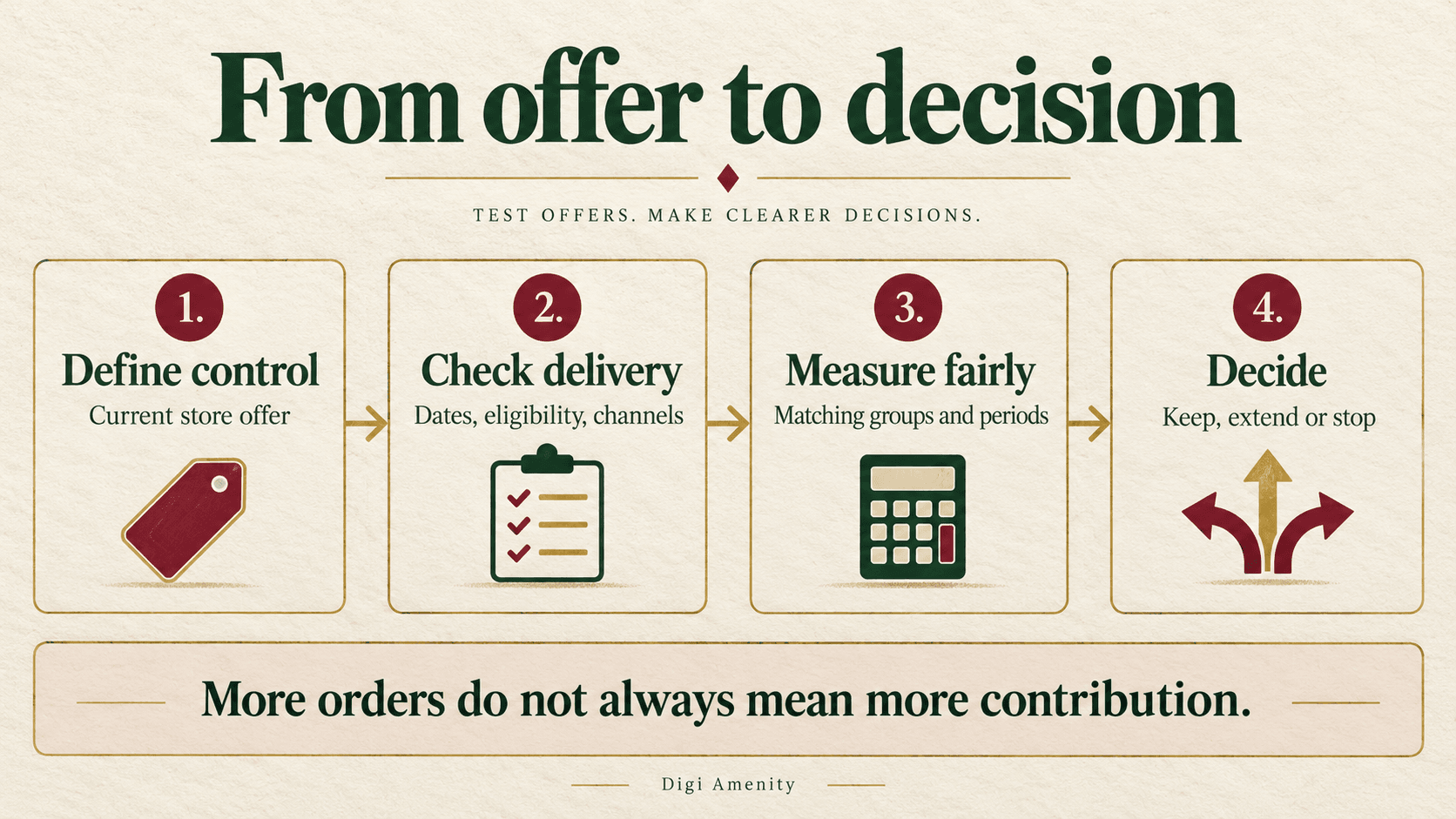
Shopify Rollouts discount testing lets you compare a discount change with your store’s existing offer before making a wider commitment. Use an Experiment when you need a control group, check that the offer reaches the intended shoppers, and judge the result alongside contribution after discount and fulfilment costs. A higher conversion rate alone is not enough to approve a promotion.
Shopify announced discount support in Rollouts on 2 October 2026. This guide explains the current setup, the reporting limits and a practical decision process for Indian store owners. Product details were checked on 6 October 2026; the examples below are hypothetical, not client results. Read Shopify’s announcement.
What changed, and which Shopify plans can use it?
Discounts can now join a rollout with other store changes. That makes coordinated promotion launches and controlled offer tests possible within the same workflow. It does not make every campaign a valid experiment, or mean every visitor receives the same offer.
Current Shopify requirements list Rollouts on Basic or higher and Experiments on Grow or higher. Appropriate Rollouts and Discounts permissions are also needed. The page lists no India-specific exclusion; confirm access in your own admin before planning a launch. This is not confirmation that every Indian account has the feature enabled.
Choose the rollout type around the decision:
- Launch: make a change permanent.
- Event: run a temporary campaign and roll the changes back at its end.
- Experiment: compare a treatment with the current-state control.
These are different operating modes. A scheduled sale does not, by itself, tell you what would have happened without the offer. Shopify’s Rollouts overview explains the distinction.
What should the control and treatment actually contain?
For discount changes, the control follows the store’s normal discount behaviour. You do not simply pick an unrelated second coupon as the control. The treatment activates or deactivates the selected discounts. Existing discount dates continue to matter. Check the current discount-control rules.
Write the customer experience in plain language before opening the setup screen. For example: “The control keeps the current offer. The treatment adds a free-delivery discount above our chosen basket threshold.” If an existing percentage offer remains available, check whether it combines with free delivery. You may otherwise test a larger combined incentive than intended.
A useful hypothesis identifies a business problem: “Delivery cost appears late in the journey; an affordable threshold offer may increase completed orders enough to cover its cost.” That is more actionable than “Discounts increase sales.” First check the product-page buying journey; unclear delivery information or weak product details may need attention before a price incentive.
Keep unrelated changes steady where practical. If you deliberately change the banner, offer and checkout together, describe the result as a test of that package. You cannot assign the entire difference to the discount alone.
How do you set up Shopify Rollouts discount testing?
Prepare the existing discount first, including its eligibility, purchase conditions and dates. Then follow the documented creation workflow:
- Open Markets → Rollouts → Create rollout. Give it a name that identifies the offer and decision.
- Select Experiment for a control comparison.
- Choose Add changes → Discounts, select the discount and set activation or deactivation. Apply the selection.
- Review the audience and traffic allocation. Adjust the experiment’s control/treatment split.
- Set start and end dates. Scheduling uses the store timezone in Settings → General.
- Review conflicts, the end behaviour and all configuration details before saving.
Shopify’s initial experiment settings are a 50/50 split and a 90-day end date. Those defaults are not a recommendation that your test needs exactly 90 days. Set a deliberate evidence plan and commercial deadline.
Record who can pause the promotion if checkout behaviour is wrong. Saving a technically valid setup is only one gate; the customer experience, financial guardrails and measurement plan still need review.
Which checks prevent a misleading or broken offer test?
| Check | Practical test | What failure means |
|---|---|---|
| Normal versus changed offer | Document what each group should receive; confirm the selected discount changes the treatment. | Both groups may receive the same deal, leaving no meaningful contrast. |
| Eligibility and combinations | Check a qualifying basket, a basket just below the threshold, excluded products and another active offer. | You may be measuring accidental stacking or a rejected coupon. |
| Dates and end behaviour | Check the discount’s dates alongside the rollout schedule and store timezone. | The offer may be available outside the intended period or fail to stop as expected. |
| Customer promise | Compare ad, email, product page, cart and checkout wording with actual availability. | People may arrive expecting savings that their journey cannot receive. |
| Operations | Check stock, dispatch capacity, payment failures, cancellation handling and support instructions. | Additional orders may create losses or an unmanageable queue. |
Partial-traffic discount activation applies on the Online Store; Shopify’s developer notice distinguishes it from activation at full effective traffic. Normal eligibility still applies. Do not promote a partial test as a universal offer. See the channel and availability notice.
Ask providers of discount, loyalty, email and reporting apps whether they understand Rollouts. A discount’s ordinary status or dates may not represent what an active rollout delivers. Older integrations may omit affected discounts from reads. This is a provider verification task, not a reason to replace every app. Shopify’s integration guide explains the compatibility checks.
Which Shopify discount test metrics should you monitor?
Start with the metrics actually available for your rollout. Shopify says they depend on the resources and rollout type; you cannot customize them. A rollout containing a discount does not provide discount-specific attributed revenue or order metrics. Exposures and discount eligibility also need careful interpretation, and shareable codes can complicate the comparison. Read the analytics limitations.
Use three layers of evidence:
- Behaviour: available conversion and journey measures indicate where the experience changes.
- Business outcome: paid and fulfilled orders, net revenue, discount cost, variable costs, refunds and cancellations explain whether the change is worthwhile.
- Reliability: group membership, dates, exclusions, changing traffic mix and missing observations determine how confidently you can interpret it.
For custom calculations, keep the numerator and denominator from the same group and period. Define contribution as revenue after discounts and refunds, excluding tax collected, less the variable costs included in your decision. State whether product cost, payment charges, packaging, delivery subsidy, returns and marketing spend are included. This is a management calculation, not a native Rollouts metric.
Contribution per assigned visitor = matched group contribution ÷ assigned visitors in that group. Only calculate it if your measurement setup can reliably connect outcomes and costs to assignments. Discount redemptions alone do not identify everyone assigned to a group. If that connection is unavailable, label store-level profitability as a separate guardrail; do not present it as measured experimental lift.
Use a consistent denominator. Orders per visitor, purchasing sessions per session and checkout completion rate answer different questions. Leave undefined rates blank when the denominator is missing or zero. Keep a dated record of other store changes using Shopify analytics annotations, while remembering that an annotation documents timing rather than proving causation.
Can a discount generate more orders and still lose value?
Hypothetical illustration, not a Shopify report or observed test: assume two correctly measured groups each contain 10,000 assigned visitors. For simplicity, every order is paid and fulfilled, there are no returns, and all figures use the same tax-exclusive basis. Contribution includes the same selected variable costs in both groups and excludes fixed overhead and marketing spend.
| Measure | Control | Discount treatment |
|---|---|---|
| Assigned visitors | 10,000 | 10,000 |
| Paid, fulfilled orders | 200 | 250 |
| Orders per assigned visitor | 2.0% | 2.5% |
| Contribution per order | ₹600 | ₹450 |
| Total contribution | ₹120,000 | ₹112,500 |
| Contribution per assigned visitor | ₹12.00 | ₹11.25 |
The treatment creates 50 more orders but ₹7,500 less contribution. At ₹450 contribution per order, it would need at least 267 fulfilled orders to exceed ₹120,000. The simple break-even calculation is control contribution divided by treatment contribution per order, rounded up to whole orders when necessary.
This arithmetic explains the trade-off; it does not prove statistical significance or predict your result. Real returns, cash-on-delivery cancellations, extra support effort and repeat purchasing can change the conclusion. Do not assume future repeat purchases will rescue an unprofitable first order without evidence.
What should your experiment decision card include?
Copy this practical checklist into your campaign brief.
- Question: what customer friction or commercial decision does the test address?
- Control / treatment: describe both experiences, including existing offers.
- Scope: products, market eligibility, channel, traffic allocation and split.
- Timing: start, end, timezone and a record of overlapping promotions.
- Quality checks: eligible and ineligible baskets, combinations, mobile checkout, payment and end-of-offer behaviour.
- Evidence plan: primary measure, group identifiers, cost basis, exclusions, sample planning and review date.
- Guardrails: acceptable contribution, stock and fulfilment limits, payment issues and customer complaints.
- Decision: keep, extend or stop, with evidence, uncertainty, owner and next action.
Keep the offer only when the planned evidence supports the business objective and operational checks pass. Extend an inconclusive test only when it remains safe, the reason is documented and the revised analysis remains defensible. Stop when the customer experience breaks, a financial guardrail is breached or the intended comparison cannot be measured.
There is no universal seven-day route to a reliable winner. Plan around traffic, baseline performance, the smallest difference worth acting on and the analysis method. A low-volume store may be better served by fixing obvious friction and monitoring a carefully bounded promotion than claiming precision from a tiny experiment.
To end an active rollout, Shopify provides a choice between rolling back and applying changes permanently. Review that choice carefully: permanent application cannot be reverted through the ended rollout, and it can change a discount’s lasting activation or expiry behaviour. Check the management and end-state rules. After stopping, verify banners, discounts and automated messages again.
Frequently asked questions
Is Shopify discount A/B testing available on Basic?
Basic supports Rollouts, but the current requirements put Experiments on Grow or higher. Scheduling a promotion and comparing a treatment with a control are different capabilities. Check the current account options before committing to a test.
Can I use one coupon for the control and another for the treatment?
The native control reflects your store’s normal discount behaviour. Plan which existing discounts the treatment activates or deactivates, and check combinations. Do not assume a two-coupon picker reproduces the comparison you want.
Will increasing traffic allocation guarantee that everyone gets the discount?
No. The experiment split, conflicts with other rollouts and normal discount eligibility still matter. Verify the effective configuration and customer experience before sending a broad promotion; a configured percentage is not proof of universal redemption eligibility.
Should I change the theme and discount together?
You can test a coordinated experience when that is the business question. If you want to understand the discount’s individual effect, avoid unrelated changes. A bundled test supports a conclusion about the bundle, not a separate causal claim for every element.
Does Rollouts show the profit made by a discount?
Do not assume it does. Native analytics have defined limits, including no discount-specific attributed revenue or orders. A contribution calculation needs additional cost and outcome data, and a reliable group match before it can be described as experimental.
How long should a Shopify Rollouts experiment run?
Use an evidence plan based on traffic and the effect worth detecting, plus your campaign deadline. Review obvious technical problems promptly, but do not stop simply because one day looks favourable. If the sample is inadequate, report an inconclusive result.
What if my store cannot reliably connect orders to test groups?
Use the available native comparison with its stated limitations and monitor overall business economics separately. Ask your analytics provider what assignment evidence is supported. Avoid inventing a group split from coupon use or allocating total sales proportionally by the traffic slider.
Make the offer, storefront and measurement agree
If your promotion brings more orders but leaves unclear margin or inconsistent checkout offers, Digi Amenity can review the discount rules, customer journey and measurement plan through its Shopify and web development services before you expand the campaign.
