
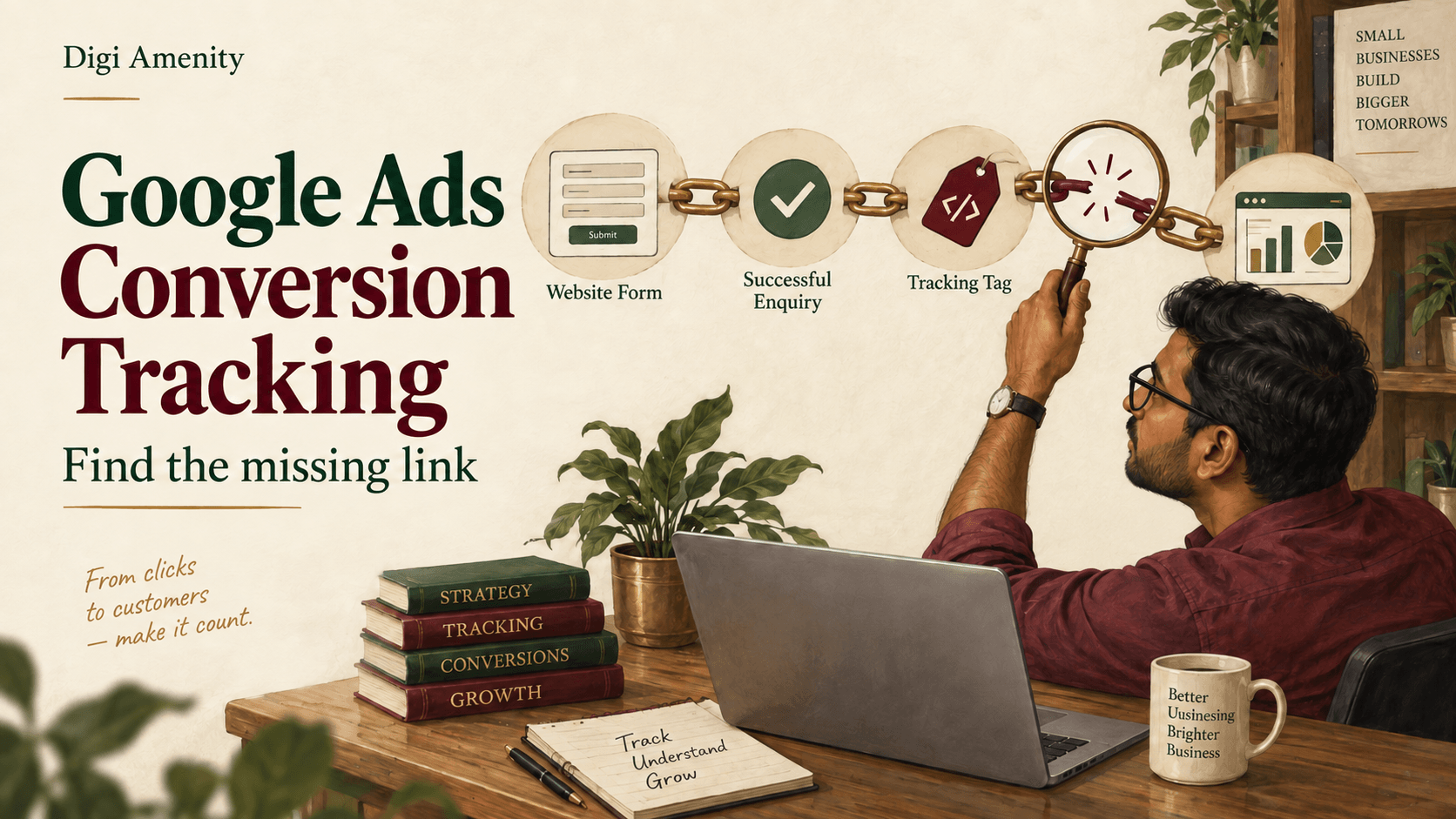
Google Ads conversion tracking not working? Find the first broken step: did the enquiry or order exist, did the correct event fire, did it reach the right conversion action, and is that action visible in the report you are checking? A tag firing in a test does not by itself prove an attributed Google Ads conversion. Equally, zero in the “Conversions” column does not always mean the tag is broken.
For Indian businesses using WordPress, Shopify or a custom website, the useful starting point is a traceable customer journey. Keep the website record, measurement event and sales outcome separate. This guide focuses on website conversions; app measurement and offline upload implementations need their own checks.
Where should you start when Google Ads conversion tracking is not working?
Choose the symptom before editing anything. Record when it started and what changed around that time: a new form, checkout, consent banner, website release or published Google Tag Manager version. Preserve the current settings so the team can explain and reverse a specific change.
| What you observe | Check first | What it does not prove |
|---|---|---|
| No enquiry or order in the receiving system | Complete the customer journey and check submission, payment or integration errors. | That the advertising tag caused the missing business record. |
| Business record exists; expected event is absent | Success trigger, page changes, consent state and the deployed tag setup. | That adding another tracking plugin is the right fix. |
| Event fires; Ads report stays empty | Destination/action, attribution eligibility, reporting delay, columns and campaign goals. | That every test should appear as an ad-attributed conversion. |
| Too many conversions | Repeated events, duplicate installations, overlapping actions and counting settings. | That all excess records are caused by page reloads. |
What exactly counts as a successful conversion?
Write a one-sentence definition. For a quotation form: “The server accepts a valid enquiry and creates a record for the sales team.” A submit-button click is an attempt. A WhatsApp-link click opens a conversation route. Neither automatically means a received or qualified enquiry.
For purchases, decide which order state the event represents and how its value is calculated. A created cash-on-delivery order, paid order and fulfilled order are different business milestones. Use clear action names and consistent value/currency rules; do not call every order event collected revenue.
Map the route actually installed: a native Google Ads website conversion, a conversion created from a GA4 event, or a supported platform integration. Linking GA4 and Google Ads is not a substitute for confirming that the intended Ads conversion action exists. If both routes measure the same outcome, document their roles before changing goals.
Google Ads conversions not showing: are you checking the right action?
Open Goals → Conversions → Summary, select the intended action and read its diagnostic details. Google’s current status guide distinguishes Active, Needs attention, Misconfigured, Awaiting conversions and Removed, while noting that status details are rolling out. Your account may still show older labels. A warning describes a measurement condition, not the commercial quality of the lead. See Google’s conversion-status troubleshooter.
Add “All conversions” and segment the report by conversion action. For standard goals, primary actions are included in the “Conversions” column and used for bidding when the campaign uses their goal; secondary actions normally remain observational. Custom goals are an exception: an included secondary action can still be used for bidding. Check campaign goals as well as the individual action’s label. Google explains primary and secondary actions.
Do not promote every event to primary just to make a dashboard show activity. If page views, button clicks and received enquiries all count as equivalent successes, an apparent improvement can hide a weaker sales pipeline. Our Google Ads lead-quality guide explains how to connect measured enquiries with actual qualification.
How do you test Google Ads conversion tracking properly?
Agree a labelled test with the receiving team. Use synthetic details suitable for the form and record the time, browser and page. Keep test records out of business reporting through your agreed QA process; do not submit real customer details to debugging screenshots.
- Open the actual landing page. Use Google Tag Assistant and, where applicable, GTM Preview to inspect the journey.
- Complete the intended action. Confirm that the website and receiving system show a successful enquiry or order.
- Inspect the event. Check that the correct tag fires on success, with the intended conversion destination, value and currency where applicable.
- Check the failure path. Submit with a required field missing. A success conversion should not fire for a rejected attempt.
- Check repeats. Reload the confirmation page or revisit it. Investigate unintended extra events.
- Verify the deployed version. Preview proves the version being tested. Retest the live journey after the approved change is published.
Google recommends Tag Assistant for implementation checks in its conversion-tracking troubleshooting guidance. Treat the test as evidence of event delivery, then investigate attribution separately. A direct visit with no eligible ad interaction is not a valid test of whether Google Ads should credit the conversion to a campaign.
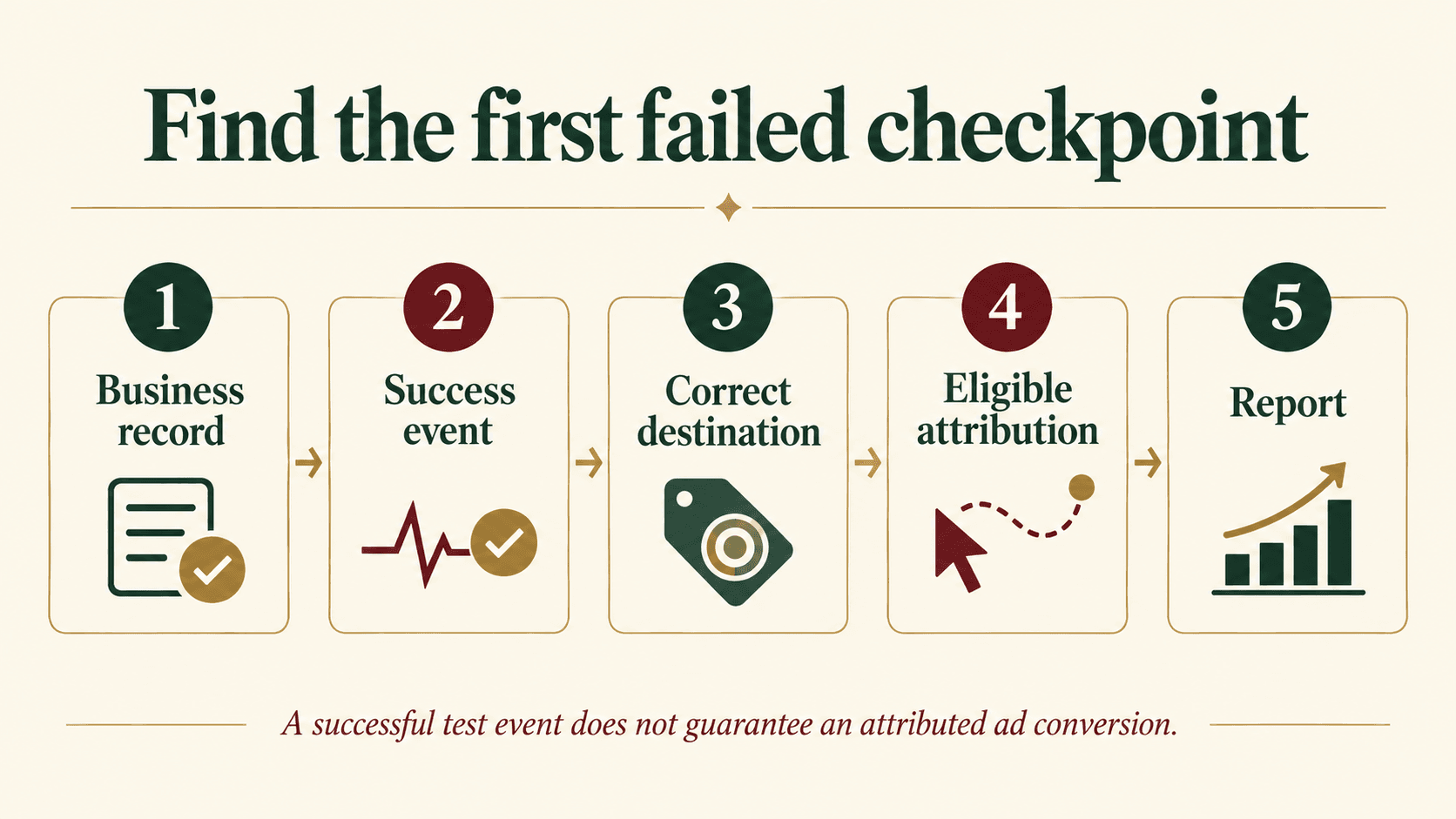
Which Google Ads conversion tracking issues commonly break the event path?
A redesigned form or thank-you page. A URL rule may still point at an old address. An AJAX form may now show an inline confirmation without navigation. Ask the developer for a reliable success event rather than changing the trigger to every button click. For embedded third-party forms, confirm how successful submissions are communicated to the parent page or supported integration.
The wrong destination or a missing live tag. Compare the conversion ID and label with the intended manually configured Ads action where that setup uses them. Check that the current landing and success pages load the intended container or integration. An old plugin, theme snippet and GTM installation can coexist without anyone owning the whole setup.
Ad-click information lost during navigation. Check auto-tagging and whether redirects preserve click identifiers. Trace the landing URL through redirects and domain transitions. UTM labels serve reporting needs, but do not replace the Ads click identifier. Google’s sitewide-tagging guide covers landing-page coverage, redirects and iframe pitfalls.
Incorrect linker assumptions. Current Google documentation says a GTM container loading a Google tag on every page does not also need a separate Conversion Linker tag. Where the setup requires a linker, verify its coverage and cross-domain configuration. Inspect the existing implementation before adding a tag because an older checklist says it is always mandatory. See Conversion Linker guidance.
Blocked requests or broken scripts. If a console error or network failure identifies a particular request, give that evidence to the developer. Do not remove security controls wholesale. For Shopify checkout changes, review the current supported integration; copying a deprecated checkout-script fix from an old forum can create a second problem.
Could consent settings explain missing conversions?
Test the initial consent state and the state after a visitor makes a choice. If the person grants a relevant permission but the corresponding state never updates, investigate the implementation. If they decline, restricted measurement may be the expected behaviour.
Record which tags fire or are blocked at each stage and repeat the check for any region-specific configuration. Google’s consent-debugging guide explains how to inspect defaults, updates and tag behaviour in Tag Assistant. Keep this distinction clear: repairing a broken consent signal is different from overriding someone’s refusal.
Enhanced conversions can supplement measurement, but they do not repair a form that never succeeds. Google’s current documentation combines web and lead enhanced conversions into one on/off setting and supports data from multiple implementation sources. Check current account diagnostics and applicable customer-data requirements rather than following an obsolete method-selection screen. Read the current enhanced-conversion guidance. No measurement method guarantees complete recovery of missing activity.
Why do Google Ads conversions differ from GA4 or your CRM?
Compare the same outcome, acquisition scope, date range and timezone. Your CRM can contain enquiries from organic search, referrals, repeat customers and advertising. Its total is not the number Google Ads is expected to attribute to itself. A gap is a question to investigate, not automatic proof of broken tracking.
Check whether the report groups conversions by ad-interaction date or conversion date. Google offers “Conversions (by conv. time)” and “All conv. (by conv. time)” columns to help align the time basis. Attribution, conversion windows, counting and consent can still produce differences. See Google’s discrepancy guidance.
Allow the relevant processing time before judging a repair. Google’s data-freshness documentation gives different timings by conversion source and attribution model. Separate processing delay from the customer taking several days to enquire. Use complete periods and log when a setting changed; a same-hour comparison is weak evidence.
For overcounting, inspect two different problems. A unique transaction ID helps suppress repeat records within the same conversion action. It does not automatically reconcile two separate actions representing the same purchase. Also, counting one conversion per ad interaction is different from deduplicating an order. Never hardcode the same transaction ID for every order: that can cause undercounting. Google’s transaction-ID guide explains the distinction.
What would a useful diagnosis look like for a small business?
Hypothetical example: an Indian office-furniture supplier changes its WordPress quotation form. The old form redirected to a thank-you page; the new form displays an inline success message. Sales receives enquiries, but the old URL-triggered conversion stops firing. A WhatsApp-link click still records, making the account appear partly healthy.
The team confirms the received enquiry, observes the missing success event, and maps a new trigger to a confirmed successful submission. It tests an invalid attempt, a valid submission and a repeat before deploying. The WhatsApp click keeps its own descriptive name. The team then checks the selected campaign goal and allows reporting to update. This is an illustrative diagnosis, not a Digi Amenity client case or performance claim.
A useful Google Ads conversion tracking troubleshooting record contains: affected URL; conversion action and source; last known working date; change reference; test time and timezone; expected result; observed result; receiving-record reference; consent state; owner; fix; and retest outcome. Store only the minimum evidence needed, with customer information removed.
When can you call the tracking repair complete?
- A valid action reaches the receiving system and the intended measurement destination.
- Failed attempts do not create success events; repeat behaviour is understood.
- Relevant values, currency and unique IDs match their business definitions.
- Consent behaviour and the mobile journey pass the agreed tests.
- Campaign goals and report columns reflect the chosen outcome.
- A live retest passes, and a later report review is assigned to a named owner.
Repeat the relevant checks after form, checkout, theme and consent changes. Add them to the website maintenance checklist so the next release does not silently undo the repair.
If your Ads reports disagree with real enquiries, Digi Amenity can review the conversion definitions, tags, landing-page journey and receiving records together before you increase the budget. Our Google Ads services can help turn the findings into a specific measurement and campaign action plan.
Frequently asked questions
Why does GTM say the tag fired while Google Ads shows zero?
“Fired” confirms a step in the event path, not an attributed report entry. Check the destination and action, eligible ad interaction, consent, processing time and report columns. Also verify that the live version matches the one tested.
Does “Awaiting conversions” mean tracking is broken?
Not necessarily. Check the status details, recent traffic and whether anyone completed the action. A quiet or new action can need observation, while a reproducible failed test needs a fix. Status labels alone are insufficient evidence.
Should I change every secondary action to primary?
No. Choose the outcomes the campaign should optimize toward and inspect its actual goal configuration. Keep observation events distinct from business successes, and remember that custom goals can make secondary actions biddable.
Can I track both GA4 and native Google Ads conversions?
Both can exist for comparison, but define which action is used for optimization and how reports should be interpreted. Avoid treating two measurements of one purchase as two sales. Review custom goals as well as primary/secondary labels.
Does a WhatsApp click count as a qualified lead?
It measures a click toward a conversation. It does not establish that a message arrived, the person was contactable or the enquiry suited your service. Track those later stages separately when your operational records support them.
Should I reinstall all tags after a website redesign?
First identify what changed: page addresses, form events, container presence, integrations or consent behaviour. Repair the verified fault. Adding another installation without an inventory can create duplicate events and make diagnosis harder.
Can missing historical conversions always be recovered?
No. Recovery depends on what valid event records and attribution information were retained and what the supported import route accepts. Do not invent events or assume a tag repair recreates past data. Preserve the incident period in reporting notes.
