
WhatsApp marketing is the planned use of permission-based messages and conversations to help people enquire, buy or return. Start with one audience and one business outcome, choose the WhatsApp Business app or Business Platform to match the workflow, assign someone to handle replies, and measure completed orders or qualified enquiries. Sending more messages is not a strategy.
For an Indian business, the useful question is whether a conversation removes a real buying obstacle: an unanswered product question, an uncertain delivery date or a consultation that never gets booked. Digi Amenity’s approach connects the message with the ad, website, tracking and sales follow-up that come before and after it.
Platform guidance checked on 5 October 2026. Features, prices and account eligibility can change; check the options in your own account before launching.
Which WhatsApp marketing route should your business use?
| Route | Useful when | Check before choosing |
|---|---|---|
| WhatsApp Business app | A small team can manage enquiries and follow-up directly. | Available business tools, device access, message reporting and whether paid broadcasts are available. |
| WhatsApp Business Platform/API | You need a shared inbox, CRM connection, event-triggered workflows or structured reporting. | Provider/integration costs, template management, permissions, routing, export access and support. |
| Ads that click to WhatsApp | You want people seeing Facebook or Instagram ads to start a relevant conversation. | Ad cost, destination setup, response capacity and how conversations become qualified leads or orders. |
The third route is an acquisition method; it does not replace the app or Platform that handles the conversation. A small business can begin with a manageable app workflow. Move to the Platform when a specific operational need justifies the integration, rather than buying automation before defining the journey.
The app is not a guarantee of free bulk marketing. WhatsApp’s app help describes paid marketing messages, called business broadcasts in some countries, with limited availability. Its read/reply reporting also has read-receipt limitations. Do not apply an old broadcast-list limit, an API price or a provider’s screenshot to every account.
What permission and messaging rules matter?
Under the WhatsApp Business Messaging Policy, recipients must provide their number or username and opt in to subsequent contact. Honour opt-outs, including requests received outside WhatsApp. For the Platform, business-initiated messaging uses approved templates; free-form replies are allowed within the 24-hour customer-service window, which resets when the user messages. Outside that window, use an approved template. Automation needs a clear escalation route. Template approval does not replace permission or applicable legal obligations.
Recommended operating practice: store the permission wording, purpose, collection source, timestamp and withdrawal status. Keep promotional preferences separate from essential order-service handling. A checkout phone number alone should not be treated as a subscription to offers.
A hypothetical opt-in could say: “Send me product updates and offers from Example Home on WhatsApp. I can opt out at any time.” Make the choice clear and voluntary; have the business’s responsible adviser confirm wording and privacy requirements for its circumstances. Never upload a purchased or scraped list as a shortcut to acquiring subscribers.
For a provider, ask to see how suppression works across broadcasts, scheduled campaigns and automated journeys. An opt-out should stop the next eligible marketing send, not merely add a label that nobody checks.
How do you launch a WhatsApp marketing campaign step by step?
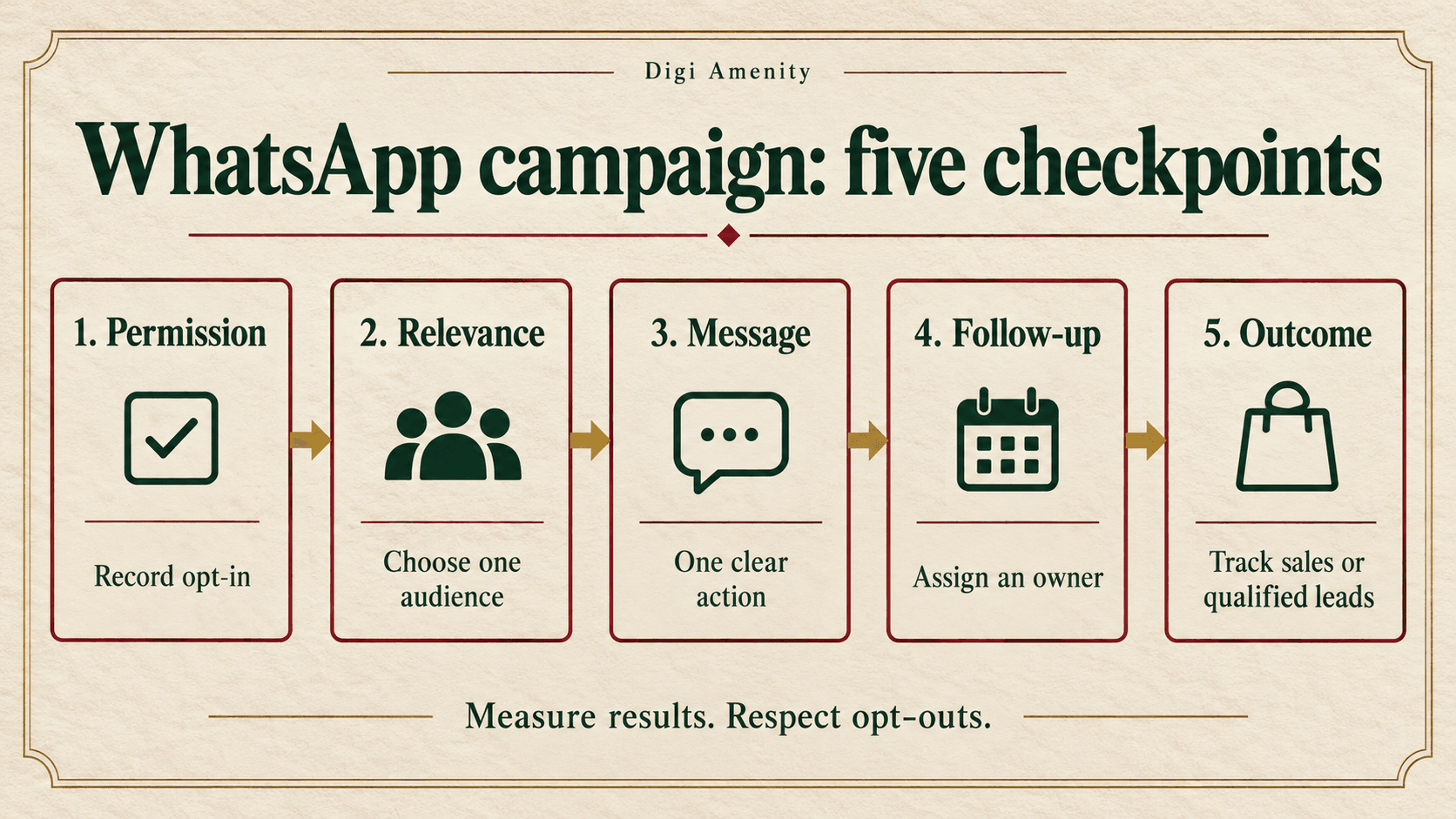
1. Define one outcome and its owner
Choose a completed purchase, attended consultation, qualified enquiry or another explicit outcome. Write down what qualifies. For a service business, “qualified” might mean the requested service is offered, the location is supported and the proposed timing is feasible. A greeting, button click or empty conversation is a separate stage.
Assign a campaign owner, a reply owner and a review date. Decide the maximum cost you can afford per useful outcome before comparing software plans or writing messages.
2. Prepare the account and customer journey
Complete the business identity and support information. Check team access, recovery ownership, working hours and escalation. If using a Platform provider, confirm who owns the business account/number, how you export records and what happens if you switch providers. Check the available migration or coexistence route before changing a number already used by the team.
Test the actual destination on a phone: product variant, stock, delivery estimate, checkout, enquiry form or booking page. A persuasive message cannot rescue a broken payment flow.
3. Build a small, relevant segment
Start with a specific group whose permission and intent match the message: customers requesting a restock alert, people who asked for a service brochure, or consenting purchasers who may need a replenishment reminder. Define exclusions such as recent purchasers, active complaints, already-booked contacts and people who opted out.
Use the language people selected or have used in the conversation. Do not infer a preferred language solely from a city. Record when the segment was built, and refresh purchase/booking exclusions immediately before sending.
4. Write the message around one action
A useful message answers four questions: who is contacting me, why is this relevant now, what exactly is being offered, and what should I do next? Use real availability, accurate prices and an honest deadline. Remove fake scarcity and unsupported savings claims.
Hypothetical retail message: “Hi Asha, you asked Example Home to notify you about the cotton table runner. The blue option is available again. View the size and current price here: [product link]. Reply HELP if you want sizing advice, or STOP to stop offers.” This is sample copy, not an approved template or a tested campaign.
Hypothetical service reply: “Thanks for asking about an office website. Is this a new site or a redesign, and when do you need it? Our team will use those details to suggest the next step.” Ask only what is necessary to route the enquiry; save detailed discovery for the appropriate conversation.
5. Configure the correct sending route
For an app account with the marketing-message feature, the official app tutorial starts from the business tools/storefront area and Marketing messages, then builds a draft with media, text, an action and recipients. Follow the version visible in your app; some accounts instead show Business broadcasts.
For WhatsApp marketing automation on the Platform, use your provider’s template workflow: select the appropriate category and language, provide valid sample variables, submit for approval, then map approved variables and buttons to your campaign. Preview with test records before activating the audience. An abandoned-cart offer is marketing content; do not disguise a promotion as a transactional update to seek a different price.
6. Connect replies to sales or support
Create a short routing plan: product questions to product support, service enquiries to the relevant salesperson, delivery issues to order support. Give the responder the source campaign and context so the customer does not repeat the same information.
Choose a response commitment your team can actually meet. For example, a staffed-hours target can be useful, but “within five minutes” should not appear in a promise unless staffing supports it. Use an honest away message outside working hours. Review unanswered conversations and overdue tasks, not only the number of new chats.
7. Test the complete path, then launch a pilot
Using permitted test contacts, check the rendered name, product link, button, mobile destination, reply routing and unsubscribe handling. Confirm the event reaches the order system or CRM once. Include a missing-name record and an already-converted record to verify fallbacks and suppression.
Release to a manageable segment first. Stop expansion if replies overwhelm the team, delivery errors rise, the offer is wrong or withdrawals are not being honoured. The pilot size should match available support capacity and acceptable cost, rather than a universal number copied from a checklist.
8. Review the outcome and record the next change
Allow the relevant buying and refund cycle to mature. Compare similar audiences and consistent reporting periods. Change one meaningful element in the next test: audience eligibility, offer, first line, destination or response process. Keep a dated record of what changed so a seasonal demand spike is not mistaken for the effect of new copy.
How should ecommerce and service-business workflows differ?
WhatsApp marketing for ecommerce
Prioritise product questions, requested restock alerts and permission-based recovery or replenishment journeys. For recovery, recheck whether the order has already been placed; stop reminders once it has. Avoid adding a discount automatically when the actual obstacle is delivery coverage, a missing size or payment failure.
Keep order updates accurate and separate from promotional intent. For cash-on-delivery orders, distinguish placed, confirmed, shipped, delivered, cancelled and returned-to-origin. A campaign that creates many unfulfilled orders may look better in a message dashboard than it does in the bank account.
Coordinate recovery across channels using a shared journey and suppression rules. Our Shopify abandoned-checkout recovery guide explains the checkout side; WhatsApp should support that journey instead of stacking duplicate reminders on it.
WhatsApp marketing for lead generation
For click-to-chat traffic, match the ad promise to the opening question. If the ad promotes a service consultation, the chat should clarify fit and arrange the next step. Asking people to repeat a long form immediately can waste the conversational advantage.
Use stages such as new conversation, valid enquiry, contacted, qualified, appointment booked, appointment attended and customer. Keep disqualification reasons such as wrong service, unsupported location or no current requirement. Separate “could not reach” from “not suitable”; the first may reflect follow-up rather than audience quality.
Coordinate longer educational sequences with email marketing. A detailed proposal may work better by email, while an expected WhatsApp conversation helps clarify a question or confirm the next step. Follow the customer’s preference.
How much does WhatsApp marketing cost?
Build the budget from four components: Meta message charges, provider/software and integration costs, ad spend if acquiring conversations, and the team time needed to respond. Include applicable taxes and implementation fees in your estimate.
The current official Business Platform pricing page describes charging for delivered messages according to recipient market and category. Service messages and qualifying utility responses have free treatment; eligible entry points can have a 72-hour free messaging period. Check the current conditions and rate card rather than assuming every chat is free. Advertising and provider costs are separate.
Planning formula: estimated messaging cost = sum of expected chargeable delivered messages in each market/category × that category’s current rate. Add the other cost components separately. Budget using the recipient mix, not simply the country where your company is registered. Record the quote date and currency so the comparison can be checked later.
Which WhatsApp marketing metrics should you track?
| Metric | Consistent definition | What it tells you |
|---|---|---|
| Delivery rate | Delivered campaign messages ÷ sent campaign messages | Delivery health; investigate errors before rewriting offers. |
| Reported read rate | Messages reported read ÷ delivered messages | Observable attention, with receipt/coverage limitations; not sales. |
| Recipient reply rate | Distinct recipients who replied ÷ distinct delivered recipients | Conversation response; classify helpful replies and opt-outs separately. |
| Recipient click rate | Distinct tracked clickers ÷ distinct delivered recipients | Website interest where unique click tracking exists. |
| Qualified enquiry rate | Qualified enquiries ÷ valid enquiries in the same cohort | Fit, using a documented business definition. |
| Cost per qualified enquiry | Assigned campaign cost ÷ qualified enquiries | Acquisition efficiency including the costs you specify. |
| Purchase rate | Distinct purchasers ÷ eligible people assigned to the campaign cohort | Outcome rate; define the observation window and comparison group. |
| Opt-out rate | Distinct opt-outs ÷ distinct delivered recipients | List health and message relevance. |
These are proposed operating definitions. A provider may use different denominators, so rename imported fields rather than comparing unlike rates. Use blank or N/A for unavailable data or a zero denominator. A genuinely observed zero outcome with a positive denominator is different from missing CRM data.
Use a campaign ID and consistent link tags for website visits, plus a permitted CRM/order identifier for outcomes. Do not put names, phone numbers or other personal information into URLs. A click on a website’s WhatsApp button measures a click; it does not prove a message was sent, a person qualified or a sale occurred.
What would a useful profit comparison look like?
Hypothetical example, not Digi Amenity client results: randomly assign 1,000 eligible, consenting customers to a campaign and 1,000 comparable customers to a holdout. Keep other campaign exposure comparable. Within the same mature window, 45 campaign recipients and 30 holdout customers buy. The observed difference is 15 purchasers, or 1.5 percentage points—not all 45 purchases attributable to WhatsApp.
If the additional orders contribute ₹600 each after discounts, returns and variable fulfilment costs, estimated incremental contribution is ₹9,000 before this campaign’s cost. If the campaign costs ₹4,000, the illustrative net is ₹5,000. This small sample does not establish a reliable uplift; quantify uncertainty and repeat before using it to scale. A properly designed holdout is more informative about incrementality than a dashboard’s last-click revenue total.
Why might a campaign get reads but few useful results?
- High reads, few clicks or relevant replies: inspect audience fit, offer clarity and the requested action. A viewed message may simply be ignored.
- Clicks but few purchases: inspect mobile loading, product availability, price, delivery terms, payment and tracking before blaming copy.
- Many chats, few qualified leads: compare the ad promise with qualification rules and the actual opening conversation.
- Qualified leads, few appointments attended: review response time, scheduling and reminders with sales.
- Growing opt-outs or delivery restrictions: check permission, frequency, audience relevance and message quality; do not keep resending to force delivery.
What should your campaign checklist contain?
Copy this control sheet for each launch. Record an owner and evidence for every completed check.
- One audience, one outcome, qualification definition and acceptable cost documented.
- Permission source and wording recorded; withdrawals and exclusions refreshed.
- App versus Platform route confirmed; visible account eligibility and current charges checked.
- Correct template/category/language used where required; variables and fallback names tested.
- Offer, stock, dates, price and landing destination verified.
- Mobile enquiry, booking or purchase path tested through successful completion.
- Reply owner, working hours, escalation and overdue-conversation check assigned.
- Purchase/booking suppression prevents further promotional reminders.
- Opt-out tested across scheduled and automated sends.
- Campaign ID, source tracking, outcome window and cost scope written down.
- Delivery, useful replies, qualified outcomes, realised orders and opt-outs reviewed together.
- One next action, responsible person and remeasurement date saved.
Campaign record: campaign ID; audience and exclusions; permission source; objective; offer/template version; destination; owner; send window; budget; outcome definition; reporting cutoff; result; next test.
Frequently asked questions
Is WhatsApp marketing free?
Do not assume so. The app’s available marketing features can be paid, and Platform messaging has category/market pricing and exceptions. A provider, ads, integration and staff time can add costs. Calculate the complete workflow cost before comparing options.
Can I send offers to every customer whose phone number I have?
No. Possessing a number is not the same as permission for promotional contact. Check the purpose and scope of the recipient’s opt-in, keep evidence and honour withdrawals. Existing customers can still prefer not to receive offers.
Do I need the WhatsApp Business API to start?
Not necessarily. The app can suit a manageable conversation workload. Consider the Platform when routing, CRM connections, event-triggered journeys or reporting require it. Ask the provider to demonstrate your actual use case rather than choosing on contact capacity alone.
How often should a business send marketing messages?
There is no universal successful frequency. Begin with the expectation you set at subscription and the usefulness of each message. Coordinate campaigns and automations so the same person is not contacted repeatedly, then review opt-outs and business outcomes by segment.
Can a chatbot handle the whole sales conversation?
It can support defined tasks, but give people a clear route to a responsible person. Product uncertainty, complaints and complex service requirements need appropriate handling. Evaluate completion and customer outcomes, not just how many conversations the bot closes.
How is click-to-WhatsApp advertising different from a broadcast?
An ad invites a person to begin a conversation; a broadcast sends a message to selected recipients. They have different acquisition costs and operational steps. Track an ad click, a started conversation and a qualified enquiry as separate events.
Is a high read rate enough to show ROI?
No. Read reporting has limitations and does not measure profit. Connect campaign records to qualified enquiries or mature orders, include the cost of sending and follow-up, and use a suitable comparison or holdout when you need evidence of incremental impact.
Build the conversation around the business result
If your WhatsApp campaigns generate replies but few qualified enquiries or completed orders, Digi Amenity can review the Meta Ads and conversation journey, message, website tracking and follow-up process before you increase sending volume or ad spend.
