
UTM tracking adds campaign labels to links so you can identify which promotions bring visitors to your website. For a Mumbai business running email, social posts and partner promotions together, the practical starting point is a shared naming sheet, one tested link per placement, and a separate process for recording qualified enquiries. A tagged visit is evidence of a visit—not proof of a sale.
This guide explains how to build that process without turning every weekly report into a debate about where the traffic came from.
What do UTM parameters actually tell you?
The source identifies where a link was placed, the medium describes the channel, and the campaign groups a marketing initiative. Google recommends including utm_source, utm_medium and utm_campaign when adding campaign parameters. An optional utm_content value can distinguish different creatives or links.
Values are case-sensitive, so Newsletter and newsletter can split your reporting. Google documents these fields and their reporting in its campaign URL guide.
The business question should come before the label. If you need to compare two offers, give the offers distinct campaign names. If the offer is identical and you are testing two images, keep the campaign stable and distinguish the creative. Otherwise, your spreadsheet may mix offer performance with design performance.
How should a Mumbai business name its campaign links?
Choose a small vocabulary that the marketing team, website developer and person answering enquiries can all understand. Mumbai belongs in a campaign name when the offer or service coverage is genuinely local. It should not be added automatically to every link.
Hypothetical example: a Mumbai office-furniture supplier promotes a showroom consultation through a newsletter and a partner directory. Both placements lead to the same consultation page, but the supplier wants separate traffic rows and a consistent offer name.
Swipe the table sideways to see all columns.
| Field | Newsletter example | Partner example | Decision it supports |
|---|---|---|---|
| Source | customer_newsletter | workspace_partner | Which placement sent visitors? |
| Medium | referral | Which channel did the placement use? | |
| Campaign | mumbai_showroom_consultation | mumbai_showroom_consultation | Which offer was promoted? |
| Content | desk_layout_button | directory_listing | Which link or creative was clicked? |
These are example labels, not a client campaign. Adopt one separator and a consistent lowercase convention. Give one person responsibility for approving new labels; otherwise a freelancer, owner and agency may describe the same campaign three different ways.
Your naming sheet should contain the destination page, source, medium, campaign, creative label, complete URL, owner and test date. Include an offer description in a separate notes column so the URL itself stays manageable.
What does a complete campaign link look like?
https://example.com/consultation/?utm_source=customer_newsletter&utm_medium=email&utm_campaign=mumbai_showroom_consultation&utm_content=desk_layout_buttonThis example uses a placeholder domain. Replace it with the real destination before use. A URL builder reduces punctuation mistakes, but it cannot decide whether you selected the right page or campaign name.
Use the offer page rather than the homepage when it gives visitors a clearer next step. A consultation campaign should explain what the appointment covers, where it happens and what information the visitor should provide. Our Mumbai local landing-page guide explains how location and service details support that journey.
How do you test UTM tracking before a campaign goes live?
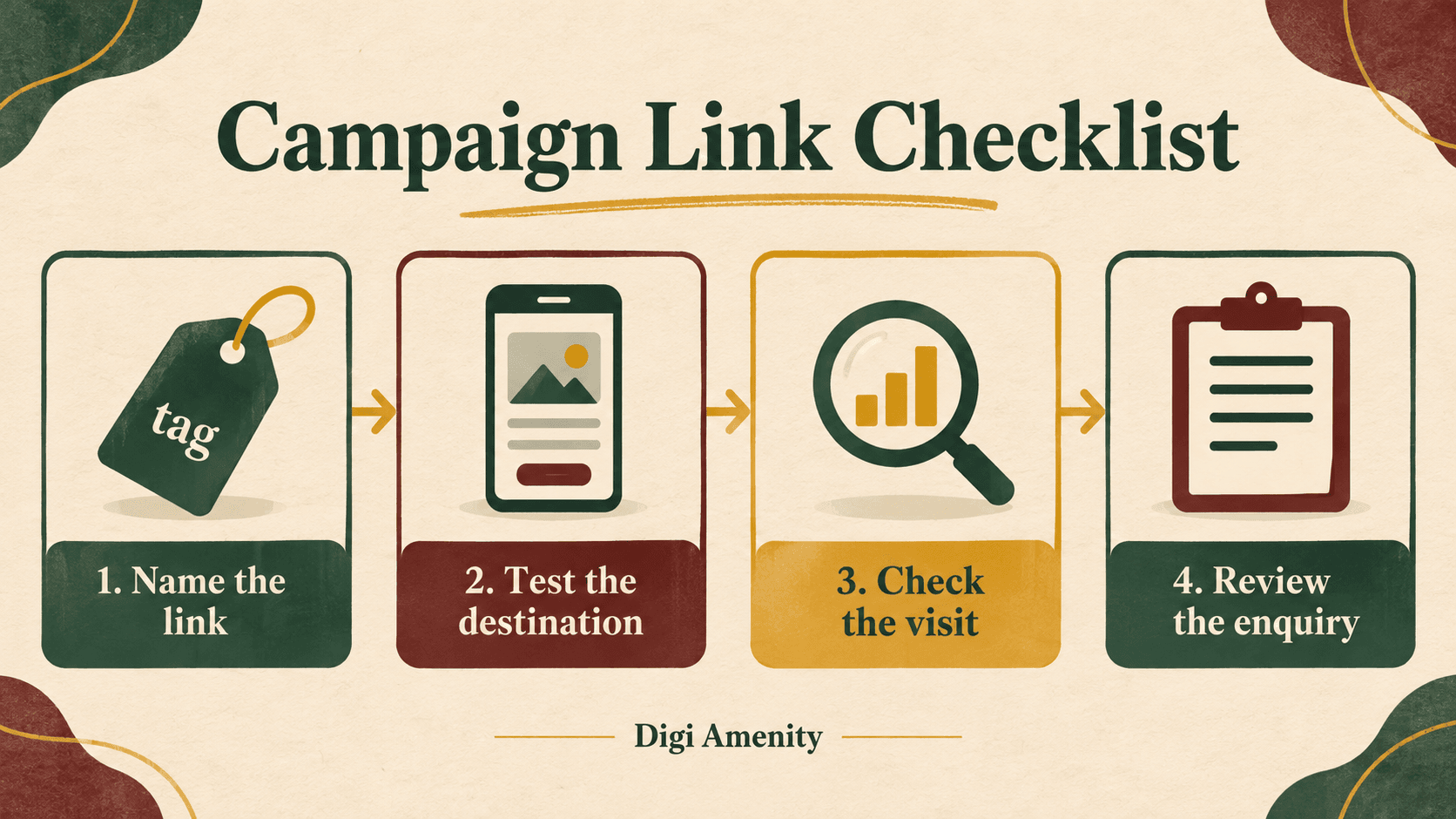
Test the actual link that will appear in the final email, post or partner listing. Copying a correct URL into a planning sheet is only the first step; a publishing tool or redirect may alter the final journey.
- Open the final link on mobile. Confirm the page, offer and form work at the screen size your customers use.
- Inspect the destination after redirects. Check that the campaign labels still reach the intended page. Ask the developer to investigate unexpected changes.
- Make a clearly labelled test enquiry. Confirm that the team receives it once and that a success state appears only after successful submission.
- Check the measurement setup. Ask the person responsible for analytics to verify a test visit and the intended enquiry event under the site’s consent settings.
- Record the result. Store the tested URL and date in the naming sheet, along with any unresolved issue.
Google lists session source, medium and campaign in the Traffic acquisition report. Use the campaign and source/medium dimensions to inspect your labels. A blank result is a reason to investigate collection, consent, timing and report selection; it does not immediately prove nobody clicked.
Keep a working campaign link stable after launch. If you discover a mistake, record when you fixed it so a later reviewer can explain the split. Quietly renaming labels halfway through a promotion makes a weekly comparison harder to interpret.
Why can traffic look healthy while enquiries remain weak?
At Digi Amenity, the useful review sequence is link, page, offer, enquiry and follow-up. That keeps measurement connected to the business outcome instead of treating the traffic report as the final result.
Start by separating three questions: did the promotion bring visitors, did the page generate relevant enquiries, and did the team progress those enquiries? A reporting problem can coexist with a weak offer or a slow response process.
Swipe the table sideways to see all columns.
| Observed problem | First practical check |
|---|---|
| Several rows describe one promotion | Compare spelling and labels against the approved naming sheet. |
| Visits arrive but forms fail | Test the form and confirmation on mobile before changing the creative. |
| Many enquiries are outside service coverage | Review the placement, offer wording and coverage information on the page. |
| Relevant enquiries do not become conversations | Review ownership, response records and the next step offered to prospects. |
Maintain a restricted lead register with business-relevant statuses such as new, contacted, qualified and closed. Define what “qualified” means before comparing campaigns—for example, a serviceable location and a relevant project requirement. Do not manufacture a precise revenue conclusion from anonymous website visits alone.
A marketing funnel review helps distinguish a weak acquisition channel from a problem after the click. For a small campaign, a short weekly review of actual enquiry reasons may be more actionable than a large dashboard.
What should never go inside a tracking URL?
Do not put a customer’s name, email address or personal phone number in campaign labels. Google’s Analytics policies prohibit sending information it can recognise as personally identifiable, and its guidance specifically covers URL paths, parameters and campaign dimensions. See Google’s guidance on avoiding personally identifiable information.
Describe the placement or offer, not the recipient. Use customer_newsletter rather than an email address. Keep personal enquiry records in the appropriate restricted business system, separate from the naming sheet shared with creative partners.
What should the weekly campaign review contain?
Use one row per campaign and placement, with columns for the tested URL, spend where applicable, recorded visits, enquiries, qualified enquiries and the action to take. Define the date range and record any tracking changes alongside the figures.
Do not assume a low enquiry count calls for more traffic. If visitors reach an unclear page, improve the page. If the form works but the offer attracts unsuitable requests, change the offer or placement. If qualified enquiries go unanswered, fix ownership before buying additional reach.
Need help connecting campaign links to useful enquiries? Digi Amenity can review your link naming, landing-page journey, enquiry tracking and follow-up process together, so your next campaign decision has a clearer basis.
Copy-and-use UTM templates for different platforms
Use the common structure below across your channels, then choose the platform-specific version where dynamic macros are supported. There is no universal dynamic syntax: Google uses single braces, Meta and LinkedIn use double braces, and TikTok uses underscore macros. These templates label website visits; they do not replace conversion tracking.
Universal manual template: any placement that accepts a website link
https://example.com/landing-page/?utm_source=SOURCE&utm_medium=MEDIUM&utm_campaign=CAMPAIGN&utm_content=CONTENTReplace the domain, path and all uppercase labels yourself. They are placeholders, not automatic macros. Use lowercase values and URL-encode spaces or special characters. If the destination already has a query string, append with & instead of a second ?. Put parameters before any #fragment. Avoid duplicate UTM keys, including those added by another tool.
Swipe the table sideways to see all columns.
| Placement | Suggested source | Suggested medium | Example content label |
|---|---|---|---|
| Email newsletter | customer_newsletter | consultation_button | |
| WhatsApp message linking to your website | messaging | follow_up_link | |
| SMS linking to your website | sms | sms | offer_link |
| Organic Instagram / Facebook / LinkedIn / X / Pinterest / Reddit | Use the actual platform name | social | bio_link or post_label |
| Organic YouTube video description | youtube | video | video_description |
| Google Business Profile website link | organic | business_profile | |
| Partner directory / affiliate placement | partner_name | referral | directory_listing |
| Printed QR code | brochure | offline | showroom_qr |
| Other paid platforms without a verified macro setup | platform_name | paid_social or cpc, as appropriate | creative_label |
These are naming suggestions, not guarantees about Analytics channel grouping. Keep one convention in your reporting sheet. Email systems may add their own tracking automatically; inspect a sent test before adding another layer. WhatsApp examples measure clicks from a message to your website, not whether a person sent a WhatsApp message. For Pinterest, Snapchat, X, Reddit or any unlisted ad platform, use the manual version until you verify that account’s supported dynamic macros.
Google Ads: Search campaign tracking template
{lpurl}?utm_source=google&utm_medium=cpc&utm_campaign={campaignid}&utm_id={campaignid}&utm_content={creative}&utm_term={keyword}Paste into the Tracking template field under URL options, with the actual landing page in Final URL. The campaign and creative values are IDs. The keyword is the matched account keyword, not the person’s search query. Keywordless traffic can leave it blank. Do not reuse Search-only fields indiscriminately for other campaign types. Keep existing auto-tagging and click IDs intact; review the current setup before adding overlapping UTMs. Google’s ValueTrack reference lists campaign-type compatibility.
For Performance Max, a narrower starting template uses the supported asset-group identifier:
{lpurl}?utm_source=google&utm_medium=cpc&utm_campaign={campaignid}&utm_id={campaignid}&utm_content={assetgroupid}For YouTube or Display, confirm supported macros for the specific campaign before replacing a tested configuration. Use Google’s Test function and verify the final destination. Do not overwrite an existing third-party tracking template without checking its purpose.
Meta Ads: Facebook and Instagram URL parameters
utm_source={{site_source_name}}&utm_medium=paid_social&utm_campaign={{campaign.id}}&utm_id={{campaign.id}}&utm_content={{ad.id}}&adset_id={{adset.id}}Use the ad’s URL parameters field, keeping the website address in its destination field. Do not add {lpurl} or a leading question mark here. Source values are platform codes rather than your own friendly labels. Keep an ID-to-name mapping in your reporting sheet. The extra adset_id field does not automatically become a standard Analytics reporting dimension. Confirm the macros offered by the current builder and test the resolved link before launch. The ID macros are also documented in Ruler Analytics’ Meta integration guide; Meta’s help reference required login when checked.
LinkedIn Ads: check which campaign hierarchy your account uses
utm_source=linkedin&utm_medium=paid_social&utm_campaign={{CAMPAIGN_ID}}&utm_id={{CAMPAIGN_ID}}&utm_content={{AD_ID}}Use this version with the newer hierarchy that includes ad sets. Set dynamic URL parameters at the account or campaign level. For the older hierarchy, use {{CREATIVE_ID}} instead of {{AD_ID}} for content, and check what campaign level each identifier represents. Do not mix the two schemes. LinkedIn’s parameter reference explains the hierarchy transition and supported uppercase macros.
Microsoft Advertising: tracking template
{lpurl}?utm_source=bing&utm_medium=cpc&utm_campaign={CampaignID}&utm_id={CampaignID}&utm_content={AdID}&utm_term={Keyword}Use the Tracking template field and keep the landing page in Final URL. Check for lower-level templates that override an account or campaign setting. If using a Final URL suffix instead, omit {lpurl}? and enter only the parameter pairs. Preserve your existing click-ID and auto-tagging setup. Microsoft’s URL tracking documentation explains both fields.
TikTok Ads: supported international campaigns
utm_source=tiktok&utm_medium=paid_social&utm_campaign=__CAMPAIGN_ID__&utm_id=__CAMPAIGN_ID__&utm_content=__CID__Use TikTok’s URL builder and check whether automatic UTM attachment is already enabled. __CID__ identifies the creative; __AID__ identifies the ad group. Upgraded Smart+ has additional ad-level macros, including __ADID_V2__, so confirm the appropriate level in the current builder. This is an international-platform reference, not a claim of campaign availability in India. See TikTok’s supported UTM macros.
Before copying a template into a live campaign
Keep platform macros exactly as written; lowercase applies to your own labels, not to macro spelling. Map stable IDs to readable names. Test the destination and check that supported macros resolve to values rather than literal braces or underscores. A manually pasted macro URL is not proof of live substitution. Confirm the landing page, consent-aware analytics collection and enquiry flow separately. Keep personal information out of every URL.
Frequently asked questions
Do small businesses need UTM tracking?
It is useful when multiple promotions send people to the same website. Start with the placements you control and the decisions you need to make. One consistent sheet is easier to maintain than a complex naming system nobody uses.
Does a UTM link track a sale by itself?
No. It labels the incoming link. You still need a working measurement setup and an appropriate way to record enquiries or purchases. Treat a tagged visit and a verified commercial outcome as different observations.
Can the same campaign name be used across channels?
Yes, when the placements promote the same initiative. Keep their sources and mediums distinct. If the offer changes substantially, document that change and decide whether it needs a separate campaign name for useful comparison.
Should every campaign name contain Mumbai?
No. Include Mumbai when the offer or coverage is specific to the city. A nationwide product promotion does not need an artificial local label. Naming should explain what the campaign means to the business.
Can we use UTM tracking for email campaigns?
Yes. Tag the website links in the email and test the final sent version. Separate links only when the difference will help a decision, such as comparing a product-image link with a consultation button.
What if the campaign name is missing from reports?
Check the final URL first, then ask the analytics owner to review collection, consent and the report dimensions being used. Keep a dated test record. Changing several settings at once makes the original cause harder to identify.
Can tracking links tell us exactly which person visited?
UTM labels describe campaigns, not an identity system. Do not put personal identifiers in them. Use authorised enquiry records for sales follow-up and avoid presenting anonymous traffic data as a complete customer history.
