

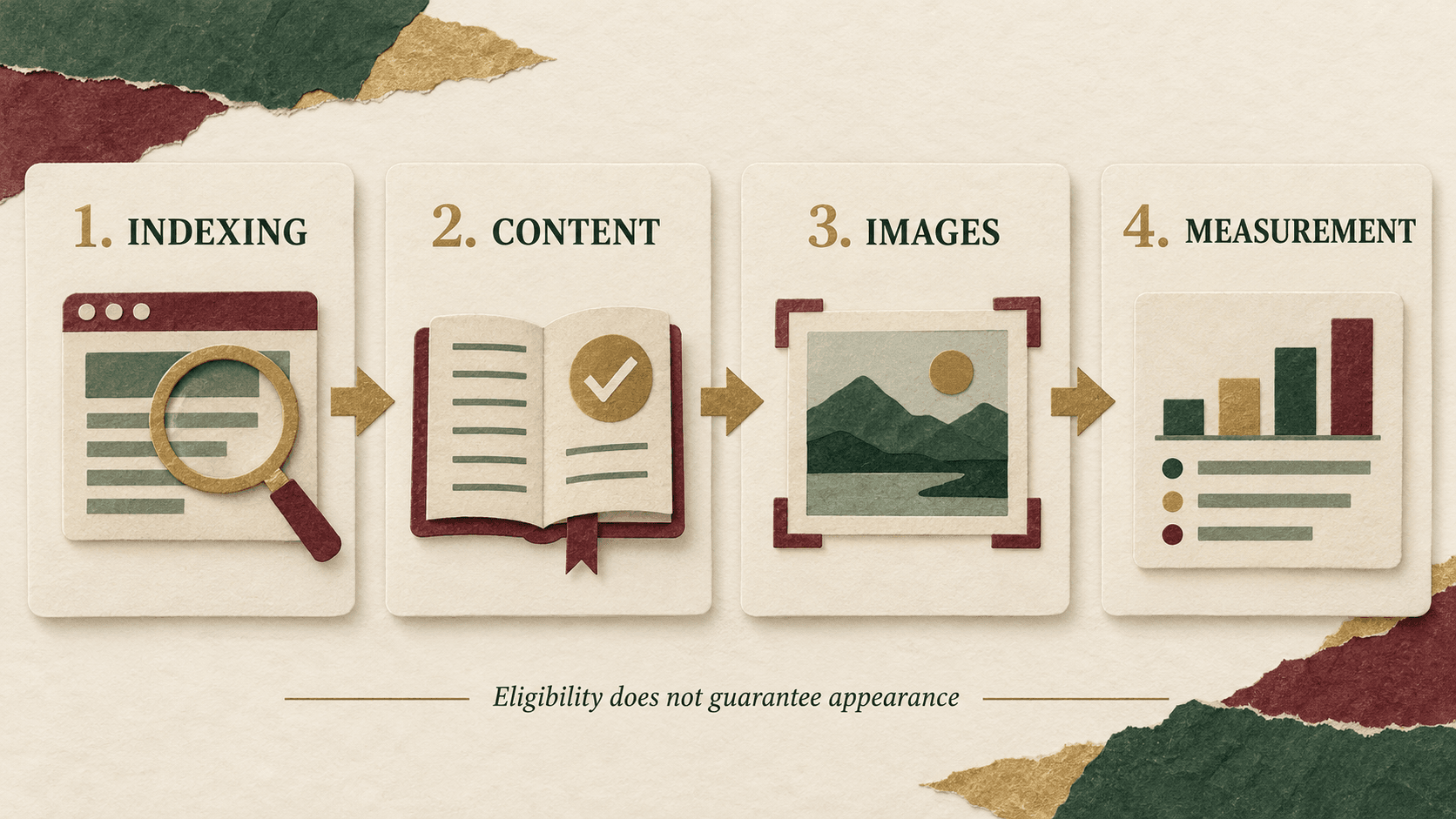
Google Discover SEO starts with eligibility: your article must be indexed by Google and comply with Discover policies. You cannot ensure that every article appears. The practical job is to remove access problems, publish something worth reading, present it clearly and measure what actually happens. Discover is an interest-based feed, so a keyword position in ordinary search does not tell you where an article will appear in someone’s feed.
For an Indian business, the useful goal is a repeatable publishing standard and an honest view of commercial value. This guide explains how to audit an article, organise the work in WordPress and investigate results without treating a temporary traffic spike as a reliable sales forecast. Guidance checked on 9 October 2026.
What does Google Discover SEO actually involve?
Think in three stages: eligible, presented well, and observed in Discover. These are different states. A technically healthy article can pass an editorial review and still receive no observable Discover traffic. Google says no special tags or structured data are required for eligibility; older content can also appear when relevant. Google’s Discover guidance is the starting point for those distinctions.
In your content register, use separate columns for index status, editorial checks and Discover evidence. Avoid a single green “Discover ready” label: it can hide the fact that nobody has checked indexing, or suggest that an appearance has been secured.
Digi Amenity’s approach is to connect the article with the wider journey. An interesting guide may earn attention, but a confusing product page, broken enquiry form or slow follow-up can waste that visit. Treat the feed as one possible entry point into a useful website.
Which pages should you audit first?
Start with a small group whose subject connects directly with your customers’ decisions. Choose an article you can materially improve, one useful evergreen guide and one verified industry update. This is an editorial working set, not a Google requirement or a statistically powered experiment.
- Choose a real reader problem. “What changed in checkout, and what should a merchant test?” is more actionable than a summary of a product announcement.
- Check existing coverage. If you already explain the same problem on another URL, improve the existing resource rather than creating a competing variation.
- Identify the next useful action. A comparison might lead to a checklist; a troubleshooting guide might lead to an audit request. The next step should fit the article.
- Assign responsibility. Name an editor, a technical owner and a person who can validate enquiries or orders. One person may hold several roles.
For a recently launched site, complete the new-website SEO checklist first. An elaborate Discover content calendar cannot compensate for inaccessible pages or incomplete core service information.
How do you check indexing and technical access?
- Record the intended public URL. Use the article’s canonical address, not an editor link, preview URL or tracking link. Record its publication date and the last meaningful change separately.
- Inspect that URL in Search Console. Read the indexed result, Google-selected canonical and any reported exclusion. A successful live test describes current accessibility; it does not prove the URL is already indexed.
- Investigate the reported cause. Check the actual response, robots instructions, redirects, canonical target and whether the article can be reached through normal internal navigation. Do not change a deliberate canonical or noindex without understanding its purpose.
- Fix the cause before requesting another crawl. For an appropriate newly published or substantially corrected page, use URL Inspection’s indexing request. Record a request only after a success confirmation.
- Save evidence and a follow-up date. Include the observed status and screenshot or export. “Not checked” is more accurate than “Not indexed” when access or evidence is missing.
Google describes URL Inspection and sitemaps as ways to request discovery or recrawling; a request does not guarantee immediate inclusion. Repeating requests does not accelerate crawling. See its recrawl guidance. Keep indexing work separate from claims about Discover selection.
What should an editor improve before publication?
Ask the editor to state the article’s added value in one sentence. If the answer is only “we rewrote the announcement”, the article needs another useful component: a decision table, a worked calculation, an annotated example or a practical procedure.
For example, a platform update article can distinguish the announcement date from the effective date, identify affected accounts, explain an implementation check and describe a rollback condition. An ecommerce guide can connect an acquisition tactic to stock availability, checkout and order quality. These details help a business make a decision even if Discover never sends a visit.
Use a headline that tells readers what they will learn. “A payment-gateway comparison for stores with frequent refunds” creates a clear expectation. “The payment secret banks do not want you to know” promises a revelation and invites a different, often unsupported story.
Check named people, product availability and statistics against the original evidence. Label invented scenarios as hypothetical. An AI-assisted draft must not imply that somebody performed a client experiment that never happened. If a claim needs unavailable evidence, remove it or hold the article for review.
Google’s Discover content policies address misleading previews and undisclosed sponsored content. They also describe transparency information for news sources, including dates, bylines, publisher details and contact information. Make responsibility and commercial relationships clear; an invented credential is not a substitute for expertise.
What are Google Discover image requirements?
Google recommends relevant, high-quality images at least 1,200 pixels wide, exceeding 300,000 total pixels, with a well-composed 16:9 landscape crop. Enable large previews with max-image-preview:large or AMP. Avoid a site logo or a text-heavy graphic as the main preview image. These are image recommendations, not a promise that the article will be selected.
For production, a 1,600 × 900 image is a convenient working size, not an additional Google rule. Keep the important subject away from the edges so a different crop does not remove it. A restrained illustration can explain a subject without pretending to document a real event.
Check the delivered image, not just the design file. A large upload can still be replaced by a small thumbnail in metadata. Open the image referenced by the article’s og:image, inspect its dimensions and confirm it represents this article. Inspect any structured-data image reference too, if your site uses one.
Use meaningful alt text to describe the content, and compress files while preserving clarity. Google’s image SEO guidance explains crawlable image markup and image context. Avoid making the only informative diagram a CSS background that leaves the article without an accessible explanation.
How do you verify the setup in WordPress?
Menu names vary by theme and SEO plugin. Use the following verification sequence rather than assuming a green plugin score proves everything is correct:
- Set an article-specific featured image. Check both the editor and the preview. Confirm the theme has not substituted the site logo.
- Review the page’s SEO settings. For a public article intended for indexing, investigate accidental restrictions. Keep a private draft private while work is unfinished.
- Check the rendered metadata. After authorised publication, inspect the public page source for robots instructions, canonical URL and image metadata. A field saved in an editor is not proof of what the theme outputs.
- Look for conflicting instructions. Google documents that restrictive robots rules can prevail when rules conflict. Check the HTML and relevant response headers before adding another tag. Robots metadata specifications explain these controls.
- Read the page on a narrow screen. Can you understand the opening, view the illustration and use the checklist without sideways scrolling? Check that forms, cookie notices and sticky banners do not cover the content.
- Recheck after cache or theme changes. Preserve the previous evidence so you can distinguish a publishing regression from an editorial issue.
Page-speed tools help identify problems, but a single performance score is not a Discover admission test. Google’s page-experience guidance encourages an overall assessment. Prioritise problems a reader encounters: delayed content, shifting buttons, unreadable tables and an enquiry form that fails to submit.
What should your article audit checklist contain?
Copy the following into your project system. For each item, add owner, evidence link, pass/fail/not checked, next action and recheck date. Do not turn unknowns into passes.
- Public URL, publication date and canonical target recorded.
- Current URL Inspection result recorded separately from live-test results.
- Reported access or indexing issue investigated by its actual cause.
- Main reader question answered early.
- One useful original explanation, example or practical asset included.
- Changing claims checked against a dated primary source.
- Hypothetical examples and commercial relationships identified.
- Headline and image accurately represent the article.
- Featured image dimensions, crop and delivered metadata checked.
- Large-preview permission checked without overriding deliberate restrictions.
- Mobile reading, links, download and relevant conversion path tested.
- Author/publisher information checked for accuracy.
- Discover-report availability recorded; absent data given a reason.
- Baseline dates, filters and next review recorded.
- Final decision recorded as keep, improve, expand or investigate.
The checklist is an operating aid. Passing it means the documented checks are complete; it does not certify eligibility or prove a future Discover appearance.
How should you measure Google Discover traffic?
Use Search Console’s Discover report for impressions, clicks and CTR when the property has enough data for the report. Google attributes page metrics to canonical URLs. A missing report is not a diagnosis of ineligibility, and recent data may be preliminary. See the Discover report documentation.
Build a compact review sheet with the exact page, period, country filter, impressions, clicks, CTR, changes made and next action. Compare equal-length complete periods using the same filters. Do not label a partial day as a decline against a full day. Keep Search-results metrics in separate columns; Discover is not a query-ranking report.
For commercial assessment, maintain a second layer: landing-page engagement, confirmed enquiries, accepted leads and purchases where your analytics can measure them. Record the event definition before reporting a lead count. A generic button click might signal interest, but it is not necessarily a successful enquiry.
Do not simply rename all Google organic sessions “Discover sessions”. Search Console clicks and analytics sessions answer different questions; attribution, consent, time zones and measurement coverage can prevent a clean match. Where the source cannot be isolated, label the landing-page outcomes as broader context. Our zero-click SEO measurement guide explains how to keep visibility and business outcomes distinct.
Hypothetical arithmetic: 80 clicks from 4,000 impressions produces 2% CTR. That is a calculation, not a target or industry benchmark. If a later period has fewer impressions, compare the pages and audience context before declaring the new headline a failure. A change log supports investigation; it does not by itself establish causation.
What would this look like for an Indian business?
Hypothetical example, not a Digi Amenity client result: a Mumbai homeware retailer has an article about choosing dinnerware for small dining spaces. Its current cover is a dense sale poster and the article mostly repeats product descriptions.
The editor could add a photographed size comparison, explain storage trade-offs and clearly distinguish dishwasher-safe manufacturer claims from an actual durability test. The designer could provide an article-specific image with the objects visible at small sizes. The developer could verify image metadata and mobile layout. The merchandising owner could check that linked products remain available and that delivery information is clear.
The review then asks two separate questions: did Search Console record Discover visibility, and did the resulting content journey help visitors make a useful decision? If Discover evidence is unavailable, keep that field unknown. The retailer can still assess whether the article helps existing shoppers without inventing a Discover success story.
What should you do over the next 30 days?
- Days 1–3: establish the baseline. Select the working set, save evidence and identify missing measurements. Record why each article serves your audience.
- Days 4–10: fix documented problems. Prioritise access, misleading information, unusable images and broken conversion paths. Make substantive editorial improvements with a clear change log.
- Days 11–20: observe and investigate. Check indexing and available reports. Avoid repeatedly rewriting an article simply because the feed has not surfaced it.
- Days 21–30: make a page-level decision. Keep useful content, improve a specific weakness, expand a justified subtopic or investigate conflicting evidence. Carry unresolved data work into the next review.
This schedule organises responsibility; it is not a forecast of how quickly Discover will send traffic. Continue maintaining your search, email and other relevant acquisition channels so the business is not dependent on one variable source.
How do you troubleshoot absent or declining Discover visibility?
No index evidence: investigate indexing first. Indexed, but no report: record the limitation and audit quality; do not infer a penalty. Impressions but few clicks: review whether the headline and image communicate the article clearly, while avoiding conclusions from a tiny sample. Clicks but weak enquiries: inspect the offer, page journey and lead handling before blaming discovery.
If visibility falls, compare the affected pages, dates and logged changes. Check Search Console for relevant issues, verify the current public page and consider whether the subject has lost relevance. Do not assume every decline needs a technical repair, and do not buy engagement to try to force a feed appearance.
Frequently asked questions
Can we make every article appear in Google Discover?
No. You can manage publication quality and technical access, but selection depends on Google’s systems and individual interests. Set targets for completed checks and useful content, then report observed appearances separately.
Does a high Google ranking guarantee Discover visibility?
No. A strong result for a typed query does not demonstrate that an article will be selected for an interest feed. Keep the two sources separate in your reporting and avoid promising a Discover position for a keyword.
Do we need a paid plugin or special Discover schema?
No special schema is required for Discover eligibility. A plugin may make metadata easier to manage, but judge it by the output you verify on the page. Do not buy an “approval” feature on the assumption that it guarantees inclusion.
Should every article be rewritten as breaking news?
No. Choose a useful angle based on the reader’s problem. An evergreen explanation can remain valuable, while an update needs a verified change and a clear business implication. Changing a date alone does not improve the information.
Why is the Discover report missing from Search Console?
The report is available only when sufficient data exists. Also check that you are viewing the correct property and have appropriate access. Record “report unavailable” rather than converting the absence into a zero or a policy diagnosis.
Can we use generated illustrations?
Evaluate what the illustration communicates. A conceptual image should not imply a real product test, event or endorsement. Verify its accuracy, rights and suitability, and use a real photograph when the reader needs evidence of the actual subject.
How long should we wait before judging the work?
There is no dependable waiting period that guarantees selection. Use scheduled reviews to assess implementation and evidence, with additional checks after important changes. Keep a useful article because it serves readers, rather than deleting it solely because Discover has not surfaced it.
If your articles are being published without clear indexing, image or measurement checks, Digi Amenity can review the content-to-enquiry journey and prioritise the fixes your team can verify. Explore our SEO services for an evidence-led review of your website and content.
