

Use ChatGPT Space for marketing when your team needs one editable place for a campaign brief, supporting evidence, open decisions and review comments. Start with a small campaign, give every decision an owner, and separate proposed copy from approved work. The useful outcome is a plan that people can check and maintain—not simply more AI-generated content.
For Indian business owners working with a designer, an agency and an internal sales team, the recurring problem is often conflicting versions: the ad mentions one offer, the landing page another, and the sales team receives a third description. A shared planning page can help expose those inconsistencies before launch. It still needs accurate inputs and a human decision-maker.
What changed, and who can use ChatGPT Space?
OpenAI’s 20 November 2026 release notes announce a global rollout of Space to Plus users aged 18 and older. The current product page also lists Pro, Business and Enterprise. Rollout language does not prove that an individual account already has access; check the Space entry in your account before planning a team process around it.
Shared pages and presentations require permission and a signed-in eligible account with Space access. The announcement says Free users cannot open them and public links are unavailable. This matters when a client or freelancer is expected to review your work. Confirm access before making Space the only route to a deadline-sensitive approval.
Availability checked on 21 November 2026. This article explains a proposed workflow; it does not report a completed client implementation or a tool comparison test.
What belongs in a marketing Space?
OpenAI describes Space as a home for pages, slides, files and shared work. A page can hold a plan or reference document; a space groups related pages. The account’s workspace controls its membership, settings and available apps. See the official overview.
For a first campaign, keep the structure deliberately small. Build one overview page and link supporting detail only when the overview becomes hard to read. A sprawling folder tree can recreate the same coordination problem you were trying to solve.
| Section | Required contents | Decision it supports |
|---|---|---|
| Business goal | Desired outcome, period and responsible owner | What would make this campaign worthwhile? |
| Audience and offer | Service area, customer problem, inclusions and exclusions | Who should respond, and to what? |
| Evidence register | Source links, checked dates and approved claims | Which statements can appear in creative? |
| Creative and destination | Draft assets, landing page and version status | Does the message match the buying journey? |
| Measurement | Lead or purchase definition, data source and reporting period | How will the business judge the result? |
| Decision log | Open issue, owner, due date and approval record | What is blocking the next action? |
This is Digi Amenity’s suggested planning structure, not a built-in template or a guarantee of better campaign results. Its purpose is to connect offer, website, creative, tracking and follow-up in the same review.
How do you build the first campaign page?
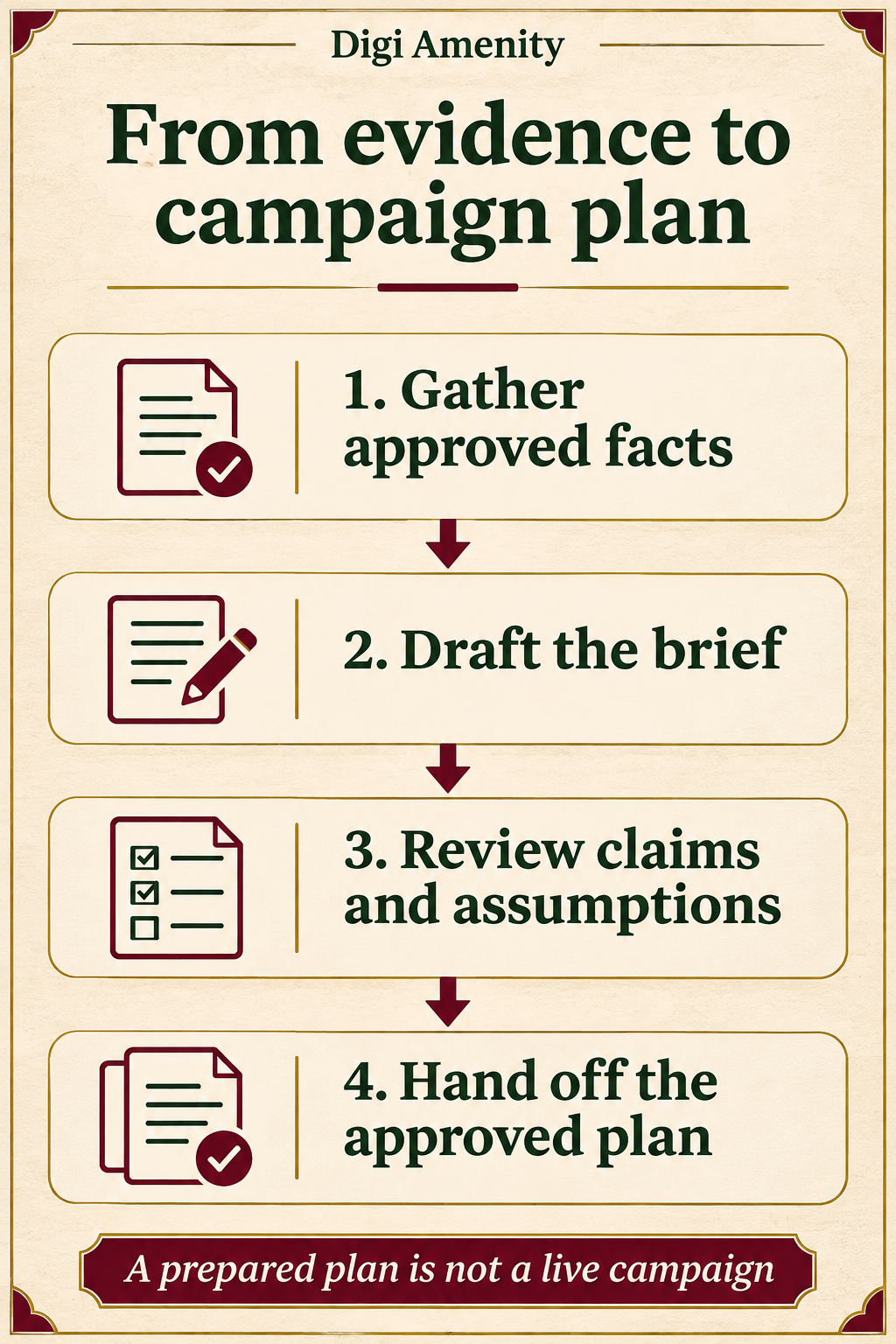
In an account with access, open Space and create a new page. Add a descriptive title, your notes and approved source material, then ask ChatGPT to organise the page. Review the generated result before sharing it. Related pages can be grouped in a space. These basic actions are documented in OpenAI’s getting-started guide.
Use a title that states the campaign and its status, such as “November consultation campaign — planning”. Avoid naming it “final” before the offer and destination have been approved.
Prepare an input packet before requesting copy:
- The business goal and the person responsible for deciding whether it was met.
- The actual product or service details, prices if approved, and fulfilment limits.
- Public landing-page links and approved brand guidance.
- The exact customer action you want: enquiry, booked consultation or completed order.
- A list of facts that are missing and must remain unresolved.
Do not start by uploading a complete CRM export or private client folder. Use public or synthetic inputs for the pilot. If confidential information is needed later, first establish which account, people and connected tools are authorised to receive it.
What prompt should you use?
Hypothetical example: a Mumbai furnishings business is planning consultations for made-to-order furniture. The following inputs and process are illustrative; no campaign has been launched and no performance result is implied.
Create a campaign planning page from the approved notes below. The business sells made-to-order furniture and wants consultation enquiries from people in its confirmed service area. Keep the business goal, offer, audience, creative, landing page, measurement and open decisions in separate sections.
Use only supplied facts. Label proposals as proposals. Do not invent prices, delivery promises, customer testimonials, lead volumes or search demand. For each proposed claim, include its source or write “evidence needed”. Add a decision log with owner, due date and status. If information is missing, ask a focused question instead of filling it in. Prepare drafts only; do not publish, send or schedule anything.
Approved notes: [insert public or synthetic notes]. Source links: [insert verified links]. Confirmed service area: [insert area]. Decision owner: [insert role].
The expected output is a structured planning page with unresolved issues visible. It is not a campaign forecast. If the output invents an attractive delivery promise, remove it and record the missing approval rather than making the landing page fit the invented promise.
For more help preparing the underlying inputs, use the marketing brief workflow. A better shared workspace cannot compensate for an unclear brief.
How should the team review AI-generated content?
Review the page in three passes. First, check facts against the source register. Second, check the customer journey: does the ad promise match what the landing page and sales team can deliver? Third, check the requested action and measurement definition.
Consider the difference between “request a consultation” and “book a consultation”. If the form only submits a callback request, the creative should not imply that an appointment is confirmed. The same distinction must appear in the reporting plan.
Pages support direct editing, comments, related subpages and reusable prompt blocks. Use comments to assign a specific unresolved claim rather than writing “please improve”. OpenAI’s page documentation explains these editing options.
A useful comment might be: “Operations owner: confirm whether installation is included for this service area. Until confirmed, keep this claim out of the ad.” That gives the next person a decision to make and a clear consequence for the draft.
Which permissions and sharing checks matter?
Before inviting anyone, check who can access the containing space and page. Linked source files keep their original permissions, but material copied or summarised into a page becomes visible to people who can access that page. Sharing a page does not itself share private chats or saved memory, according to the official Space overview.
The practical implication is simple: a summary can disclose information even when its source file remains restricted. Do not paste a confidential client margin table into a broadly shared campaign page and assume the original spreadsheet’s permissions protect the copy.
Use a clean external-review page when internal notes are unsuitable for outside collaborators. Include only the approved context they need. Verify the recipient can actually open the page and distinguish view access from edit access. If access is unavailable, use an approved alternative review format instead of missing the deadline.
What should your campaign decision ledger contain?
Copy this compact worksheet into your planning page. These are proposed fields, so adapt the labels to your team’s workflow.
| Field | Example entry | Review rule |
|---|---|---|
| Decision | Can the ad promise an installation date? | One concrete question per row |
| Evidence | Approved operations note and checked date | No unsupported claim marked complete |
| Owner | Operations lead | One accountable reviewer |
| Status | Evidence needed / proposed / approved | Do not collapse draft and approved |
| Affected asset | Ad copy and landing-page offer block | Update both when a decision changes |
| Next action | Remove promise until confirmed | Action and due date must be explicit |
Keep a separate launch checklist. A page that says “approved” is a planning record; the advertising account, website and tracking setup still need their own checks. If connected tools can perform actions, restrict the initial workflow to research and drafting, with separate human approval for launch or budget changes.
How can you test whether the workflow is useful?
Run a seven-day pilot on one campaign. On day one, record how the current team exchanges briefs and approvals. On days two and three, build the page from approved inputs and resolve missing facts. On days four and five, have the designer, marketer and business owner review the same version. On days six and seven, assess whether the handoff was clearer.
Measure process outcomes you can observe: time from complete inputs to approved brief, number of unresolved claims at handoff, revisions caused by missing information, and whether reviewers can find the current approved version. Keep the before-and-after task scope comparable. Faster drafting with more corrections is not necessarily an improvement.
Keep campaign performance separate. Qualified enquiries, purchases or revenue depend on targeting, offer, creative, destination, tracking and fulfilment. A seven-day planning pilot cannot establish that Space caused a revenue increase.
Once the brief is approved, use a landing-page audit checklist to check the destination. If you prepare search ads, the ad-copy workflow can help keep variants tied to verified claims.
Frequently asked questions
Is ChatGPT Space available to Plus users in India?
The 20 November announcement describes a global rollout to Plus users aged 18 and older. That supports general India relevance, but check your account for access. Do not assume every account received the feature at the same moment.
Can clients open a Space page without a paid eligible account?
The release notes say shared pages and presentations require permission and an eligible account with Space access. Free users cannot open them, and public links are unavailable. Confirm the review route before promising a client a shareable page.
Does Space automatically run my advertising?
A campaign planning page is not an advertising campaign. Any connected action depends on available tools, permissions and explicit instructions. Keep drafting and approval separate from publishing or changing budgets.
Can I use it for a content calendar?
Yes, a page can organise topics, owners, source checks and review dates as a proposed workflow. Assign publication status separately and verify any scheduling action in the destination platform. A calendar row alone does not prove publication.
Should I replace my existing project-management tool?
Start with one use case and compare access, review effort and handoff quality. If stakeholders cannot access Space or essential records already live elsewhere, keep the existing system authoritative and use Space for a narrower drafting task.
How do I avoid generic marketing output?
Supply the actual audience problem, offer boundaries, evidence and intended action. Ask for missing information to remain visible. Review every claim and connect the creative to the landing page and follow-up process rather than requesting a large batch of unsupported ideas.
Want a campaign plan that connects to execution?
If your team has plenty of AI-generated copy but no clear launch decision, Digi Amenity can help connect the offer, creative, landing page, measurement and follow-up into a brief your team can review before spending on traffic.
