
Your Google Business Profile service area should describe where your team actually visits or delivers to customers. Choose coverage from your operating capacity, then check whether your address should be public. Adding more places is not a promise of appearing prominently in those places. For a Mumbai business, the useful question is: “Can we reliably accept and fulfil this job?”
This guide helps you decide what to enter, make the change and verify the result. It is for businesses serving customers in person. It does not assume that every business with a website qualifies for a profile, or that one neighbourhood requires a separate branch.
Which business model matches how you serve customers?
A service-area business goes to customers and does not serve them at its base. A hybrid business both receives customers at its premises and visits or delivers to them. Think of a home-visit cleaner versus a repair workshop that also offers roadside assistance. Google explains these distinctions in its service-business overview.
Start by asking the person who manages appointments what customers actually do. Do they arrive at your premises for service? Does your team travel to them? Is the address just an administrative base? A rented mailing address does not answer these questions.
Write down the operating model before changing visibility settings. A business should not choose a storefront description simply because a competitor has a map pin. If you need a broader review of ownership, categories, links and customer experience, use our Google Business Profile audit for Mumbai businesses.
How do you change Google Business Profile service area settings?
In your managed profile, select Edit profile → Location → Service area → Edit. Add a supported area or remove an obsolete entry, then save. Google’s service-area instructions allow up to 20 named areas, such as cities or postal codes, rather than a radius. Approved edits can take up to 48 hours to appear.
Before saving, keep a screenshot of the current list and record the reason for each change. Confirm that you are editing the correct business. Afterward, check the public profile as well as the owner view; a click on Save is not the same as a verified public result.
Do not use every available entry merely because the field permits it. A short, accurate list is easier for your booking team to explain than a broad list with frequent exceptions.
Should you select Mumbai or individual areas?
Use the level of detail that matches your actual coverage and the choices Google offers. If you serve only selected parts of the city, a city-wide label may leave customers with the wrong expectation. If the whole selected city is genuinely covered, adding many overlapping local names can make your internal record harder to maintain without helping the customer understand the offer.
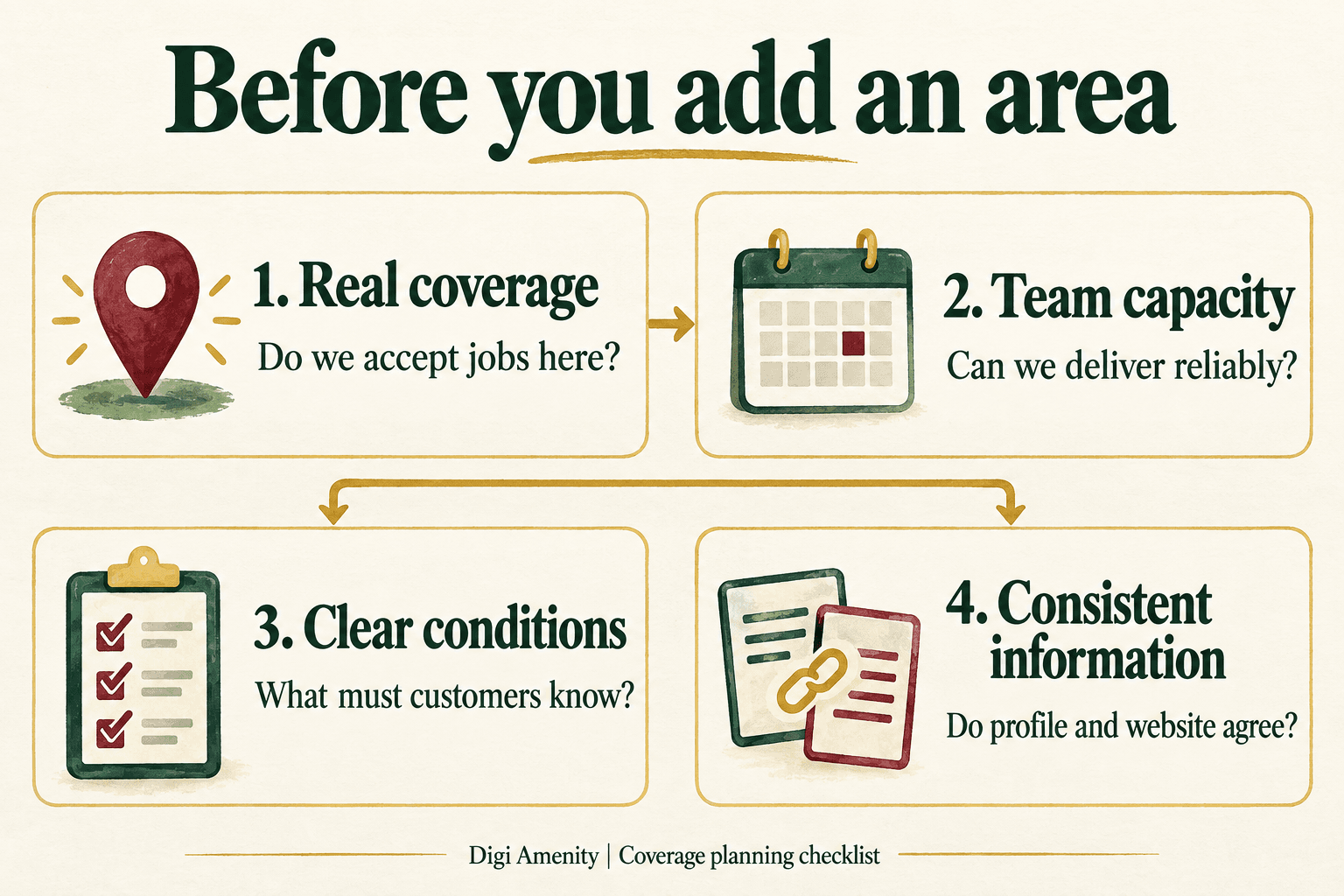
The most useful input is your job and scheduling record. Review accepted jobs, rejected requests, travel arrangements and staffing. Separate routine coverage from occasional exceptions. An area visited once for a special project is not necessarily an area you can promise for ordinary bookings.
A hypothetical Mumbai coverage decision
Suppose a cleaning business has one operating base in Andheri. It routinely accepts work in Andheri and Goregaon, takes selected Powai bookings after confirming the schedule, and cannot currently staff Navi Mumbai jobs. These are illustrative business decisions, not statements about travel times or a real Digi Amenity client.
On a small screen, swipe the table sideways to see all columns.
| Candidate area | Operational evidence to check | Decision for this example |
|---|---|---|
| Andheri and Goregaon | Regular bookings, available crew and a workable schedule. | Include the supported areas that accurately describe coverage. |
| Powai | Which services and appointment windows can the team consistently accept? | Resolve the conditions first; explain genuine booking restrictions on the website. |
| Navi Mumbai | No team capacity for ordinary jobs at present. | Leave out until the business can actually fulfil the work. |
Keep a simple private worksheet: area, services available, normal appointment conditions, scheduling owner, evidence checked and next review date. If an area depends on one crew member, record the backup arrangement. That turns a marketing claim into a promise someone inside the business owns.
For a geographically large choice, inspect the area Google proposes instead of assuming a familiar name has the boundary you intended. Do not invent a custom location name if the available selector does not support it.
How far can coverage extend, and when should you hide your address?
Google’s business representation guidelines generally describe an overall boundary of about two hours’ driving time from the base, while recognising that larger areas may suit some businesses. This is not a fixed kilometre radius or an automatic permission to promise every reachable job.
Those guidelines say a service-area business should hide its address. A customer-facing hybrid location must be staffed by the business and able to receive customers during its stated hours. Public addresses require permanent business signage. A mailing-only virtual office is not an eligible location; co-working offices have additional staffing, signage and customer-service conditions.
For a home-based business, make the address decision from how customers are served, not from anxiety about rankings. Keep genuine business information available for the verification process when required. Hiding an address is a public-display setting, not a substitute for being an eligible business.
Can you create a separate profile for every place you serve?
Do not create extra listings simply to cover more neighbourhoods from one base. Google’s representation guidelines allow separate profiles for distinct service-business locations with separate staff and service areas. A website coverage page alone does not establish such a location.
Before proposing another profile, document what actually changed: a real operating location, its staff and the work it serves. If nothing changed except the target keyword, revisit the plan. Do not borrow an address or describe a customer’s premises as your branch.
Will adding areas improve your rankings there?
Do not treat the list as an advertising location-targeting control. Google says local results mainly depend on relevance, distance and prominence/popularity; distance concerns the business and the searcher. Its local ranking guidance does not promise wider rankings when you add more service areas.
Our practical recommendation is to separate two decisions: maintain accurate coverage for customers, and investigate visibility using consistent observations. Record the query, search location, device and date. A result checked from one location cannot establish visibility across Mumbai.
If suitable enquiries are scarce, examine the whole journey: service/category fit, the information on the destination page, booking friction, response speed and whether your offer fits the customer’s need. Expanding the coverage list will not repair an unanswered phone or an unclear service offer.
What if the change does not appear or looks wrong?
First check the owner view for pending edits or account notices. Compare the exact selected area with your original record. Then inspect the public profile, noting the time and what is actually displayed. Follow the relevant notice or official support route if the problem remains; avoid repeated speculative edits while you are still establishing the cause.
A useful change log has six fields: previous setting, intended correction, reason, saved time, observed public result and next action. Keep “saved”, “pending” and “publicly confirmed” separate. If the profile becomes restricted, preserve the notice and supporting business evidence instead of creating a replacement listing to work around it.
How should the website and enquiry process support coverage?
The profile, service page and person answering the phone should give compatible answers. State what you provide, where you accept work and how availability is confirmed. Put important exclusions near the enquiry route. Avoid presenting a service area as an office customers can visit.
Ask for the area or postcode when it is needed to qualify the request. Do not request a full home address merely to establish broad coverage. Explain booking conditions before someone spends time filling out a lengthy form. Our local landing-page guide explains when a separate area page gives customers useful information.
For a defined review period, count received enquiries, those within coverage, those matching the service, and confirmed bookings. Calculate coverage-fit rate = in-area enquiries ÷ all enquiries with a known area. Keep unknown-area enquiries separately visible. This is an operational metric, not a Google ranking score.
For example, a higher volume of enquiries is not an improvement if the extra requests are outside your workable area. If suitable requests arrive but do not become bookings, examine response and scheduling before rewriting coverage again. Compare equal-length complete periods and account for offer, staffing or seasonal changes; small samples need caution.
If your profile brings enquiries from places your team cannot reliably serve, Digi Amenity can review the coverage settings, website wording and booking journey through our local SEO services before you expand the area list.
Frequently asked questions
Does a service-area business need a shop?
No customer-facing shop is required for the service-area model. The key distinction is that you visit or deliver to customers rather than serve them at your base. Eligibility still depends on the real business; an online-only operation should not assume that choosing areas makes it eligible.
Should I fill all 20 service-area entries?
No. Treat the limit as capacity, not a target. Include places you can serve accurately. Keep an internal reason for each entry so the list can be reviewed when staffing or service availability changes.
Can I set a circular service radius?
Google’s current service-area editor uses named places rather than a radius. For internal planning, route checks can still help your team assess feasibility; they do not replace the choices entered in the profile.
Can I show a home address just to improve visibility?
Use the address rules for your actual operating model. Do not expose an address where customers are not served to pursue a speculative ranking benefit. If you genuinely receive customers at home, check the applicable customer-facing location requirements before selecting that setup.
Should a distant one-off project become a permanent service area?
Not automatically. First establish whether your team can repeatedly accept ordinary work there, under conditions customers can understand. Keep exceptional projects separate from routine promises until operations can support the expansion.
Do I need a website page for every area in the profile?
No. One clear service page with accurate coverage may be enough. A separate page needs useful area-specific information. Replacing place names in otherwise identical text does not help someone decide whether the business can fulfil their job.
What should I review after changing the list?
Confirm the public result, check that website and booking scripts agree, and review the location and suitability of incoming enquiries. Keep a dated record so you can distinguish the effect of a coverage correction from simultaneous offer or staffing changes.
Guidance checked against Google’s public documentation on 30 September 2026. Illustrations are conceptual; the cover is not an operational service-boundary map.
