
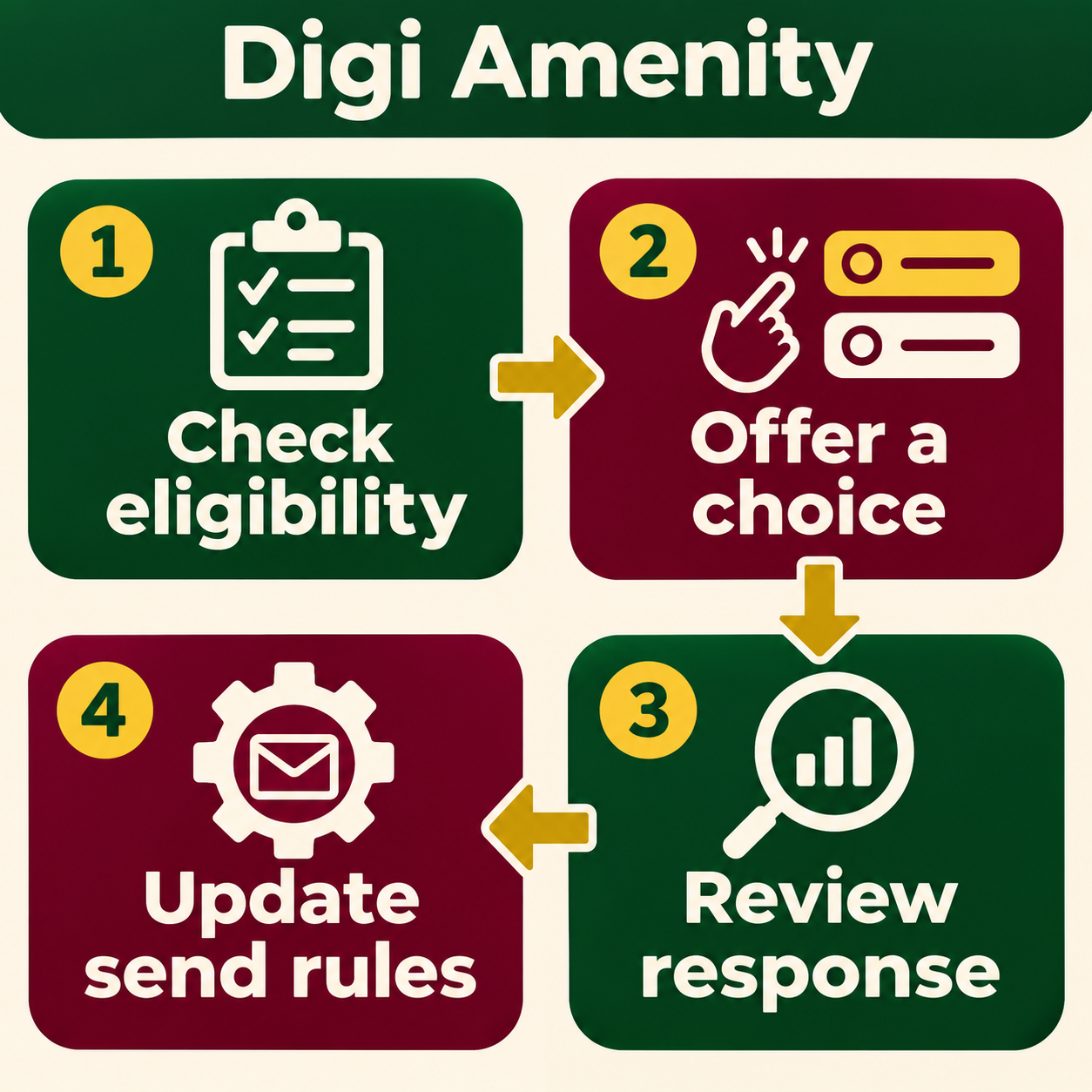
An email sunset flow helps you decide when an inactive subscriber should stop receiving routine promotional messages. Define who qualifies, offer eligible subscribers a clear way to stay subscribed or reduce frequency, then update the send rules for people who remain inactive. Before switching it on, test that recent buyers, new subscribers and people who already opted out take the correct paths.
For an Indian store, the buying cycle matters as much as the date of the last email interaction. Someone who buys festive decorations once a year may behave differently from someone who buys a monthly consumable. Your inactivity window should reflect the product, sending frequency and available evidence.
Who should enter an email sunset flow?
Begin with contacts who are eligible for marketing, have had a fair opportunity to receive your campaigns and show little meaningful activity over your chosen review window. Write the rule in plain English before building a segment. For example, require an established subscription date and several delivered campaigns, then inspect click and purchase history alongside other available engagement signals.
Keep newly added contacts out until they have had time to experience the welcome programme. A person who subscribed yesterday and has no clicks should not be treated like someone who received six months of campaigns. If onboarding itself is incomplete, review your welcome email sequence first.
Mailchimp distinguishes addresses you have not contacted for a long time from subscribers who have received emails but stopped interacting. Its guidance also points out that people may engage with a business elsewhere. That distinction supports checking your purchase and customer-service records before choosing a re-engagement audience. See Mailchimp’s inactive and stale address guidance.
How do you choose the inactivity period?
Use a period that includes a plausible buying opportunity. Look at the interval between purchases, campaign frequency and seasonality. A weekly newsletter and a quarterly catalogue create different amounts of evidence. Record the proposed window and the reason for it in the workflow brief.
Hypothetical example: A home-accessories store sends a monthly newsletter. Its team proposes reviewing contacts who have received six recent newsletters and have neither clicked nor bought during that period. Before rollout, it checks a sample and discovers that some customers bought at an offline pop-up. Those orders were missing from the email system. The team first fixes the customer matching and reviews the segment again. The six-message threshold is an example to test, not a benchmark.
What should the re-engagement message say?
Make the decision understandable. Explain what the subscriber signed up for and offer a useful preference, such as a monthly product round-up. Include an easy unsubscribe option and make sure each choice updates the correct record. Avoid promising fewer emails if your campaign process cannot respect that preference.
A possible message for the hypothetical store is: “Would you like to keep receiving our monthly home-accessories ideas? Choose your preference below.” The buttons might offer the monthly edition or stopping promotional emails. Confirm the selected option on the destination page so the reader knows the change worked.
Start with a short sequence that your team can audit. Decide the wait between messages based on your ordinary frequency and the time people need to respond. Define a final review step after the response window. Check eligibility again immediately before each message, because a person may buy or unsubscribe while waiting.
How should the final suppression step work?
Write down exactly which campaigns the final action excludes. A tag named “inactive” has little value unless the send process actually uses it. If several tools send emails, map the exclusion to each relevant marketing system and assign an owner to check that the integration propagates it.
Keep an audit record containing the reason, rule version, decision date and source of the subscription or preference. Use your platform’s supported suppression or archive features where appropriate. In Mailchimp, archiving removes a contact from the marketing audience while retaining its data, and the contact can be unarchived. Those semantics are specific to Mailchimp. Check your own tool before configuring an action. See Mailchimp’s archive guidance.
Agree how necessary service communications are handled in your organisation before rollout. A customer may still need information about an active order. Have the owner of each message type confirm its sending rules, consent requirements and provider configuration. Keep any account-level suppression behaviour visible in the implementation notes.
Which tests should pass before rollout?
Create test contacts with synthetic details and check the resulting segment membership and workflow path. Use a test environment or a controlled internal list. The following acceptance sheet is designed to expose errors in entry conditions and delayed steps.
- New subscriber: Joined yesterday with no clicks. Expected result: excluded from the inactivity flow until the minimum observation period has passed.
- Recent customer: No recent email clicks, but a verified recent order. Expected result: follows the purchase exception agreed in your brief.
- Eligible inactive subscriber: Meets the whole rule and remains subscribed. Expected result: receives the planned preference message once.
- Preference updated: Chooses reduced frequency. Expected result: exits the old path and is included only in the appropriate campaign schedule.
- Opt-out during a wait: Unsubscribes before the next step. Expected result: no later promotional message from the flow.
- No response: Reaches the final review with no qualifying activity. Expected result: the intended marketing exclusion is recorded and respected by the next campaign.
Also repeat an import or integration sync in the controlled test. Confirm that it does not silently undo the preference or add the same person to multiple overlapping journeys. Keep evidence of the contact record and actual send decision, rather than relying only on the workflow diagram.
How do you measure whether the flow is working?
Report the starting eligible audience, delivered messages, preference responses, qualifying purchases, final exclusions and exceptions. Define a response as a specific recorded action. Keep the evaluation window the same across comparisons and allow time for delayed purchases.
Hypothetical calculation: If 200 eligible contacts receive a delivered preference message and 18 record a valid preference response within the agreed window, the response rate is 18 ÷ 200 = 9%. Keep repeat button clicks to one response per contact. A purchase should be reported using its own definition. This example demonstrates the denominator and does not predict a result for your store.
Read the flow alongside your email marketing metrics. If the inactive segment suddenly grows after a migration, investigate missing event history or an interrupted integration before applying exclusions at scale. Record any data gap so the team can interpret the result.
Frequently asked questions
Should every inactive subscriber receive a final email?
First check marketing eligibility and the reason for inactivity. Existing opt-outs and contacts blocked from sending should follow the platform’s current rules. A recently imported old list needs its own review before any campaign.
Is there a universal 90-day rule?
Choose the window using your buying cycle and send frequency. Document why the period gives people enough opportunity to interact, then review a sample of the proposed audience before automating it.
Can I run this with a spreadsheet?
A spreadsheet can support the initial review and acceptance tests. The final send exclusion must live in the system that actually sends campaigns, with a reliable process for applying updates before each send.
Should recent buyers keep receiving promotional emails?
Make purchase activity an explicit branch decision alongside current marketing preferences. A purchase provides context about the relationship, but the workflow still needs to respect the person’s current subscription status.
How can someone return to the active audience?
Define a supported re-entry process through a recorded preference or subscription action. Test it in your platform and keep the previous decision history so later imports can be checked against it.
What if the segment is much larger than expected?
Pause rollout and inspect a sample across signup dates, purchase histories and campaign delivery records. Check the time window and whether the filters use the intended AND or OR logic. Resume after the segment matches the written rule.
If your campaigns keep reaching inactive contacts or exclude recent customers unexpectedly, Digi Amenity can review the segment, event history and send rules through its email marketing service.