
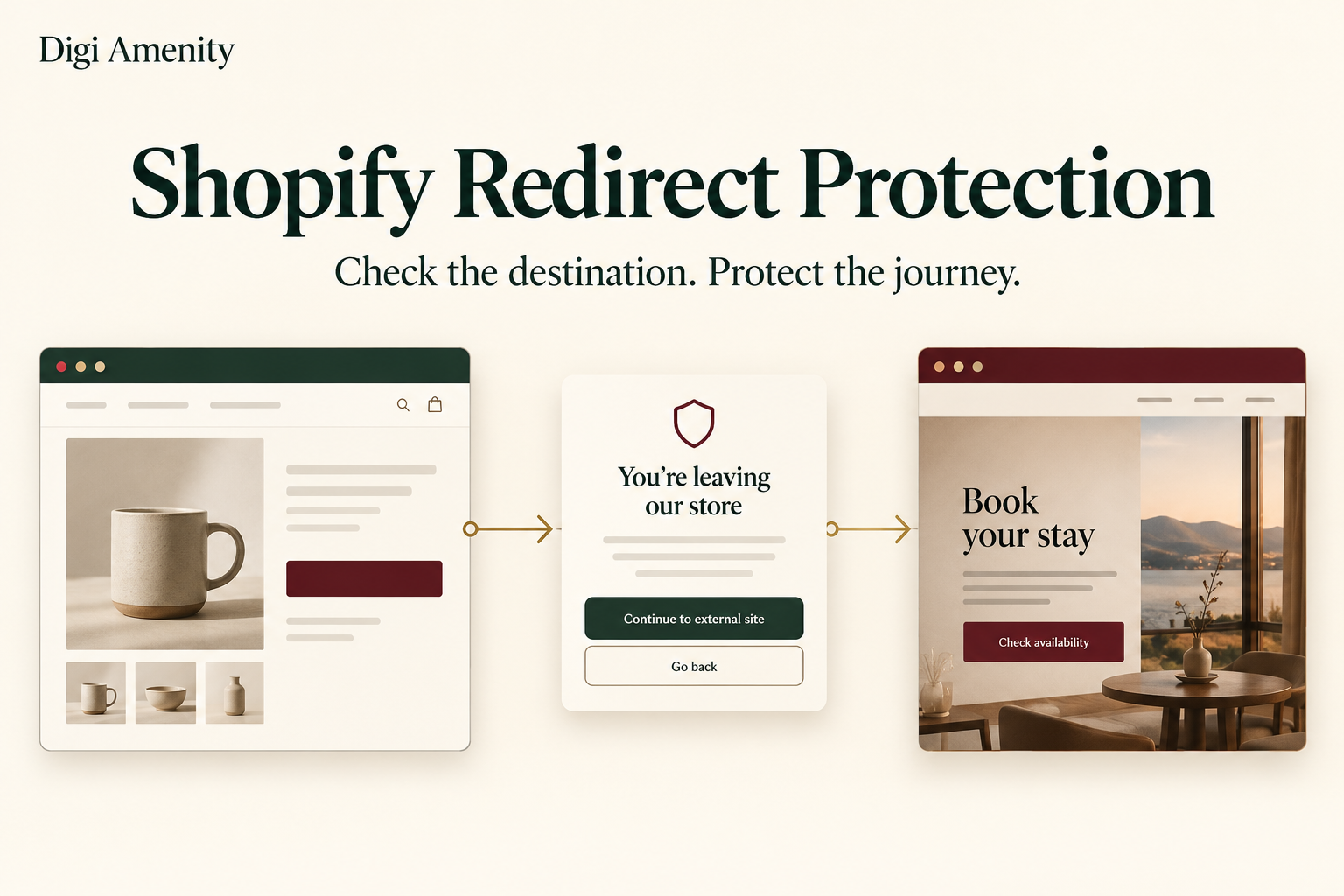
Shopify external redirect protection adds a confirmation step when a customer is sent outside a store. For an Indian business, the useful response is to check where important links lead, test the complete mobile journey, and confirm that bookings or enquiries still reach the right system. Do not assume that a new message means your payment gateway is broken, or remove safeguards merely to reduce clicks.
This guide separates the announced change from the checks your business can perform today. It includes an outbound-link worksheet, a hypothetical showroom example and a way to assess outcomes without treating every click as a lead.
What changed in Shopify, and when?
Shopify’s 20 October 2026 announcement describes an exit message showing the destination address, with a choice to continue or return. Connected store domains and supported Shopify and social websites are exceptions. Owning a website does not automatically make it a connected domain.
Availability checked: 22 October 2026. The live announcement still describes adding other trusted domains under Online Store > Preferences as forthcoming. It does not establish an India-specific launch date or availability in every merchant account. Check your own admin and current Shopify guidance before planning around that control.
The recommendations below are an operational review process, not results from a test on a merchant’s store. They do not establish that every external payment, WhatsApp or booking flow will show the message.
Is this the same as a Shopify 301 redirect?
No. An exit confirmation concerns the customer’s decision to leave the store. A URL redirect concerns where an old address sends a visitor. Confusing these two issues can lead to unnecessary changes to working links.
| What you see | What to investigate | What success looks like |
|---|---|---|
| A message before an external destination | Whether the destination is expected and the journey can be completed | The customer understands the destination and can complete or safely abandon the task |
| An old product address no longer works | The old-to-new URL mapping and relevance of the replacement | The old address reaches an appropriate working page |
| A payment attempt fails | The exact failing step, provider response and order state | The result agrees across checkout, provider and order record |
| A booking opens but no appointment appears | The booking system, form validation and confirmation process | A valid appointment exists in the booking system |
Shopify’s URL redirect documentation places redirect management under Content > Menus. Its native redirects apply to broken source URLs; an active page is a different situation. An external target requires a full URL. These settings should not be treated as a way to suppress an exit message.
If your concern is an old URL receiving organic traffic, a technical SEO review should examine the source, destination and customer intent before choosing a replacement. Sending every retired product to the home page is a business decision to question, not a universal remedy.
Which external journeys should an Indian store check first?
Start with journeys that matter to revenue or service delivery. A footer link to a social profile and a product-page link to a consultation scheduler do not deserve the same priority. Review the actual store, including menus, banners, app-generated buttons and links inside product descriptions.
Make a short list of the actions a customer should be able to complete: buy a product, book an appointment, request a quotation, open an order-support portal or reach an authorised partner. Then identify the websites involved in each action.
- Booking and consultation tools: check the exact calendar, business name, location and confirmation record.
- Partner and distributor pages: confirm the partner still serves the intended product, region and enquiry type.
- Support and tracking portals: check that customers reach the correct help flow rather than an unrelated login or expired page.
- Payment-related handoffs: test the approved provider journey if one is involved. Record the behaviour; do not infer a problem from this announcement alone.
- Campaign microsites: confirm the offer, expiry date and mobile destination match the ad or store page.
For Indian audiences, test with the devices, language choices and traffic sources that your customers actually use. If a campaign commonly opens inside a social app, include that browser as well as a normal mobile browser. This is a testing recommendation, not a claim that the protection behaves differently in any specific app.
How do you audit a link from click to confirmed outcome?
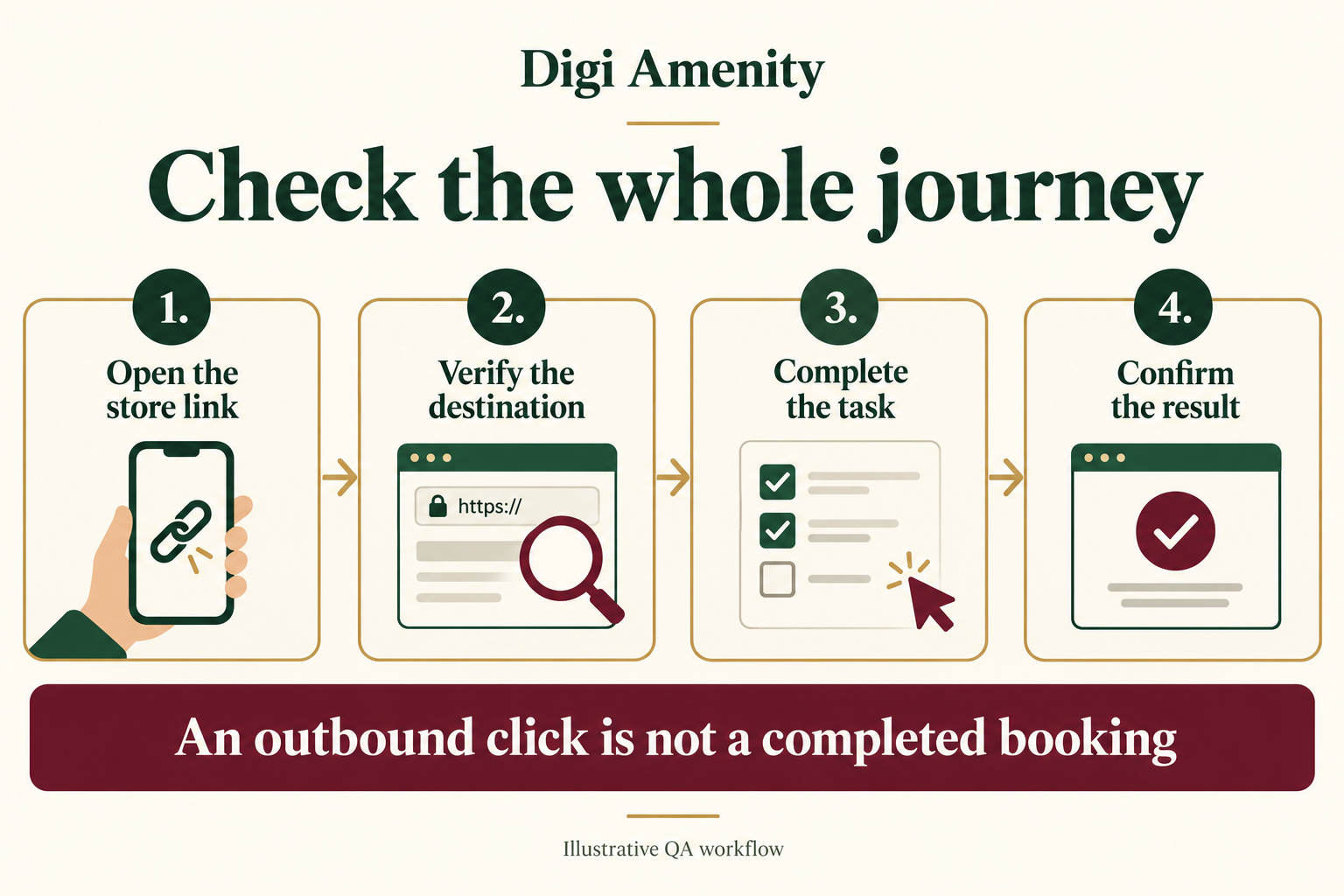
Use a separate row for each important journey. Record the starting page, visible button label, expected website, actual final destination, device and result. A screenshot of the first screen is not enough: the task must reach the intended endpoint.
1. Establish the expected destination
Ask the business owner of the journey which provider and destination should be used. Compare the entire hostname carefully. An unfamiliar hostname may be a legitimate vendor, an old campaign tool or something that needs investigation. Resolve ownership before deciding it belongs on a trusted-domain list.
Inspect intermediary steps as well as the final page. A link that travels through a shortener or tracking service may be harder for a customer to recognise. Where the business permits it, favour a clear, documented destination over an unnecessary chain.
2. Observe the message and both choices
If a confirmation appears, record the address it displays. Check whether continuing reaches the intended page. Then repeat the journey and check whether returning leaves the customer in a usable place. Do not assume an exit message itself is a defect.
A wrong or unexplained destination requires investigation before you approve it. Do not hide a warning with custom code or add broad exceptions simply because the message is inconvenient.
3. Complete a controlled test
For a booking, use an approved test slot and identify the entry as a test. For an enquiry, coordinate with the receiving team so that the test does not enter normal sales follow-up. For payments, use the provider’s supported test process where available; a real transaction needs the business’s approval.
Verify the resulting record in the system responsible for delivery. A thank-you screen is useful evidence, but the business still needs to know whether the appointment, enquiry or order was recorded correctly. Remove or label test records through the normal business process so they are not counted as genuine demand.
4. Repeat on mobile and record the result
Check a narrow phone screen, a larger phone and desktop. Look for clipped destination text, buttons obscured by overlays, horizontal scrolling, unusable back navigation and a keyboard covering required form controls. Also test the return path after cancelling the external task.
What should your outbound-link worksheet contain?
Copy the following fields into your team’s review sheet. The acceptance rule is more useful than a simple “link works” checkbox because it identifies what the business needs to verify.
| Field | What to record | Acceptance rule |
|---|---|---|
| Journey and owner | Booking, support or other purpose; responsible person | Someone can confirm what the customer should achieve |
| Starting point | Page URL, button label and traffic source | The label sets an accurate expectation |
| Destination | Expected hostname, observed hostname and any intermediate step | The provider and purpose are understood |
| Message behaviour | Shown/not shown; continue and return outcomes | Both available choices behave coherently |
| Mobile result | Device, browser, date and screenshot | No blocking layout or navigation problem |
| Business record | Test identifier and confirmed system result | The intended task exists once in the receiving system |
| Decision | Keep, repair, investigate or retest; owner and due date | Every unresolved issue has a next action |
Give an unexpected destination the highest investigation priority. A reproducible failure to complete a legitimate booking is an operational issue to fix promptly. An unclear label with a working journey can be improved after those issues. These are suggested priorities, not Shopify severity classifications.
What would this look like for a Mumbai showroom?
Hypothetical example: a furniture store in Mumbai sells accessories online and sends visitors to a separate appointment tool for showroom consultations. Its product-page button says “Book a showroom visit”.
The reviewer records the booking provider’s domain, checks the selected showroom and completes an approved test appointment. If an exit message appears, the reviewer checks both continue and return. The store team then verifies the appointment in the calendar and confirms that the customer receives the expected confirmation.
If the journey works but the destination is surprising, the team could clarify the button’s nearby copy: “Choose your showroom slot in our booking calendar.” If the calendar opens to the wrong location, fix that destination. If the appointment is never created, investigate the receiving workflow. Each issue has a different cause; none justifies assuming that the advertising audience is wrong.
No outcome or conversion improvement is claimed for this example. It shows how to separate link behaviour, customer understanding and successful delivery.
How should you measure whether a change helps?
Define the outcome before changing the journey. For a booking flow, useful stages are store-page visit, outbound booking click, completed booking and appointment accepted by the business. Do not label the second stage as a qualified lead.
If your setup can reliably connect these stages, calculate the share of unique booking-start journeys that produce a confirmed booking. Keep the observation period and journey definition consistent, exclude test records and account for cancellations or duplicates. If the systems cannot connect the stages, report their counts separately rather than presenting a precise funnel rate.
Record the date of each link, copy or provider change. Compare equal-length complete periods and look at device, source and offer changes. A small before-and-after difference cannot establish that an exit message caused a change in sales.
Before increasing spend through Google Ads campaigns, confirm that the advertised action reaches a usable destination and a genuine business result. More clicks will not repair a calendar, form or provider handoff that fails after the visitor leaves the landing page.
What evidence should you send to support?
Prepare a reproducible description: starting page, button, expected and observed destination, approximate time, device/browser, whether a message appeared and the exact step that failed. Include screenshots with customer information removed and a clearly marked test reference where appropriate.
Explain whether the issue concerns an unexpected address, an unusable confirmation, a broken destination or a missing business record. That distinction helps Shopify, an app developer or the receiving provider investigate the right part of the journey. Do not send passwords, payment details or customer records in public forum posts.
Frequently asked questions
Does the new message mean my store has been compromised?
The message alone does not establish that. Check whether the destination is expected. If it is unfamiliar or unexplained, pause changes to that link and investigate its source with the responsible developer or provider before trusting it.
Can I add every external website to a trusted list?
That is not a sensible review process. Confirm the destination’s owner and business purpose first, then use only the controls actually available in your account. Keep a record of approved destinations and remove obsolete ones through the supported process.
Should I change my domain configuration to avoid a message?
Do not change domain configuration solely to remove a prompt. Domain decisions can affect other journeys. First establish whether the website should be connected to this store at all, and have the appropriate person assess the wider effects.
Will this affect UPI or my payment gateway?
This guide has not verified a gateway-specific or UPI-specific effect. Test the exact authorised checkout journey and reconcile its result with the provider and order system. A broad announcement is not proof that a particular payment method is affected.
Will an exit confirmation hurt my SEO?
No ranking impact has been established by the evidence used here. Review customer completion separately from old-URL mapping and crawl issues. Avoid changing SEO redirects or canonicals in response to an unrelated message.
What if I cannot measure completed bookings in analytics?
Use the booking system’s confirmed records and report outbound clicks separately. Work towards a validated measurement connection, but keep missing attribution explicit. Do not substitute click counts for completed appointments.
When should I repeat these checks?
Repeat them after changes to themes, apps, provider destinations or campaign landing pages, and before an important promotion. For critical journeys, assign a recurring review owner and keep the previous evidence so new failures can be compared with a known working state.
Need help checking your store’s handoffs?
If customers leave your Shopify store to book, enquire or complete another business task, Digi Amenity can review the destination, mobile experience and confirmation tracking together. Our web development team can help identify whether the next fix belongs in the store, an integration or the receiving workflow before you increase traffic.