
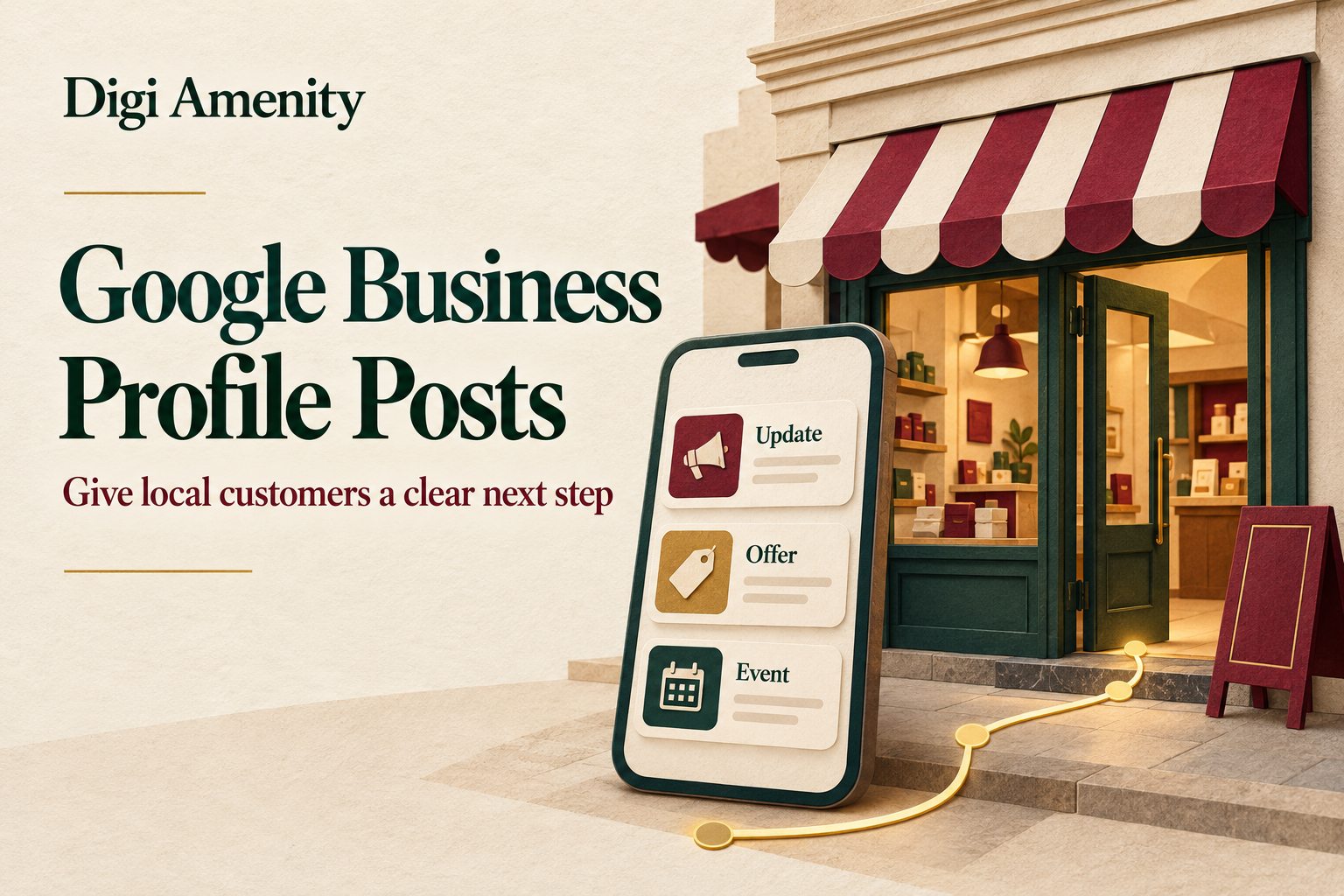
Google Business Profile posts work best when each update answers one customer question, gives accurate information and makes the next step easy. Choose a relevant post type, use a clear image, link to the matching page and check whether people complete a useful action. Treat posting as part of the customer journey; do not assume a busy posting calendar will improve your Maps ranking.
For a Mumbai showroom, the question might be whether a particular range is available to view. For a local service business, it might be what a visit includes and which locations it can serve. A useful post reduces that uncertainty before someone calls, books or travels.
This guide explains how to plan, create and evaluate posts, with hypothetical Mumbai examples and a reusable decision card. Platform guidance checked on 20 October 2026; controls and available features can vary by profile.
What are Google Business Profile posts—and where do they appear?
They are business updates shown on Search and Maps. Google describes mobile placements in Updates or Overview and a desktop From the owner section. Its separate featured-post experience is limited to eligible English-language, single-location food and drink businesses in the US, UK, Canada, Australia and New Zealand. India is not listed for that feature. See Google’s post-management guidance.
That distinction matters: a Mumbai café should not plan around a prominent placement seen in an overseas screenshot. Check the actual customer view of its profile. A post is also different from the profile’s permanent opening hours, address or service information. If those details change, update the relevant profile fields as well; a temporary announcement is not a substitute.
Which customer question should your next post answer?
Start with the enquiry your staff repeatedly explain. Useful questions include what is included, who a service suits, whether an item is available, when an event happens and how to take the next step. Choose a question that the business can answer accurately today.
Use this test: after reading the post, can someone decide whether to continue without asking for the same basic information again? “Quality service at affordable prices” fails that test. “Our inspection covers these three checks; repairs are quoted separately” gives a customer something concrete to evaluate.
Local relevance comes from operational facts. Mention a Mumbai branch because the offer is available there, or explain a service boundary because it affects fulfilment. Repeating neighbourhood names does not make an unsuitable offer useful. Check the basics first with our Google Business Profile audit checklist.
Which Google Business Profile post types should you use?
Google currently documents three types: Updates, Offers and Events. Use the table as an editorial decision aid, then complete the fields available in your profile.
On a small screen, swipe the table sideways to read every column.
| Type | Customer’s question | What your brief should contain | Destination check |
|---|---|---|---|
| Update | What should I know before choosing you? | One useful fact, a relevant image and a clear next step | The page answers the same question |
| Offer | What is the deal, and do I qualify? | Value, validity, exclusions and redemption instructions | Price and conditions match the post |
| Event | What happens, when and how do I attend? | Exact date, time, place, capacity and booking requirements | Registration works and availability is accurate |
A promotion does not need an invented discount. If there is no genuine offer, use an informative update. Likewise, do not invent an event simply to fill a calendar. A helpful explanation of a service can be more relevant than a manufactured announcement.
How do you create and schedule a post?
In the managing account, open the correct profile, choose Posts → Add post, select the type and complete its fields. Google documents scheduling and a Repeats option. Review the selected location and timing before submitting. Afterwards, check the status: Live, Pending or Not approved.
Before that final step, prepare the message outside the posting interface. Confirm the offer with the person responsible for delivery, select the real destination and test it on a phone. This avoids discovering that the promoted appointment, stock item or booking page is unavailable after customers have acted.
For a recurring post, assign an owner to recheck it before the next occurrence. A recurring schedule is suitable only while its promise remains true. Staff changes, stock shortages and expired conditions can turn a previously accurate update into misleading information.
For multiple branches, approve the facts separately for each location. A shared image may be suitable, but capacity, opening hours, stock and the destination URL may differ. Keep a simple record of who approved each version.
What do useful Google Business Profile post examples look like?
The following businesses, wording and scenarios are hypothetical. They are not Digi Amenity client work or measured results.
Example 1: a Mumbai curtain showroom
Weak brief: “Visit Mumbai’s best curtain shop for amazing deals.”
More useful draft: “Compare blackout and light-filtering curtain samples at our showroom. Bring your window measurements and a room photograph so the team can explain the options. See the sample-viewing details before you visit.”
Use an Update with a genuine sample display photograph and a relevant available button. The destination should explain the visit, actual location, current hours, accessibility details where known and whether an appointment is required. If measuring advice has a fee or limitations, make them clear rather than implying a free design service.
Approval question: can staff provide what the post promises during the advertised hours? Review question: did enquiries concern suitable products and result in sample visits? A photograph that attracts attention but creates the wrong expectation needs a revised message, not simply more promotion.
Example 2: an appliance repair service
Weak brief: “Fast repairs everywhere in Mumbai. Call now!”
More useful draft: “Need a washing-machine inspection? Check the appliance types and service locations we cover, what the inspection includes and how repair estimates are approved. Request an available appointment through the service page.”
The business must replace general wording with its actual coverage and terms before use. Avoid a guaranteed same-day claim unless the operating team can honour it. The landing page should ask only what is needed to assess and route the request, such as appliance type and service location.
Approval question: does the page distinguish inspection charges from repair costs? Review question: are unsuitable requests caused by coverage confusion, unsupported appliances or unavailable appointments? The answer changes what to revise in the next post.
How should the image, button and landing page work together?
Use a real, relevant product, place or process image when the post represents your business. Keep important subjects away from the edges and preview the crop. Do not rely on tiny text inside a graphic to explain exclusions or pricing. Put necessary details in readable copy and on the destination page.
Select the available button that fits the action. Google’s post action reference distinguishes booking, ordering, shopping, learning more, signing up and calling. The label is a promise: a booking action should not send customers to an unrelated homepage where they must start again.
Test the exact link, including tracking parameters, on a phone. Check loading, readable text, the visible action, form validation and the confirmation step. For an approved test submission, confirm that the business actually receives it and mark it as a test. A success message on the page alone is not proof of receipt by the team.
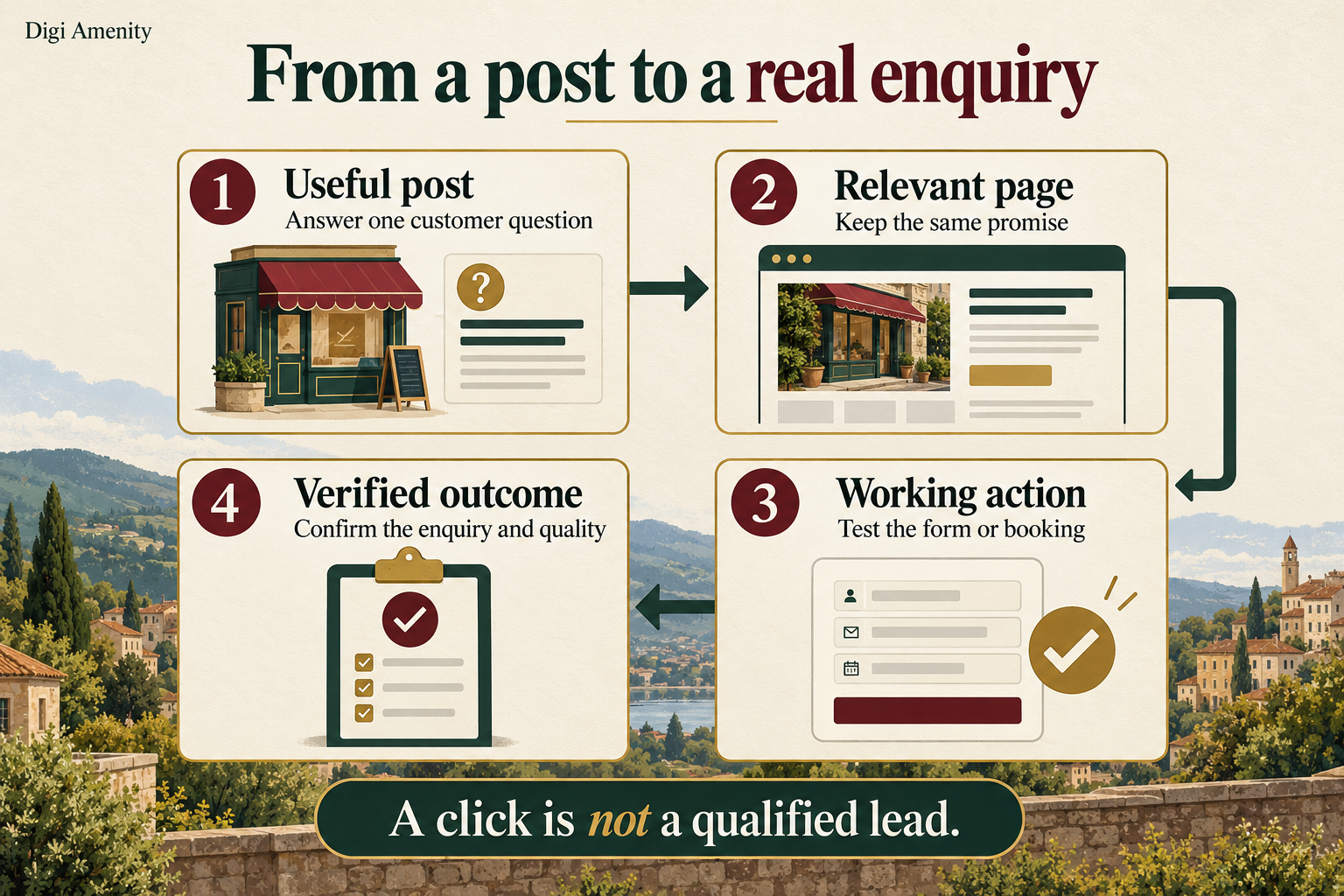
Digi Amenity’s approach connects local visibility, creative, website experience, measurement and follow-up. If a post generates interest but the form fails or no one responds, publishing another version does not fix the underlying problem.
What should go into a reusable posting checklist?
Copy this original post decision card into your planning document. Complete one card per message and location; it is designed to help an owner approve the facts and next step without reading a long marketing brief.
- Customer question: what uncertainty will this post resolve?
- Verified answer: what fact, terms or availability can the business support today, and who confirmed it?
- Location and audience: which real branch or service coverage does it apply to?
- Post type and asset: why does this type fit, and does the image accurately represent the promise?
- Action and destination: what should the reader do, and has the complete mobile journey been tested?
- Validity and retirement: when must it be reviewed, changed or stopped?
- Response owner: who receives the enquiry and handles the next step?
- Evidence and decision: what will be reviewed, on which date, and what would justify keeping, changing or retiring the message?
Publish gate: facts approved, action works, location correct and owner assigned. Hold gate: missing terms, uncertain stock, unsupported claims or a broken destination. Retire gate: the offer ends, the service changes or the business cannot fulfil the promise.
Start with a manageable weekly planning check, not a compulsory weekly publishing quota. If there is nothing useful or accurate to add, work on the existing customer journey. This cadence is an editorial suggestion, not a Google requirement or ranking formula.
How do you measure whether posts are helping?
Use the profile’s Performance report for context and tagged website links for the resulting site journey. Google defines calls as call-button clicks and website clicks as clicks on the website link; those counts are not completed conversations or qualified leads. Available offer metrics also do not replace an enquiry register. See Google’s performance definitions.
For website-bound posts, agree a consistent UTM convention. A fictional example is:
https://example.com/sample-visit/?utm_source=google&utm_medium=organic&utm_campaign=gbp_mumbai&utm_content=update_sample_visit_20261020This is a suggested naming scheme, not a required Google format. Preserve the organisation’s existing conventions. Use a distinct content value for each message and keep customer information out of URLs. Google’s campaign URL documentation explains how parameters populate acquisition reporting. Our UTM tracking guide covers naming and link testing in more detail.
Review the relevant session campaign and content dimensions alongside a confirmed enquiry event. Separately reconcile received requests in the business’s protected records, removing tests, spam and repeated contacts according to a consistent rule. Keep unknown sources unknown. Consent choices, tracking gaps and later direct visits mean not every outcome can be attributed to a post.
Hypothetical measurement example: six distinct enquiries are reliably associated with one message, and four meet the business’s written service and location criteria. The qualification rate for those six reviewed enquiries is 4 ÷ 6 = 66.7%. This is a small illustrative sample, not a benchmark or proof that the post caused four additional leads. Do not divide those enquiries by all profile views and call it a post conversion rate.
Compare complete periods with the same definitions, location and filters. Record changes in hours, stock, pricing, campaigns and response coverage. Keep counts beside rates and avoid declaring a winning message from one or two enquiries. For the wider reporting process, use our Business Profile performance guide.
What should you check when a post fails or produces weak enquiries?
If it is not approved, read the indicated reason and compare the content with the current policy before resubmitting. Google warns that unverified contact information can be removed and provides a Call now button using the verified profile number. Hotel offers and regulated-product content have additional restrictions. Review the post content policy; do not assume a generic promotional template is suitable for every industry.
If the post is visible but results are weak, diagnose the journey in order:
- No useful next step: clarify what the customer can do and why it matters.
- Visitors arrive but do not enquire: inspect the actual mobile page, availability, terms and form before blaming the post.
- Enquiries are unsuitable: review the expectation created by the message and the stated service coverage.
- Suitable enquiries do not progress: check response ownership, appointment availability and the objections customers actually raise.
- Measurement is incomplete: repair or validate tracking and retain an honest unknown; do not substitute estimated leads.
Change one meaningful element where practical and record the reason. A different image, lower price, wider service area and new form introduced together will make it difficult to understand which change mattered.
Frequently asked questions
Are Google Business Profile posts free?
The Business Profile is a no-cost Google product, including posting. Content production, photography or an optional management tool may still cost your business time or money. You do not need to buy advertising simply to plan a useful update. See Google Business Profile.
Will posting every day improve my local ranking?
Do not assume that. Google’s local ranking guidance describes relevance, distance and prominence; it does not establish a daily-posting ranking benefit. Choose frequency around accurate, useful information and assess customer outcomes.
Can I reuse an Instagram caption?
Use it as a starting point, then remove references that require social context and make the next action clear. Check that the dates, branch, terms and destination remain correct. A shortened caption that omits essential conditions is not an improvement.
Do I need a discount in every post?
No. Explaining a service, showing available samples or answering a common pre-booking question can help someone make a decision. Use an offer only when there is a genuine, supportable proposition with clear conditions.
How long should a post remain in my plan?
Google says posts older than six months are archived unless a date range is set. Your own review deadline should follow the facts: remove or correct an expired promise promptly instead of waiting for platform archiving.
Can I schedule posts for several Mumbai locations?
Google documents scheduling and sharing across selected profiles. Check which controls your account provides. Approve each branch’s facts and destination separately; copying a message is not proof that the same availability applies everywhere.
What if I cannot connect a post to a confirmed enquiry?
Report the evidence you do have, such as tagged sessions, and state the attribution gap. Validate the form or booking event and the business’s receipt process. Do not rename clicks as leads to fill an empty report.
Need help connecting your posts to the enquiry journey?
If your Mumbai business posts regularly but cannot tell whether the updates produce suitable enquiries, Digi Amenity can review the message, local relevance, landing page, tracking and follow-up process through its SEO services in Mumbai. The useful starting point is a verified customer journey and a clear next action.
