
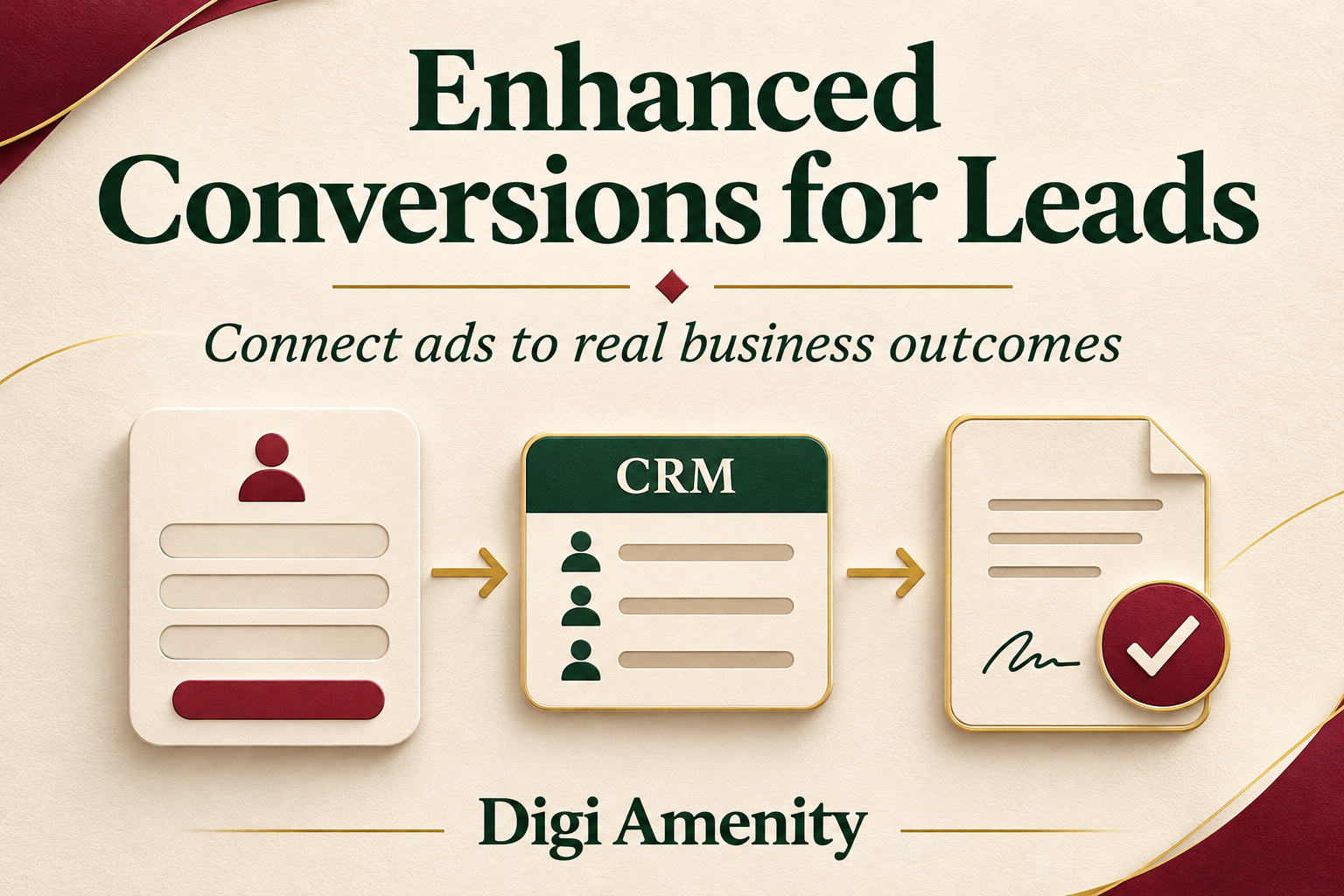
Google Ads enhanced conversions for leads helps connect later sales or qualified leads with the advertising that brought people to your business. It combines eligible first-party lead information with offline conversion imports. To implement it well, define a meaningful sales outcome, connect website capture to your CRM, validate imports, and check attribution before using the new signal for bidding.
A switch marked “on” is not proof that this entire process works. Your website might capture an email correctly while the CRM exports the wrong date, the import fails, or sales staff use “qualified” inconsistently. Those are different problems and need different evidence.
This guide is for Indian service businesses whose customers enquire online but make decisions through calls, quotations or meetings. It provides an implementation and review process, including a practical evidence checklist. Examples are hypothetical, not Digi Amenity client results.
Documentation checked on 3 November 2026. Google Ads menus and integration requirements can change; verify the settings and supported import route in your account.
What does enhanced conversions for leads actually do?
Imagine a person clicks an ad, submits an enquiry and signs a contract several days later. A website form conversion tells you about the enquiry. It does not automatically tell Google Ads that the contract was signed.
Enhanced conversions for leads supplements offline conversion imports with user-provided information, such as a hashed email address. Google can use eligible matching information to attribute later outcomes to advertising interactions. Google’s official overview explains this connection between the website, stored lead details and later imports.
Your CRM remains the place to manage the customer, quotation, sales owner and next action. Enhanced conversions is a measurement mechanism, not a replacement for that sales record. It also does not decide whether someone is a good prospect. Your business must define and record the outcome you send.
How is it different from enhanced conversions for web?
The useful distinction is where the outcome happens. Web measurement concerns an action completed on the website. Lead measurement connects an earlier enquiry with an outcome recorded later, often outside the website.
- Online purchase: a customer pays through the website checkout. Review web purchase measurement and its existing integration.
- Offline sale: someone requests a quotation and later accepts it by phone. The business needs a dependable feedback path from the sales record.
- Mixed journey: an enquiry, meeting and purchase are separate milestones. Define which one each conversion action represents.
Do not count the same sale as several independent business wins just because it appears in more than one measurement system. Keep the underlying event definition visible in reporting.
What changed in the 2026 setup guidance?
Google’s enhanced-conversions settings update describes simultaneous inputs from April 2026 and a combined web-and-leads setting from June 2026. Its current account-level instructions point to Goals → Settings → Customer data use. Older tutorials may still show separate implementation-method choices.
The same update carries a migration notice for offline and enhanced-lead uploads to the Data Manager API, starting 15 June 2026, with legacy-access conditions. Do not build a new integration simply by copying an older Google Ads API example. Ask the integration owner to confirm the currently supported route and the account’s access.
Some Google help pages still contain older wording and links. Treat the dated update, the current destination documentation and the actual account interface together as the implementation reference. A combined setting does not remove the need for website capture and a valid offline feed.
What should you decide before installing anything?
1. Define one outcome the sales team can verify
Start with a written definition. “Qualified lead” could mean that a salesperson has confirmed a relevant requirement, serviceable location and genuine opportunity. It should not simply mean that the form contains a phone number.
For a hypothetical commercial-interiors business, a useful stage might require a confirmed commercial project, a location within the service area and an agreed next meeting. Another business may need entirely different criteria. The point is consistency, not copying that definition.
Record who can change the stage, what evidence supports it and how mistaken entries are corrected. If half the team labels every enquiry qualified while the other half waits for a meeting, the resulting signal is difficult to interpret. Our Google Ads lead-quality guide explains why raw lead volume and useful demand need separate attention.
2. Agree the time and value of the event
The enquiry date and the qualification date are not interchangeable. A lead submitted on Monday and qualified on Thursday has two different milestones. Preserve both timestamps rather than overwriting the original date.
Choose an agreed value definition if you use values. A forecast opportunity value is not collected revenue. Do not assign arbitrary large values merely to make a dashboard look stronger. Document how estimates are calculated and when they should be updated or corrected.
3. Assign ownership across teams
Give the website owner responsibility for capture, sales operations responsibility for stage accuracy, and the measurement owner responsibility for imports and reporting. Name a backup person. When a feed stops, someone should know whether to investigate the form, connector or source records.
How should you map the website and CRM data?
Create a small data map before configuring tags. For each field, record its source, destination, transformation and owner. Keep internal record IDs separate from advertising identifiers: one identifies the business record, while another helps connect an advertising interaction.
Google’s Google tag implementation guidance identifies the offline conversion name, time and user-provided data requirements, and recommends retaining available GCLIDs. Its GCLID requirements depend on whether a tag collects user-provided data; do not interpret enhanced matching as a reason to discard click IDs already captured reliably.
- Business record: stable lead or opportunity ID, responsible owner and verified stage.
- Outcome event: event identifier, actual event time and conversion-action mapping.
- Matching information: permitted identifiers available through the chosen implementation.
- Governance: eligibility, permissions, source and the date of the latest relevant change.
- Delivery evidence: export time, import result, error reason and retry status.
Do not place customer email addresses or phone numbers in public URLs, screenshots or general campaign reports. Limit access to operational records and keep the published reporting layer free of unnecessary personal information.
If your forms lose useful details before they reach sales, fix that first. The lead-generation form checklist can help separate necessary qualification fields from unnecessary friction.
How do you implement the feedback loop?
Step 1: Review customer-data settings and eligibility
Confirm the correct advertiser account, conversion purpose and permissions. Review the applicable customer-data terms and policies before enabling collection or connecting a source. Hashing does not remove the need to meet those obligations.
Inspect each customer-data option separately, including any option involving customer lists. Measurement and audience creation have different purposes; do not approve an additional use of customer information just because it appears beside the measurement setting. Google’s settings documentation explains the controls and associated terms.
Step 2: Configure website capture using the right method
Choose the Google tag or Tag Manager implementation that fits the existing website. Follow the corresponding current documentation. Do not add a second tag stack without checking what the site already sends.
Google’s Tag Manager instructions describe capturing user-provided data and connecting it with later imports. Test the actual form implementation, especially embedded forms and forms that clear fields immediately after submission. A tag that fires is not proof that its variables contain the intended values.
Use controlled test records to inspect the capture path. Keep staff tests identifiable so they do not become genuine sales outcomes. Retain a record of the tested form, event, expected field and observed result.
Step 3: Connect a supported offline data source
Map the correct source field to the correct conversion action. Review normalization and hashing for that specific connector rather than transforming every field indiscriminately. Avoid hashing already hashed identifiers again.
Confirm the schedule, failure alerts and access owner. A manually maintained file can support a small pilot, but it still needs a controlled update process. An automated connector can fail just as quietly if nobody monitors rejected rows or an expired connection.
Step 4: Validate before changing campaign goals
Keep observation and optimization as separate decisions. Google’s implementation checklist recommends initially observing a new enhanced-lead conversion action as secondary, including a two-to-three-week initial period. Treat elapsed time as one check, not sufficient proof: the appropriate observation period also depends on sales delay and available evidence.
Review the campaign’s actual conversion goals before promoting a signal. The team should understand which actions bidding uses and whether the old and new actions describe the same outcome. Plan the change and its review date rather than modifying goals, budgets and bidding together without a baseline.
How do you know the setup is really working?
Use four separate evidence gates. They prevent a technical success message from being mistaken for business improvement.
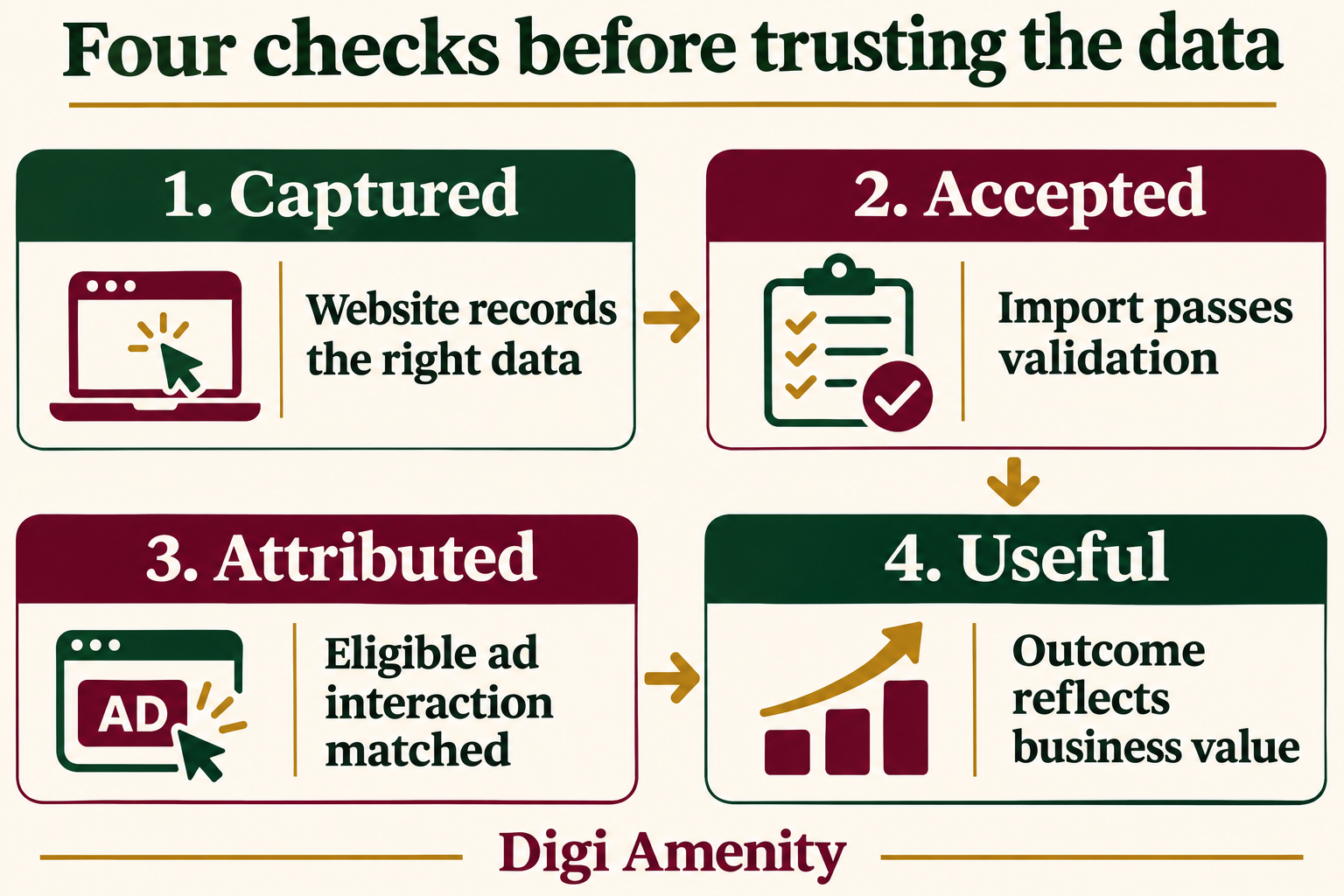
- Captured: the approved website event contains the intended data under the applicable rules.
- Accepted: the import processes the eligible records without unresolved validation errors.
- Attributed: eligible outcomes appear against advertising under the platform’s matching and reporting rules.
- Useful: the outcome means what sales and finance think it means.
Google’s diagnostics guidance provides checks for implementation issues. In the Goals conversion summary, inspect the relevant action’s status and diagnostics. Review the reported problem rather than treating a green status as an audit of your CRM definitions.
For reconciliation, align the conversion action, time basis, reporting window and timezone. Record the source cohort separately from platform-attributed totals. An accepted upload is not a promise that every row will be attributed to Google Ads. A CRM total can also contain other channels and outcomes outside the comparison window.
What should your first test checklist contain?
For every case, record the expected result before testing, then retain the actual evidence. Use synthetic records for configuration checks; they cannot prove real advertising attribution.
| Test case | Evidence to retain |
|---|---|
| Valid eligible enquiry | Correct source record and captured fields |
| Missing or malformed identifier | Safe handling and visible validation result |
| Record not eligible for the intended use | Collection or export respects the applicable rule |
| Same event delivered twice | Duplicate-handling result using the supported identifier |
| Stage changes several days later | Correct outcome timestamp and action mapping |
| Connector fails or times out | Alert, reconciliation and controlled retry |
| Sales corrects an outcome | Documented correction path and reporting review |
On smaller screens, scroll the table sideways to read both columns.
Do not retry an ambiguous upload blindly. Check whether the destination accepted it first. Keep the original event identifier and review the chosen method’s duplicate and adjustment behavior. An unexplained increase in conversions after a retry is a problem to investigate, not an automatic success.
Does a lower reported cost per lead prove better performance?
No. Better measurement can change the denominator without changing the underlying business. Separate reporting completeness from genuine efficiency.
Hypothetical example: a business spends ₹60,000 and records 30 qualified opportunities in its CRM. Suppose an older setup attributes 20 to Google Ads and an improved setup attributes 25 from the same fixed business cohort. Reported cost per attributed opportunity changes from ₹3,000 to ₹2,400. That arithmetic does not prove that five extra opportunities were created or that sales performance improved.
Track the actual qualified cohort, wins, sales delay and an agreed financial outcome alongside the ad report. Before-and-after comparisons also need comparable periods and explanations for changes in offer, budget, seasonality and follow-up. Avoid promising a standard uplift percentage.
When leads remain weak, inspect search terms, targeting, offer and response quality. Better attribution can make the problem more visible; it cannot repair an unsuitable offer or unanswered enquiries.
What should you check if conversions are missing?
Work through the chain in order: source record, eligibility, capture, identifier formatting, export, destination action, import errors, event time and reporting filters. Record where the evidence stops.
If source records never contain the required information, start with the website and CRM. If records are complete but rejected, investigate the integration. If imports succeed but attribution is limited, inspect diagnostics and reporting conditions before changing acquisition campaigns. For broader tag or conversion failures, use our Google Ads conversion-tracking troubleshooting guide.
A practical handover worksheet
Before handing the setup to another team member, complete these fields in one shared operational document:
- Outcome definition, approving owner and evidence required.
- Website forms, existing tags and the approved collection method.
- CRM source fields, stage timestamp and event identifier.
- Current import route, mapping, schedule and responsible account.
- Customer-data eligibility and access review owner.
- Test cases, expected results, evidence and unresolved errors.
- Campaign goals before and after the proposed change.
- Baseline period, sales-delay allowance and next review date.
- Pause, retry and correction procedures.
The handover is ready when another person can trace an outcome through the process and explain a mismatch without guessing.
Frequently asked questions
Is enhanced conversions for leads available only to large businesses?
Business size is not the main implementation question. A smaller business still needs reliable eligible data, a defined outcome and a supported import process. Check account and integration availability before commissioning the work; do not assume a particular CRM subscription includes every connector.
Do I still need a CRM?
You need a dependable record of leads and later outcomes. A CRM is usually useful when several people handle sales, but the business process matters more than the product label. Enhanced conversions does not manage follow-up or replace your sales database.
Can I stop collecting GCLIDs?
Do not discard an existing reliable capture path. Google recommends including available GCLIDs, and its requirements differ by implementation. Review the current method-specific guidance instead of assuming that additional matching information makes click identifiers irrelevant.
Does hashing make all customer-data use acceptable?
No. Review eligibility, disclosures, permissions and applicable platform terms before sending data. Keep the review specific to the intended use and connector. Technical transformation is not a substitute for an approved data-handling process.
Should every form submission be a qualified lead?
No. Keep enquiries separate from verified qualification. Agree the definition with sales, retain disqualification reasons and review consistency. Otherwise the system receives a volume signal while the business expects a quality signal.
How long should I wait before using the new action for bidding?
Allow enough time to validate capture, imports and meaningful outcomes through the actual sales cycle. Google’s initial observation guidance is useful, but a calendar interval alone cannot establish trustworthy data. Confirm campaign goal settings and a review plan before switching.
Will this guarantee more sales?
No. It can improve measurement and provide more relevant feedback when implemented well. Sales still depend on demand, offer, landing pages, price and human follow-up. Judge the business result separately from the number of attributed conversions.
Make the feedback loop trustworthy before increasing spend
If Google Ads reports leads but your sales team cannot connect them to qualified opportunities, Digi Amenity can review the form, CRM stages, import path and campaign goals before you increase the budget. Explore our Google Ads support to scope that measurement review.
