
Keep out of stock product pages live when the item is coming back. Tell the shopper which size or colour has sold out, whether they can order it, and what they can do next. For a permanently retired item, remove the offer from your shopping feed. Then decide whether the old URL still helps customers, has a clear replacement, or should return a page-not-found response. The stock decision belongs to the individual variant; a green mug selling out should not stop someone buying the cream one.
What should a shopper see when an item will return?
Open the product link on a phone and look at the area around the price. A shopper should be able to tell which option is selected and whether it can ship before they reach the basket. Keep the photos, dimensions, compatibility notes and care instructions available. Someone waiting for a particular dinner set may still need to check whether it fits their cupboard.
If you cannot take an order, label the affected option clearly and disable its purchase action. Show other colours with stock if colour is negotiable. For a spare part, compatibility matters more than appearance: offer an alternative only if it fits the same model. Link directly to the relevant option so visitors do not have to repeat their search. Our guide to Shopify product pages covers the surrounding buying information.
A restock alert makes sense when the shopper wants the exact item. State what the alert covers and collect it against that variant. If your supplier has not confirmed a date, “Email me when the green mug returns” is a promise you can keep. “Ships on Friday” creates a fulfilment obligation you may have to unwind.
How should out of stock product pages match Google Shopping?
Use the same SKU to check the landing page, the checkout, the availability in the page’s structured data and the processed Merchant Center offer. A feed can correctly report one colour while the ad link opens a different colour by default. Start from the actual offer link and select a delivery PIN code you serve.
- No orders accepted, restock expected. Keep the page useful. Set that variant’s availability to
out_of_stock. - An existing product can be ordered for later dispatch. Use
backorderand supply the availability date in the feed and on the page. Test that checkout shows a compatible dispatch promise. - A new product has not launched yet. If you take advance orders, use
preorderwith the availability date. An existing item awaiting replenishment belongs in the backorder scenario. - Stock exists, but you want to stop advertising. Adjust the advertising destination or use the appropriate pause option. Keep the stock record truthful.
Google documents the allowed values, variant requirements and treatment of discontinued offers in its Merchant Center availability specification.
When should a discontinued URL redirect?
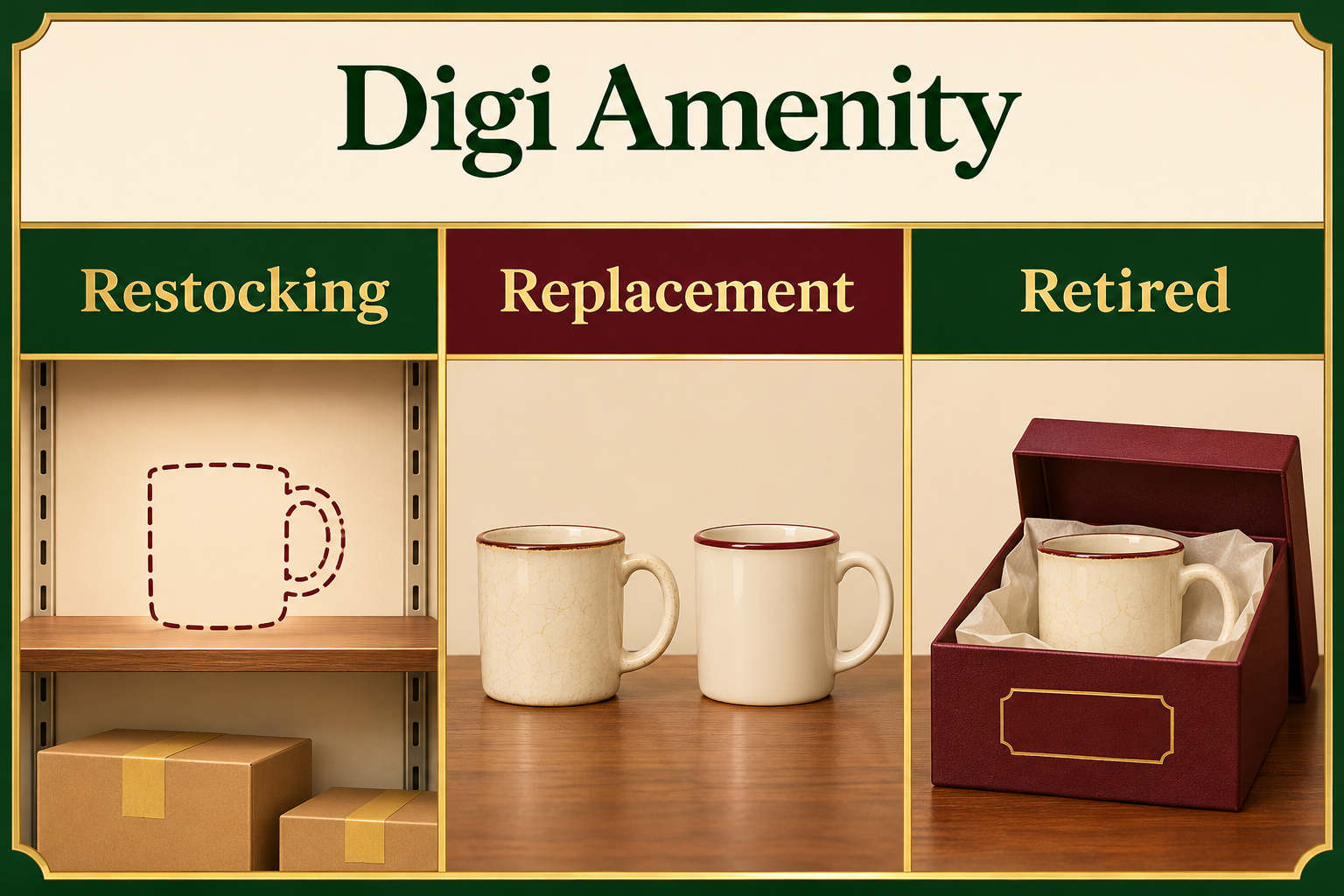
First remove the retired offer from the product data source. Then ask why someone might still open that URL. A buyer searching an appliance model number may need its manual or replacement filter. An archive page can answer that question: label the model discontinued, remove its purchase action and link to compatible parts.
If a new model directly replaces the old one and serves the same purpose, consider a permanent redirect to its page. Check dimensions, fit and included accessories before declaring equivalence. If the old content has no remaining purpose and there is no suitable destination, return HTTP 404 or 410 and provide navigation on the error page. Sending every discontinued mug, kettle and filter to the homepage leaves shoppers guessing what happened. See Google Search Central’s guidance on missing pages and replacements.
How can the catalogue team test a single variant?
Hypothetical example. A Mumbai homewares store runs out of its ₹650 green mug. Cream is available at the same price. The next green batch is unconfirmed. A merchant opens the green offer URL on mobile: the colour swatch says green, but a sticky “Buy now” button still adds the cream SKU. Updating the feed alone would leave the wrong item in customers’ baskets.
- Record the green SKU, offer URL and last warehouse update. Decide who can confirm the next batch.
- Open the URL in a fresh session. Check the selected swatch, visible stock message, main purchase button and sticky mobile button. Attempt to add the unavailable variant, then deliberately switch to cream and check its basket line.
- Compare the green offer’s structured availability and processed feed entry with the visible page. Record when each system updated. A lag immediately after a stock change and a persistent mapping error need different fixes.
- When stock returns, repeat the same route before sending alerts. Check that the first customer receiving an alert can order the correct SKU at the advertised price.
For a reusable stockout log, give each variant one row with these fields: SKU, landing URL, supplier evidence, orders accepted, customer message, cart result, markup, feed value, owner and retest date. Keep the row open until the last two systems agree with the checkout.
How will you know whether the fix helped?
Count sessions that saw the selected variant unavailable. Among those sessions, count how many purchased a suggested substitute. For example, six substitute purchases in 120 eligible sessions is a 5% observed purchase rate. That hypothetical figure describes behaviour; it cannot tell you how many purchases the suggestion caused. Compare similar products over equal periods and record price changes or promotions.
Track alert requests separately from orders after a restock. Pair the alert with its variant and send date, define the purchase window in advance, and deduplicate repeat orders. If sign-ups rise but orders do not, check the stock left when alerts arrived, delivery promises and whether the link reopened the correct variant before changing the copy.
Frequently asked questions
Should I hide sold-out products from collections?
For a restocking bestseller, move available alternatives higher and keep the detail page accessible by direct link. If most of a collection is unavailable, test how many taps it takes to reach a purchasable item on mobile.
What if only one size sells out?
Mark that size unavailable and leave the others selectable. Open the sold-out size’s exact offer URL and verify the page does not silently switch the customer to a different size at checkout.
Should every retired product redirect to its category?
Use a redirect where the destination answers the original product need. A broad category often leaves that need unanswered. Check for a direct successor or a useful support page before retiring the URL.
Can I take orders if I do not know when the supplier will ship?
Start with a notification option if you cannot communicate a credible dispatch estimate. A Google Shopping backorder requires an availability date. Confirm fulfilment with the supplier before enabling that purchase path.
What should I check if Merchant Center still reports a mismatch?
Compare one processed item with its exact mobile landing URL, selected variant and checkout. Record the last feed processing time. If the mismatch survives the next successful sync, inspect the variant mapping and any cached stock message.
If a sold-out variant still reaches checkout or Google Shopping shows different stock from your store, Digi Amenity’s web development team can trace one affected SKU from its offer link to the basket and identify where the records diverge.
