
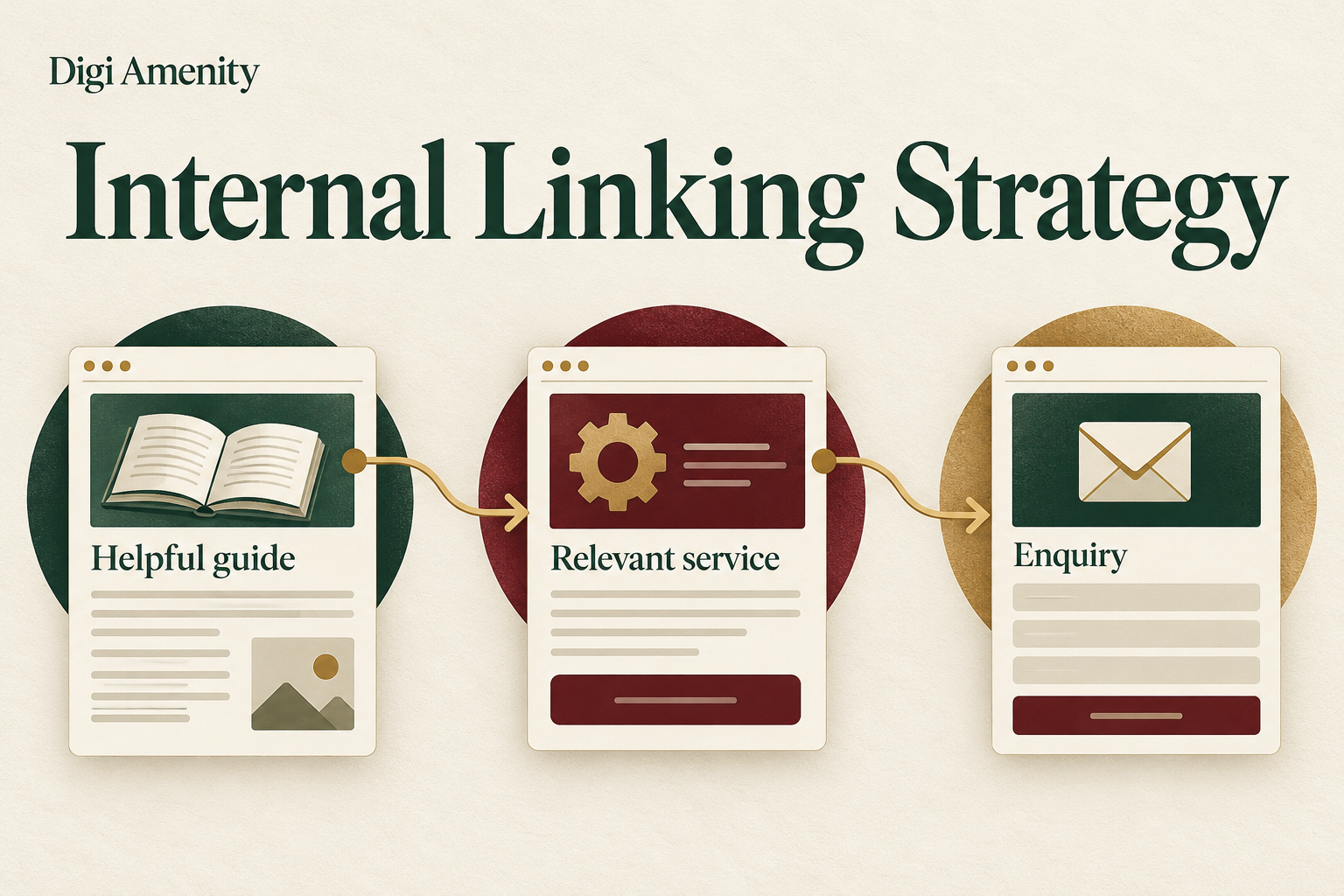
An effective internal linking strategy connects a useful page to the reader’s next relevant question or action. Start with important destinations, choose genuinely relevant source paragraphs, add clear links, and verify the route through to an enquiry or purchase. Linking every article to every service is not a strategy; neither is adding links until a plugin score turns green.
For an Indian service business, this might mean connecting a pricing explainer to the matching service scope, then making the enquiry route easy to use. For an online store, it might mean connecting a buying guide to an appropriate collection and product information. The destination must deliver what the link promises.
This guide explains how to audit existing links, prioritise changes, use a practical worksheet and measure the result. The scoring system, examples and review schedule below are Digi Amenity’s recommended working methods—not Google ranking formulas or reported client results.
What is internal linking, and what can it achieve?
An internal link connects pages within your own website. External links lead to another site. Navigation menus, breadcrumbs, related-content blocks and links within paragraphs can all help a visitor move around, but they serve different purposes.
Google explains that links help it discover pages and understand relevance. Its guidance recommends crawlable anchor elements with an href, descriptive anchor text and contextual links to useful resources. Important pages should be linked from another page on your site. See Google’s link best practices.
For the business owner, the operational question is simpler: after somebody reads this page, where should they go if they need more detail, want to compare options or are ready to enquire? A link can make that next step available. It cannot repair an unclear offer, an irrelevant destination or a broken contact form.
How should you choose the pages that need links?
Begin with a small group of destinations you can explain and maintain. Record the customer question each page answers, the service or product it supports and the action a satisfied visitor could take. Avoid selecting a page only because somebody wants it to rank.
- Commercial destinations: service pages, useful product collections and products that match an actual buying need.
- Decision support: comparison pages, pricing-factor explainers, eligibility information and practical implementation guides.
- Essential journeys: contact, booking, quotation and other relevant next steps.
Check destination readiness before sending more people there. Does it load? Is the content current? Does the mobile layout work? Does the page explain scope and the next action? If it is meant to appear in search, inspect its indexing controls separately. A private quotation portal may legitimately be excluded from search; a public service page usually has a different purpose.
When a redesign is involved, plan the routes alongside website structure and mobile development. Adding more blog links after launch is harder if the underlying service architecture is confused.
What evidence belongs in an internal link audit?
Create a working inventory from your CMS and a current crawl of the public website. Record published URLs, page purpose, response status and canonical destination. Compare the inventory with pages discovered through navigation and contextual links. Keep drafts, staging URLs and private account pages outside the public linking plan.
A page found in the CMS but missing from the crawl is an orphan candidate, not an automatic diagnosis. The crawler may have excluded a section, failed to render a link or started from the wrong entry point. Investigate those differences before adding links or changing indexing rules.
Use Search Console as a second source. Its Links report is sampled rather than exhaustive, combines duplicate links and groups pages by canonical URL. It can include links found previously that no longer exist. Therefore, a missing row does not prove that a page has no internal links today.
A sitemap provides another discovery reference, but it does not give visitors a useful route between pages. Google’s sitemap guidance explains how sitemaps and comprehensive internal linking support discovery. Check both rather than treating a submitted sitemap as the end of the audit.
For a broader launch review, use the SEO checklist for a new website. Here, keep the task narrower: identify which existing source page should lead to which destination, and why.
How do you prioritise internal linking opportunities?
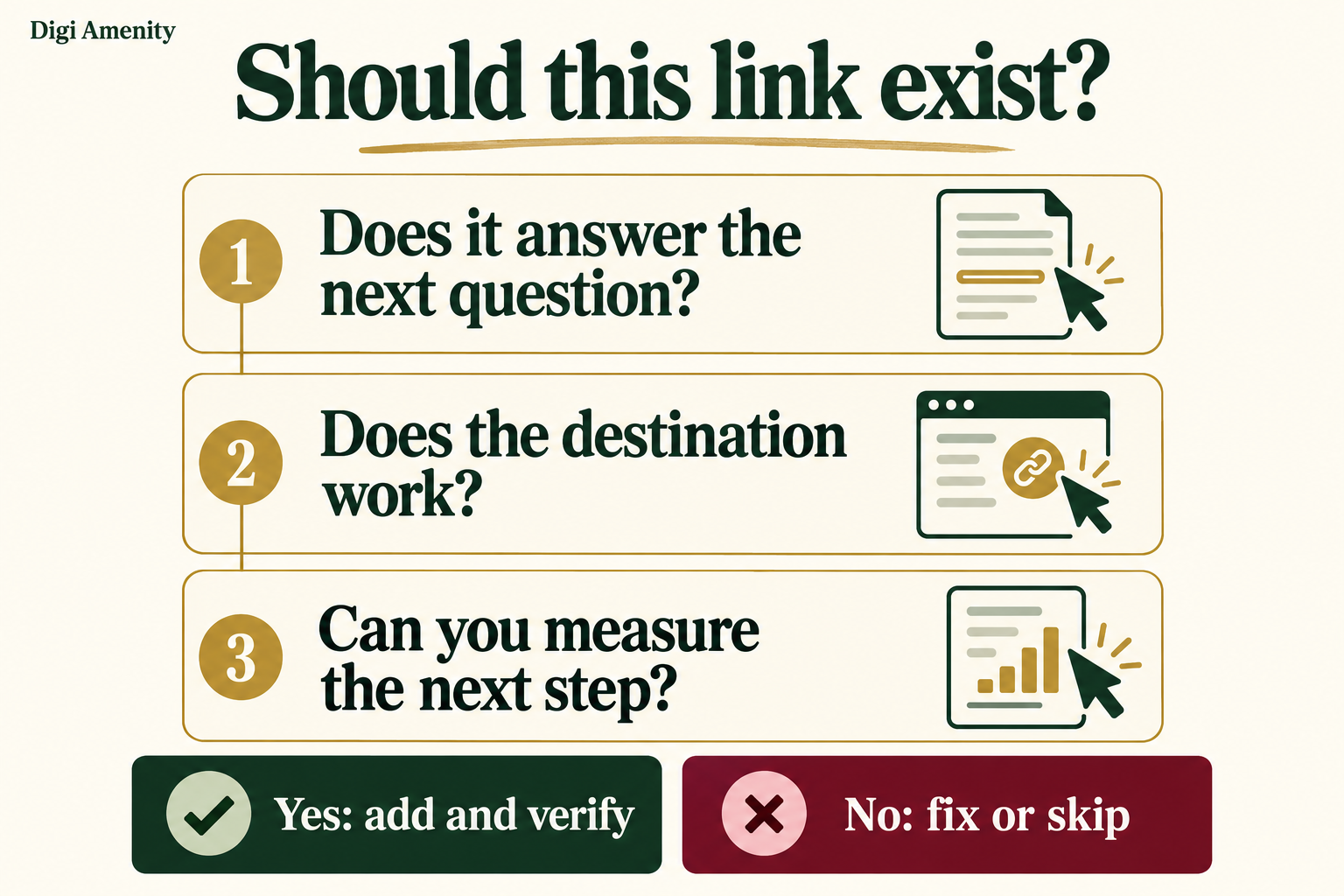
Score each proposed source-to-destination pair using the five questions below. Give each criterion 0 for absent, 1 for partial and 2 for strong. This is an editorial triage tool, not a model of Google’s algorithm.
| Criterion | What earns a strong score? | What makes you pause? |
|---|---|---|
| Reader fit | The destination directly answers the next question raised in the paragraph. | The relationship is only a shared keyword. |
| Destination readiness | The page works, answers its promise and has an appropriate next step. | Broken page, wrong offer or incomplete content. |
| Evidence of opportunity | Relevant observed visits, search queries or a documented customer question. | Traffic and demand are unknown; record that uncertainty. |
| Placement quality | The sentence naturally explains why the reader would follow the link. | A forced sales interruption or repetitive link list. |
| Verification capacity | There is an owner, before-state record and a way to check the route. | No one can confirm the saved change or resulting journey. |
Use scores to order the review queue, not to bypass judgement. A high total cannot rescue a destination that fails to load or a link that misleads the reader. Defer a pair until those issues are resolved. Unknown demand should remain unknown; do not turn it into an invented search-volume estimate.
What should the source-to-target worksheet contain?
Use one row per proposed change. Include the source URL, exact paragraph or section, target URL, suggested anchor, reader need, evidence, priority, owner, save date and verification result. Add a reason when you reject a suggestion; this prevents the same weak proposal returning at the next review.
Hypothetical planning example: an office-interiors business has a renovation-cost guide, a workspace-planning guide and a commercial fit-out service page. These examples are invented to illustrate decisions, not actual client work.
| Source section | Proposed destination and anchor | Decision | Required check |
|---|---|---|---|
| Cost guide: what a quotation includes | Service scope: “commercial fit-out scope” | Add if the service page explains included work and exclusions. | Confirm the destination answers the quotation question. |
| Layout guide: preparing a project brief | Requirements page: “prepare your office project brief” | Add when the brief genuinely helps the next task. | Test the template or form on mobile. |
| Service page: questions about budgets | Cost guide: “factors that affect renovation costs” | Add for readers who need detail before enquiring. | Review examples and remove unsupported price promises. |
| General workplace news paragraph | Unrelated service using “best office designers” | Reject: weak context and unsupported claim. | No link added merely to fill a quota. |
The return link from a service page to a guide is useful when it resolves an objection. It is not mandatory reciprocity. A reader who is already ready to enquire should still have a clear enquiry route without being forced through another article.
How do you write anchors that make sense?
Write the paragraph first, then choose the words that accurately name the destination. “Website maintenance checklist” tells readers more than “click here”. Do not label a general agency page as a specific cost calculator if no calculator exists there.
Google’s link guidance favours concise, relevant text and natural context; it does not prescribe a magical number of links per page. Avoid stuffing every keyword variation into an anchor or placing a string of links without explanation.
During editing, read the sentence aloud. If the link interrupts the answer, move it to a more relevant section or remove it. Check repeated cards separately: identical “learn more” buttons may need nearby headings or accessible labels that make their destinations clear.
How should service websites and online stores differ?
For a service business, map the questions that precede an enquiry: suitability, scope, process, responsibilities and evidence. A troubleshooting guide might lead to an audit service, while a platform comparison might lead to website planning. Sending every visitor straight to a contact form can be premature.
For an online store, build around the shopping task. A fabric-care guide may point to a relevant material collection; a size guide may support the product page where uncertainty arises. Product availability and collection contents need checking. A link that names a specific range becomes unhelpful when the destination shows unrelated items.
Hypothetical ecommerce example: a homeware store publishes a dining-table sizing guide. In the section about room clearance, a link to an appropriate table collection can help readers browse. A separate link to an unrelated sale category would need its own relevant reason. Neither example demonstrates measured sales uplift.
Digi Amenity’s approach is to review the full route: useful content, relevant destination, clear offer, working action, accurate tracking and sensible follow-up. Link placement and conversion quality should be assessed together.
How do you implement links without creating new problems?
- Save the before state. Keep the original paragraph and destination so another editor can understand or reverse the change.
- Edit a manageable group. Work on a few related pages first, rather than approving every automated suggestion.
- Use the final intended URL. Check the destination and avoid adding unnecessary parameters to internal links.
- Check rendered markup. A working text link should use an anchor and a real
href; a clickable-looking element is not enough. - Open the saved public page. Confirm that the link, surrounding sentence and destination actually match the proposal.
- Test the next action. A service link is not fully checked until the enquiry or booking route is usable.
After a URL change, update internal references to the final page. Google’s site-move guidance calls for updating internal links and avoiding unnecessary redirect chains. Do not change a working slug simply to make an internal-link spreadsheet look tidier.
Include narrow mobile screens in the review. Long anchors, cards and tables can behave differently from desktop. Check keyboard navigation and visible link styling too. An automated crawl cannot confirm that a customer understands the next step.
How can you measure whether the strategy is helping?
Separate three questions: can the page be reached, do people take the intended next step, and do those journeys produce useful business outcomes?
- Implementation: saved source links, working destinations, resolved orphan candidates and a dated change log.
- Search: page-level impressions, clicks and query relevance using consistent filters and complete periods in the Search Console Performance report.
- Journey: movement from relevant guides to service or product pages, then verified enquiry or purchase events.
- Business quality: enquiries that meet a documented qualification definition, rather than every button click.
GA4 Path exploration can help inspect page and event sequences. A path is observational: it does not prove which link was clicked or that an internal-link change caused an enquiry. If you need placement-level click measurement, define and test that instrumentation separately, without including personal form details.
Hypothetical measurement example: suppose a recorded cohort contains 200 eligible guide sessions, 30 sessions with a subsequent relevant service view, six verified enquiries and two enquiries meeting the business’s qualification rule. The service-view progression rate is 30÷200 = 15%; enquiry rate is 6÷200 = 3%; qualification rate is 2÷6, approximately 33%. These are invented figures, not benchmarks. Use matched cohorts, consistent windows and deduplicated records before calculating them.
Do not compare those hypothetical percentages with unrelated page-view totals. Consent, missing events, return visits and offline follow-up can limit attribution. Search improvements may also reflect content edits, seasonality or other changes made at the same time.
What should you do over the first four weeks?
Week 1: choose a small destination set, check readiness and build the worksheet. Week 2: implement the strongest relevant pairs and verify saved links and mobile journeys. Week 3: repair failures and inspect early journey evidence. Week 4: review search and enquiry data when complete enough; document what remains inconclusive.
This schedule organises work. It is not a promise that rankings will improve within a month. With limited traffic, a longer observation window may be necessary. Keep a maintenance owner for renamed pages, discontinued products and content that no longer supports the destination.
Frequently asked questions about internal linking
How many internal links should a blog have?
Choose links that support the reader’s task. A short answer and a detailed comparison may need different amounts. Review whether each destination adds something useful; a numerical quota should not decide publication quality.
Should every blog link to a service page?
No. Add a commercial route when it follows naturally from the problem discussed. Some pages are better connected to a more detailed guide first. An unrelated sales link can weaken the reading experience even when the destination matters to the business.
Do menus and footers replace contextual links?
Menus and footers provide repeatable navigation. Contextual links explain why a particular destination matters at that moment. Audit these separately so that a page appearing in the global menu does not hide a missing helpful route from a relevant article.
Can I find orphan pages using Search Console alone?
No. Compare a current crawl with your CMS inventory and investigate discrepancies. Search Console’s Links report is incomplete and can reflect historical observations. Treat an absent URL as a reason to check, not proof of an orphan page.
Should I use an automatic internal-linking plugin?
It can produce candidates, but retain human approval for relevance, destination accuracy and placement. Review a sample before enabling changes at scale, keep a rollback path and avoid assuming a suggestion is valuable simply because it matches a keyword.
Can internal links fix two pages targeting similar searches?
They may clarify a route between distinct purposes, but first inspect the pages and their query intent. Similar wording does not automatically justify merging or redirecting them. If the pages duplicate the same answer, content planning needs attention beyond links.
When should I review results?
Check saved links immediately and repeat technical checks after site changes. Review performance over comparable complete periods, noting other changes and sample size. A few clicks or an early ranking movement is insufficient evidence of a reliable improvement.
Need a practical internal linking plan?
If useful guides are disconnected from your service pages, Digi Amenity can review navigation, source-to-destination opportunities and the enquiry journey before recommending more content. Explore our SEO services to discuss a prioritised implementation plan.