

Security guidance checked: 23 October 2026.
To address the PHP critical vulnerabilities disclosed on 21 October 2026, update the PHP runtime serving your website to a fixed release or a verified vendor-patched package, then confirm that every web worker is running the repair. Updating WordPress alone is not the fix. If an exposed application cannot be patched promptly, ask your hosting or security team about isolating it before requests reach PHP. Test business functions after deployment and investigate suspicious activity separately.
This guide explains the two issues commonly called PHP2Shell, the questions to send your host, and the evidence to collect before closing the task. It does not establish whether any particular website has been compromised.
What are these PHP critical vulnerabilities?
PHP is software on the server that runs many websites and applications. The PHP project released emergency fixes on 21 October 2026 for two flaws that can allow an unauthenticated attacker to execute code. Its advisory covers web deployments including PHP-FPM, Apache mod_php, php-cgi, FrankenPHP and LiteSpeed. The demonstrated mod_php attack can occur before application code runs. Read the PHP security advisory.
| Issue | Plain-English explanation | Severity |
|---|---|---|
| CVE-2026-109618 | A failure during memory allocation can leave partly initialised request data that is handled incorrectly during cleanup. | Critical; CVSS v4.0 9.2 |
| CVE-2026-109619 | A worker can retain invalid state from a previous request and use it during a later request. | Critical; CVSS v4.0 9.2 |
The identifiers describe separate flaws; the response must cover both. The technical advisories are published by the PHP security team for CVE-2026-109618 and CVE-2026-109619. A severity score expresses technical risk, not the probability that your own website has already been attacked.
Which PHP versions contain the fixes?
The following are the first fixed upstream releases in the supported stable branches. India’s CERT-In lists the same affected-version boundaries in CIVN-2026-0510, issued 21 October 2026.
| PHP branch | Affected upstream releases | First fixed release |
|---|---|---|
| 8.2 | Earlier than 8.2.35 | 8.2.35 |
| 8.3 | Earlier than 8.3.36 | 8.3.36 |
| 8.4 | Earlier than 8.4.27 | 8.4.27 |
| 8.5 | Earlier than 8.5.12 | 8.5.12 |
Use a current maintained package containing these fixes; this table is not a recommendation to remain on these exact versions indefinitely.
Why can a lower-looking vendor version still be patched?
Operating-system vendors may backport the repair without adopting the new upstream version number. For example, Ubuntu lists 8.3.6-0ubuntu0.24.04.13 as a fixed PHP 8.3 package for Ubuntu 24.04. Comparing only “8.3.6” against “8.3.36” would miss that distinction. Ask for the full installed package identifier, its source and the matching vendor notice. Ubuntu’s PHP2Shell bulletin also explains why the application using PHP may need restarting.
What if the website runs an older PHP branch?
PHP 8.1 and earlier are outside normal upstream support. The PHP team provided minimal source backports for 7.4, 8.0 and 8.1 for this incident, but that does not restore ongoing support. Your host must establish whether its distribution or support vendor supplies an applicable maintained package. A business owner should not improvise a production source-code patch.
PHP 8.2 receives upstream security support until 31 December 2026; the corresponding end dates are 31 December 2027 for 8.3, 2028 for 8.4 and 2029 for 8.5. An urgent patch and a planned branch migration are different jobs. Repair exposure now, then schedule compatibility work before support ends. See the PHP support calendar.
How do you check whether your website needs action?
For WordPress, open Tools → Site Health → Info → Server and record the PHP version shown. Your hosting panel may also display a per-domain PHP setting. WordPress’s own notice says this incident requires a PHP update, with no WordPress core release planned specifically to fix these two issues. Read the WordPress announcement.
Treat that screen as a starting point, not a complete infrastructure inventory. Ask your administrator to map the domain to the actual runtime, package source and deployment. A command-line version check can inspect a different PHP installation from the one serving web traffic. Containers, additional worker pools and bundled interpreters need attention too. Datadog’s researcher guidance explains these distinctions.
Include the main website, shop, enquiry landing pages, customer portals and publicly reachable staging sites. A forgotten subdomain still needs an owner. If you use a managed website platform, ask the provider whether any PHP component under its control is affected; do not assume the platform name tells you its entire infrastructure.
Do not upload a public diagnostic page exposing your configuration just to check a version. Use authenticated administration or ask the host to return the relevant evidence privately.
What action should a business owner take immediately?
- Name a technical owner. Assign the hosting provider or server administrator and a business contact who can test the website. Record affected domains and both CVE identifiers in one ticket.
- Establish exposure and the repair path. Get the installed web-runtime package, the applicable fix and an explicit deployment plan. “Automatic updates are enabled” is not proof that the running process has been replaced.
- Contain unresolved exposure. If a safe repair is unavailable, escalate isolation decisions immediately rather than leaving the ticket in a routine maintenance queue.
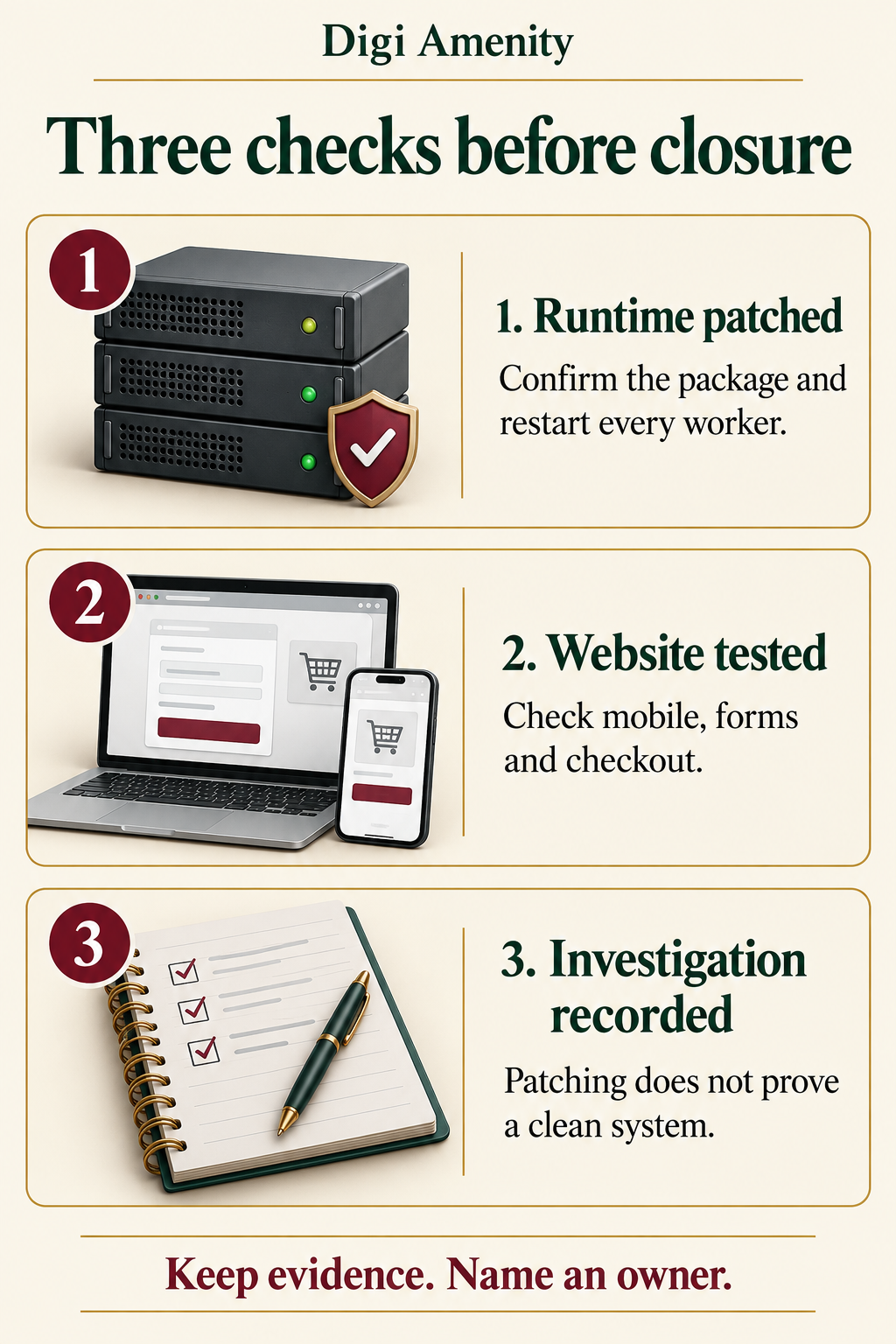
- Apply and verify the repair. Capture the full package or image evidence and confirmation that all affected running workers have restarted or been replaced.
- Test and record. Check the customer journey, record any suspicious activity for investigation, and keep an owner for unfinished items.
Urgency should shorten coordination delays, not remove verification. Agree a next update time with the host, but do not turn that time into permission to leave an exposed service running.
What exactly should you send your hosting provider?
Subject: Urgent PHP2Shell patch verification for [domains]
Please confirm remediation for CVE-2026-109618 and CVE-2026-109619 on every PHP web runtime serving these domains, including additional pools, containers and backend nodes.
Please provide the full installed package or image version, its vendor/source, the advisory confirming both fixes, the deployment time, and confirmation that old workers were restarted or replaced. If the visible version is a backport, please identify the exact patched package.
If any component remains exposed, please state the containment measure, responsible owner and next update time. Please also confirm whether relevant logs have been reviewed for suspicious activity and identify anything still under investigation.
Keep this request specific to your deployment. A generic announcement saying the hosting company “takes security seriously” does not answer it.
How should the PHP security update be deployed safely?
The hosting team should choose commands and packages for its operating system and deployment model. A command copied for an Ubuntu server may be inappropriate on a managed panel, a container platform or another distribution.
Before deployment, identify a recent restorable backup and the application dependencies that could be affected. Use a short, targeted compatibility test where feasible. If testing delays remediation, make containment part of the plan instead of silently extending public exposure.
For a same-branch security update, test the functions the business actually depends on. For a larger branch migration, include extension and application compatibility. Keep both workstreams visible so a lengthy migration project does not become a reason to postpone an available security repair.
Update reusable deployment images and templates as well as the running environment. Otherwise, a later deployment or scaling event may reintroduce an old runtime. Have the administrator verify each relevant worker pool and backend node rather than checking only the first server.
A rollback plan also needs a security decision. Restoring an old vulnerable runtime may restore functionality while reopening exposure. If the repaired version causes a business failure, escalate containment and a safe forward fix; do not treat “the page loads again” as sufficient closure.
Can a firewall or WordPress security plugin replace the patch?
No. PHP states that configuration mitigations address only particular attack paths and do not make an affected installation safe. A firewall may reduce exposure, but it does not repair the runtime. Do not apply memory or session configuration changes from a social post without your administrator checking their effects and the official advisory.
Where prompt patching is impossible, CERT-EU recommends considering isolation of internet-facing applications from public networks until the fix is applied and verified.
The location of the control matters. If a maintenance page is generated by PHP, the request has already reached PHP. Ask for containment at the network or reverse-proxy boundary in front of the affected runtime, and check whether another hostname or direct origin route bypasses it. A WordPress login, CAPTCHA or maintenance plugin should not be used as proof of protection against a pre-application vulnerability.
For a business that must temporarily interrupt service, agree how customers will receive an accurate service notice and how enquiries will be handled through an existing safe channel. Do not advertise a functioning checkout while the application is isolated.
What if you suspect the website has already been compromised?
Escalate to the hosting security team or an incident-response specialist. A successful PHP vulnerability fix prevents the repaired flaws from remaining open; it does not remove changes an attacker may already have made.
Ask the responder to preserve relevant logs and evidence while containing access. Avoid deleting unfamiliar files or repeatedly reinstalling software before evidence is captured. Establish a recovery plan using known-clean components, assess which credentials may need rotation from a trusted system, and record the basis for reopening the service.
Researchers describe suspicious large form submissions, memory-exhaustion errors and unexpected processes launched by web workers as signals to correlate. Legitimate workloads can also exhaust memory; absence of a crash does not establish safety. Those are investigation leads, not a diagnosis based on one screenshot. See the researcher’s detection discussion.
Use precise status wording: “patched; investigation pending” is more useful than “fully secure.” If customer or business data may be involved, have the appropriate incident owner assess notification and reporting obligations.
What should you test after the update?
For Digi Amenity’s website-maintenance approach, a visible homepage is only the start. The practical question is whether the visitor can still reach the intended business outcome.
| Journey | Check | Evidence to retain |
|---|---|---|
| Mobile browsing | Navigation, readable headings, images, buttons, tables and footer without page-wide horizontal overflow. | Device/viewport, page and screenshot. |
| Enquiry form | Validation, submission, confirmation, email/CRM receipt and the correct service selection. | Clearly labelled test entry and matching destination receipt. |
| Shop checkout | Product, cart, shipping/tax logic, payment integration and order confirmation using the approved test procedure. | Test-mode order and reconciliation; no accidental live charge. |
| Marketing measurement | Expected test events fire once at the right step and test traffic is handled appropriately. | Event evidence; distinguish a submitted form from a qualified lead. |
| Search visibility | Important pages respond correctly; accidental noindex, canonical or access restrictions are resolved after containment ends. | URL-specific observations and any remaining restrictions. |
These are acceptance checks, not evidence of improved conversion rate. Keep security containment in place until the technical owner authorises reopening; a temporary traffic interruption is not a reason to restore vulnerable execution.
If the update exposes a broken journey, separate the runtime repair from the follow-up technical SEO review. That keeps a security task from being confused with a ranking promise.
What does a complete response look like in practice?
Hypothetical example: an Indian services business receives enquiries through a WordPress landing page. Its host confirms an upstream PHP 8.3.35 web runtime, so the owner requests an applicable fixed release. The administrator deploys 8.3.36, confirms the remaining pools and nodes, and records the worker restart.
The business then tests a mobile form. The confirmation appears, but the CRM entry does not arrive. The correct record is “runtime repair verified; CRM delivery check failed,” with a separate owner investigating the integration. It is not “security update failed,” and it is not “website fully checked.” A logged test submission also does not count as a qualified commercial enquiry.
This is an illustrative process, not a Digi Amenity client result or a test performed on your website.
How do you maintain WordPress PHP security after the emergency?
- Domains, applications, web runtimes and deployment owners are recorded.
- Both CVEs are covered by the applicable upstream or vendor repair.
- Full package/image identifiers and vendor evidence are retained.
- Every affected running worker is replaced or restarted, with confirmation.
- Reusable deployment images cannot reintroduce the vulnerable build.
- Mobile, forms, checkout and measurement checks have named results.
- Investigation status is recorded separately from patch status.
- Temporary controls have an owner and a documented removal decision.
- Backup restoration, routine maintenance and PHP support deadlines have future review dates.
Longer-term WordPress hygiene includes trusted software updates, restricted administrative access, strong account protection, appropriate permissions and tested backups stored separately from the live environment. These reduce other risks; they do not substitute for this PHP repair. The official WordPress hardening guide is a useful maintenance reference.
Frequently asked questions
Does updating WordPress fix PHP2Shell?
No. These flaws are in the PHP runtime. Keep WordPress maintained, but obtain separate confirmation that the hosting environment contains the PHP fixes and is running them. A successful WordPress update screen is not that evidence.
Do I have to upgrade to PHP 8.5 immediately?
No. Fixed releases exist in supported branches 8.2 through 8.5. Your administrator can choose an applicable maintained package while planning any larger compatibility migration separately. Check the branch’s support end date as well as this incident’s fix.
My host still shows an older version. Is it definitely vulnerable?
Not necessarily. A vendor may have backported the fixes. Request the full package version and a vendor advisory covering both CVEs. Do not accept an unexplained older label as safe, and do not reject a documented vendor repair solely because its upstream-looking number is lower.
Will a security plugin, MFA or CAPTCHA protect the website?
Those controls serve other purposes. They do not establish that a vulnerable PHP runtime has been repaired. Ask the host to verify the server-side fix rather than adding another plugin as the main response.
Can I leave the site online behind a WAF until next month?
A WAF is not a complete replacement for patching. Escalate an immediate repair plan. Where it cannot be applied promptly, the technical owner should evaluate isolation and temporary controls based on the actual deployment rather than assuming a firewall makes a long delay acceptable.
Is a command-line PHP version check enough?
No. The command-line interpreter can differ from the web runtime. Have the administrator verify the runtime serving each domain and deployment, including additional pools or nodes. Retain the package source and the running-process confirmation.
Does patching prove that no data was accessed?
No. Patch verification and compromise assessment answer different questions. Suspicious activity needs investigation, and unavailable logs should be recorded as a limitation. Avoid claiming that a system is clean solely because an update completed.
What should I do if the hosting provider cannot confirm a fix?
Escalate the ticket with both CVEs and request a named owner, containment decision and next update time. Consider the service’s public exposure with the technical team. Keep the issue open until there is deployment-specific evidence rather than closing it on a generic reassurance.
Need help coordinating the website checks?
If your host has applied the PHP update but forms, landing pages or checkout still need verification, Digi Amenity can help coordinate the website work and test the customer journey. Start with a website maintenance and development review, bringing your host’s patch confirmation and any outstanding errors.